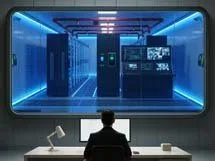
- Access, UPS, air conditioning and fire protection
Server rooms are the pulsating heart of any modern IT infrastructure. This is where the business-critical systems run, which must be available 24/7.
If something goes wrong – whether it's a power outage, a fire or misoperation by unauthorized persons – it can have devastating consequences for the company. Therefore, it is crucial that physical safety, power supply and environmental conditions are carefully planned and regularly reviewed.
In this article, I will show you how to implement access protection, UPS systems, air conditioning and fire protection in your server room efficiently and sustainably.

Access protection: Who is allowed in at all?
The very first step to protecting your IT systems is to have a strict and well-documented access control process. A server room is not a storage room for paper clips. There are devices that are essential for daily business – so not everyone is allowed to walk in at will.
Electronic access systems
With electronic access systems (key cards or PIN codes), you can specify exactly who is allowed to enter the server room and when.
- Automatic logging: Later, you can see exactly who was in the room at what time.
- Flexible permissions: Allow night shifts only to certain people or set up temporary access for external service providers.
Biometric Systems
Biometric access systems such as fingerprint scanners, iris or facial recognition are even more secure. They make the classic problem of "keys lost, code passed on" virtually obsolete.

24/7 monitoring and alerting
- Cameras: Should be high-resolution to identify people beyond doubt. Keep recordings for a defined period of time (e.g. 30 days).
- Alarm systems: Report unauthorized intrusion immediately and serve as a deterrent.
Regular audits and training
Technology is only as good as the person who operates it.
- Annual audit: Check all access authorizations. Has anyone left the company or changed departments? Revoke unnecessary rights immediately.
- Training: Every person entitled to access must know how to behave in an emergency and what to look out for in daily operations.
Uninterruptible power supply (UPS)
Imagine: In the middle of the day, the electricity collapses. Without a UPS, all lights go out immediately, databases shut down improperly ("crash") and file systems are damaged. A UPS system is therefore mandatory.

UPS types and their areas of application
| UPS Type: | How it Works & How to Use |
| Offline / Standby | Cheap, for smaller environments. Has a minimal switching time, therefore often not sufficient for highly critical servers. |
| Line-Interactive | : The "middle class". Combining offline and online principles, it is energy efficient and ideal for SMEs on a moderate budget. |
| Online (Permanent Converter) | The professional solution. Converts electricity permanently (AC -> DC -> AC). No switching time, filters voltage fluctuations completely. Ideal for mission-critical hardware. |
Capacity planning and maintenance
A UPS must be large enough to support all critical systems until either an emergency diesel starts up or the systems are shut down cleanly ("graceful shutdown").
- Battery maintenance: UPS batteries don't last forever. Replace them every 3 to 5 years.
- Surge protection: Add surge protection modules to the UPS to prevent hardware failures.
Air conditioning: Cool heads for hot technology
Servers generate massive amounts of waste heat. Without cooling, there is a risk of overheating, which drastically reduces the service life of the hardware or leads to immediate failure.
Optimal values
- Temperature: 20 to 24°C is ideal. Peaks above 27°C significantly increase the risk of failure.
- Humidity: A target value of 40 to 60% RH is optimal. Too dry promotes electrostatic discharges, too humid leads to condensation/corrosion.
Hot and cold aisle containment
An effective concept for energy efficiency is the strict separation of air flows.
- Cold aisle: Cool fresh air flows in here, and the servers suck it in at the front.
- Hot aisle: The servers blow out the hot air at the back, where it is sucked out directly. This prevents the air from mixing and massively reduces the energy costs of the air conditioning system.

Redundancy (N+1) and Monitoring
Never rely on just one air conditioner. N+1 redundancy means that there is always one more device than is needed for the peak load. If one fails, the backup takes over. Also implement sensors that immediately sound an alarm (e-mail/SMS) if the limit value is exceeded.
Fire protection: Better safe than sorry
A fire is the worst-case scenario. However, water as an extinguishing agent is almost as destructive in the server room as the fire itself.
Early detection
Use smoke detectors that are specially designed for server rooms (e.g. smoke aspiration systems / RAS).
- Pre-alarm: At the lowest particle concentration (time for testing).
- Main alarm: In the event of a real fire hazard (triggering of the extinguishing chain).
Gas extinguishing systems
Instead of water, professionals rely on inert gases (argon, nitrogen, CO2). These displace the oxygen to such an extent that the fire suffocates without damaging the electronics.
- Prerequisite: The room must be structurally "gas-tight" so that the extinguishing gas does not escape.
- Structural fire protection: Pay attention to F90 walls and doors to prevent the fire from spreading to or into the server room.

Advanced Aspects: Policies and Certifications
To prove professional security, it is worth taking a look at established standards:
- ISO/IEC 27001: The gold standard for information security management systems (ISMS), including physical security.
- TIA-942: Classifies data centers into TIER levels (I to IV) for redundancy and availability.
- BSI IT-Grundschutz: The BSI's "Compendium" provides very concrete building blocks for infrastructure protection.
Conclusion: A holistic process
Physical security is not a one-time purchase, but a cycle.
- Access: Only those who have to go in get in.
- Electricity: UPS smoothes tension and bridges failures.
- Climate: Cold aisle and redundancy protect the hardware.
- Fire: Early detection and gas extinguishing save the data.
Check your systems regularly: Are the permissions up to date? Are the sensors working? How old are the UPS batteries? The better prepared you are, the more peacefully you can sleep – and the more stable your business will be.
External sources
| Federal Office for Information Security | Recommendations, Standards and Baseline Protection Catalogs for IT Security. |
| ISO/IEC 27001 (ISO.org) | Information on the requirements of an information security management system. |
| TIA-942 Data Center Standard | TIA-942 standard, including TIER classification for data centers. |
| APC by Schneider Electric | manufacturer information and planning tools for UPS systems and power protection. |
| TecChannel - Server Room Air Conditioning Practical | tips for the correct cooling of server rooms. |
| Fire protection in the data center | Specialist portal with articles and solutions for preventive fire protection. |

💬 Comments
0 KommentareSei der Erste und starte die Diskussion mit einem hilfreichen Beitrag.
Leave a comment
Dein Beitrag wird vor der Veröffentlichung kurz geprüft — fachlich, respektvoll und auf den Punkt ist hier genau richtig.