Networks form the digital backbone of modern companies. They ensure that information and resources are exchanged efficiently between devices and locations. Whether in a small office or in a globally operating corporation: Without a reliable infrastructure, operations come to a standstill.
But what exactly is technically behind the acronyms LAN, VLAN and WAN? Why are these concepts essential for a functioning IT environment? In this article, we’ll take a look under the hood of network basics, analyze the differences, and show what you need to consider when planning, security, and administration.
Why in-depth knowledge is crucial
IT has developed rapidly. With digitization, not only the number of devices is growing, but also the data volume. Demands on speed, high availability and scalability are increasing exponentially. Today, a network failure no longer just means “no internet”, but often direct loss of productivity and, in the worst case, reputational damage.
Understanding the principles of network types will help you make informed infrastructure decisions. This applies to the home network as well as to complex corporate structures, where structured planning and continuous monitoring (“observability”) are decisive for success.
LAN (Local Area Network)
Definition and area of application
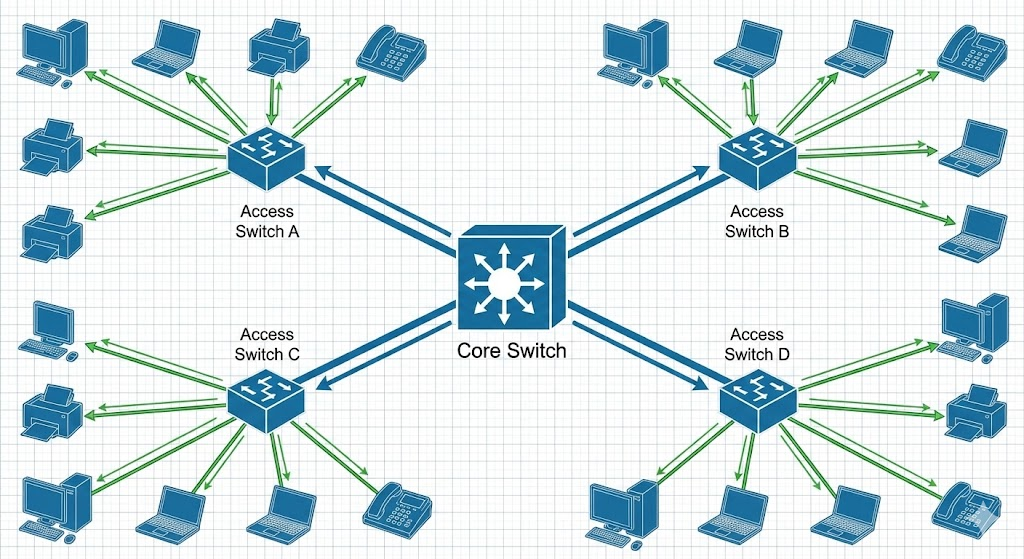
A LAN is the classic: a local network, limited to a spatial area such as an office, a floor or a data center. Communication takes place via Ethernet copper cable, fiber optics or wirelessly via WLAN. The focus here is on high bandwidth and low latency at manageable costs.
Technologies and protocols
Ethernet standards dominate the LAN. While Gigabit Ethernet (1 GbE) is the standard for end devices, backbones and server uplinks have long relied on 10 GbE, 25 GbE or even 100 GbE. In the wireless sector, WiFi 6 (802.11ax) and WiFi 6E are currently decisive. Logical addressing is done almost exclusively via IPv4 and increasingly IPv6. The hardware is based on Layer 2 and Layer 3 switches as well as access points.
Planning and administration
The heart of it is the switch. In enterprise environments, these are often designed redundantly (stacking or MC-LAG). Transparency is important for admins here: Professional monitoring tools (e.g. PRTG, Checkmk, or Zabbix) provide insights into port traffic. This is complemented by security components such as Network Access Control (NAC) (e.g. 802.1X) to grant access only to authorized devices.
VLAN (Virtual Local Area Network)
The Concept: Virtual Segmentation
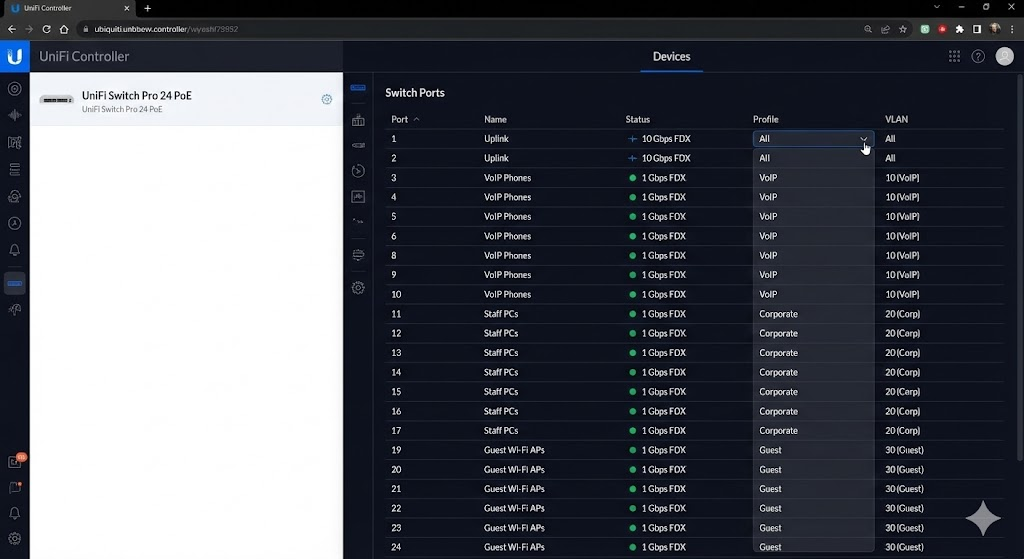
A VLAN allows you to operate multiple logically separate networks within a physical infrastructure. Think of it like virtual islands on the same switch. This is done at Layer 2 of the OSI model.
The advantages at a glance
- Segmentation: Separation of departments (e.g. HR, Dev, Guest Wi-Fi). This reduces broadcast domains, reduces network noise (“background noise”) and increases performance.
- Security: Sensitive data remains isolated. An infection in the “Office VLAN” does not automatically spread to the “Server VLAN”.
- Flexibility: If the team structure changes, you simply adjust the VLAN ID on the port – no need to replug cables.
Practice: Tagging according to 802.1Q
The assignment is usually port-based (“untagged” for end devices). However, if several VLANs are to be transported over one line (e.g. uplink between two switches or to a hypervisor for virtual machines), IEEE 802.1Q tagging is used.
The data packet is given a “tag” (VLAN ID) so that the remote station knows to which virtual network the packet belongs.e VLANs are used to use Tagged VLANs (IEEE 802.1Q). For example, a switch port to another switch or to a virtual host can transmit multiple VLAN streams at the same time. This is especially useful in virtualized environments, where a single physical server houses multiple virtual machines with different network segments.
WAN (Wide Area Network)
Bridging the gap
A WAN connects geographically dispersed locations—across cities, countries, or continents. The most well-known WAN is the Internet itself. For companies, WAN usually means the networking of branches with the headquarters or the cloud data center.
Technologies in transition
Classic MPLS leased lines are increasingly being replaced by flexible hybrid solutions:
- MPLS (Multiprotocol Label Switching): Provides guaranteed bandwidth and QoS (Quality of Service), but is costly and inflexible.
- VPN (Virtual Private Network): Use the public internet as a transport medium. Encryption (e.g. IPsec, WireGuard) ensures security. Ideal for home office connections.
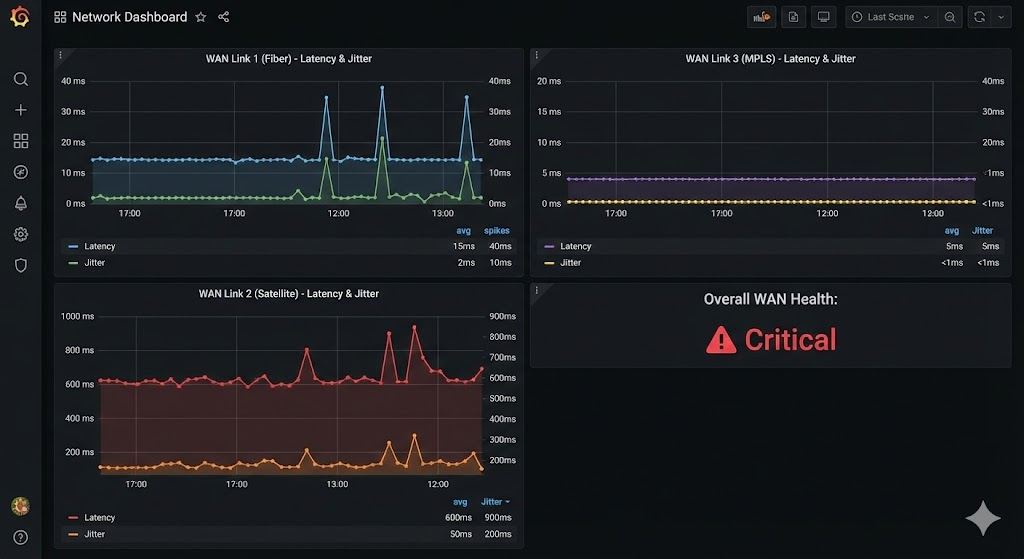
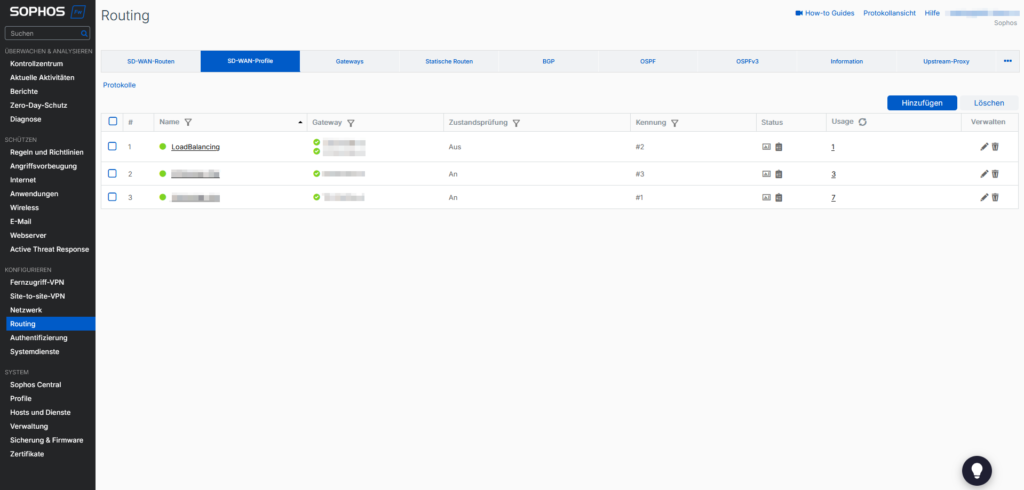
- SD-WAN (Software-Defined WAN): The modern standard. SD-WAN abstracts the underlying hardware and dynamically chooses the best path (MPLS, fiber, LTE/5G) based on the current line quality.
Challenges
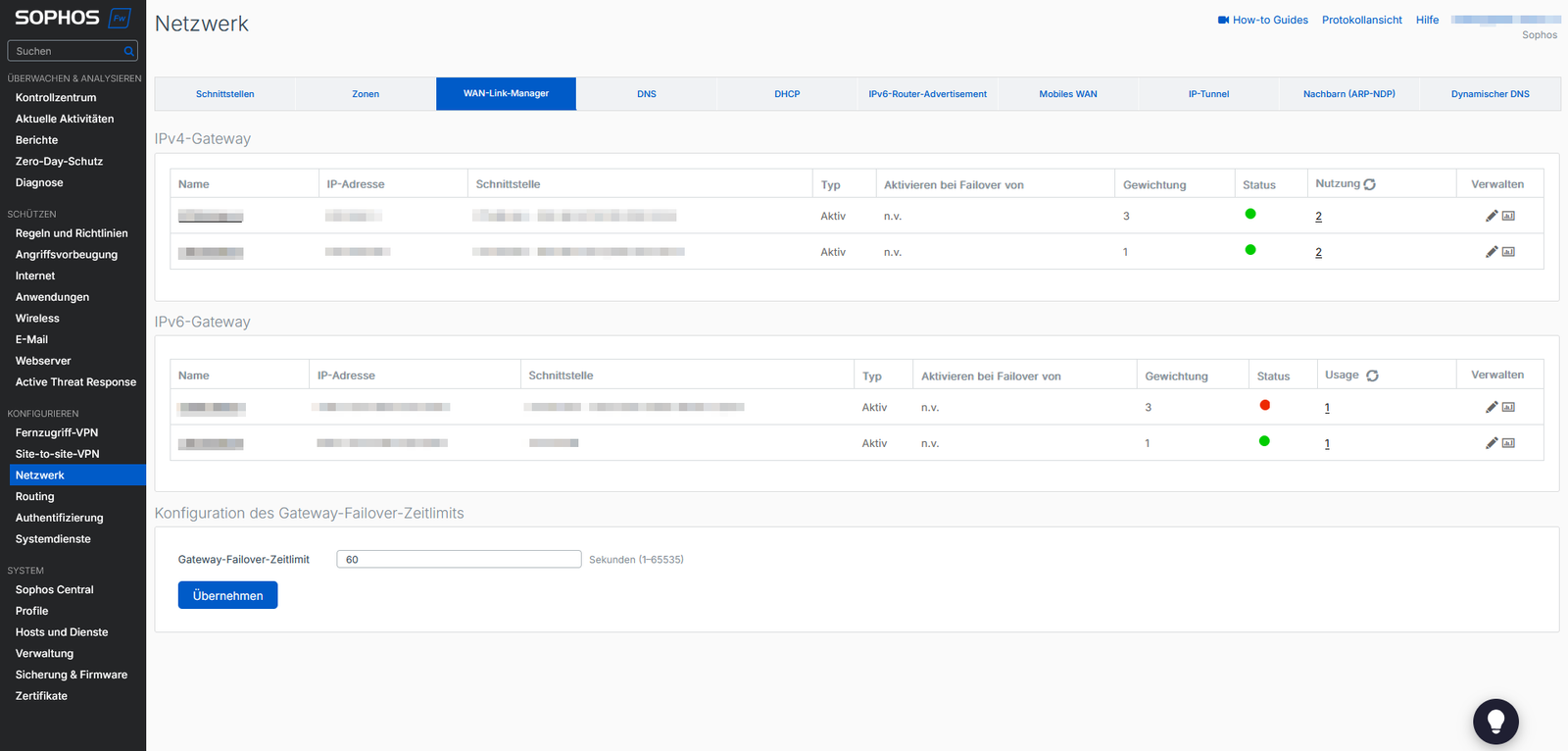
WAN routes are the bottleneck: more expensive and often slower than LAN. Redundancy (dual WAN) is mandatory here. In addition, the WAN is the gateway for attacks, which is why next-gen firewalls are indispensable at the edge points.
Interaction of LAN, VLAN and WAN
In modern environments, these technologies work seamlessly together: a store is connected via SD-WAN . There is a local LAN for employees on site. This is divided via VLANs :
- VLAN 10: Internal PCs
- VLAN 20: VoIP phones (prioritized via QoS)
- VLAN 30: Guest WLAN (direct Internet breakout, no access to the internal network)
The art of administration is to configure routing, firewall rules and VLAN tags in such a way that the data flow is performant but secure.
Security & Best Practices
Whether LAN or WAN – security is not a feature, but the basis. Here are the most important to-dos for you:
- Segmentation: Drive “Zero Trust”. Consistently separate servers, clients, and IoT devices into their own VLANs.
- Access Control (ACLs): Regulate the traffic between VLANs. Does the printer really need to talk to the database server? Probably not.
- IDS/IPS: Use intrusion detection/prevention systems to detect anomalies in traffic at an early stage.
- Patch Management: Switches and routers have firmware. Keep them up to date.
- Documentation: A network topology that only exists in your head is useless in an emergency. Document VLAN IDs, subnets, and uplinks.
Outlook: Trends and further developments
The network landscape is constantly evolving. Topics such as 5G and edge computing increase the importance of distributed locations. At the same time, cloud services continue to gain in importance, blurring the classic separation between local LAN and remote WAN connections. Companies want to be as flexible as possible and be able to react dynamically to load changes or site expansions. SD-WAN is playing an increasingly important role here, as it simplifies the implementation of different connection types and can be controlled with the help of intelligent software.
In the LAN sector, WLAN remains an important factor. With new WLAN standards, the wireless transmission rate is increasing, while wired connections remain in place in many areas, especially to secure servers and high-performance workstations. In this environment, VLANs are a key tool for clearly defined security zones and efficient network segmentation – whether by cable or radio.
Conclusion: The foundation for the future
Networks are the lifelines of IT. A solid understanding of LAN, VLAN and WAN is the tool for every administrator. While the LAN provides speed and VLANs create order, the WAN connects the world.
Technologies such as SD-WAN and cloud integrations make networks more dynamic, but they also require more control expertise. Those who plan properly and rely on modern standards will ensure their company’s competitiveness in the long term.
- PhinIT | Patch Cord | Insight into the world of cabling
- PhinIT | Fiber Optic Cables and Connector Types
further links
| IEEE 802.1Q Standard (VLAN) IEEE Specification for VLAN | https://standards.ieee.org/standard/802_1Q-2018.html |
| Electronics Compendium: VLAN Explanation of VLANs and Tagging Procedures. | https://www.elektronik-kompendium.de/sites/net/0906021.htm |
| Cloudflare: What is a WAN? Definition of Wide Area Networks and SD-WAN. | https://www.cloudflare.com/de-de/learning/network-layer/what-is-a-wan/ |
| Wireshark User Guide Documentation for the standard tool for network analysis and troubleshooting. | https://www.wireshark.org/docs/wsug_html_chunked/ |