

Do you use AI transcription via Otter.ai, Fireflies, Zoom transcription, Teams Premium or Copilot in meetings?
Then, depending on the setup, you quickly find yourself in a legal gray area. What helps great with notes can lead to fines, warnings and stress with the works council, customers and data protection without a clean procedure.
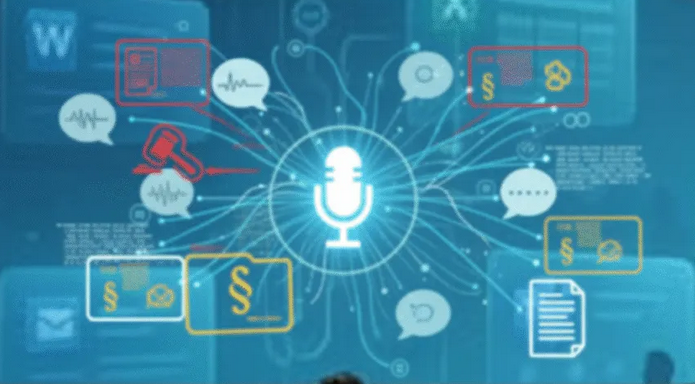
- Without the effective consent of all parties involved, you risk a criminal offence under § 201 of the German Criminal Code with recording and transcription.
- GDPR requires a clear legal basis, informed consent and easy revocation option.
- External AI models often process content in US clouds and sometimes use data for model training; read the policies carefully!
- In Microsoft 365, you have strong compliance building blocks with Purview, retention, and Teams policies.
- With a clean consent process, technical controls and clear deletion deadlines, AI can be used in a legally compliant manner.
Original post by Felix Schweinebraten on LinkedIn
– Safe from warnings, fines, sanctions and damages.
Why transcription is legally sensitive
Section 201 of the Criminal Code protects the confidentiality of the spoken word. If you record a non-public conversation or have it transcribed, this is legally a recording. This is punishable without permission and can be punished with a fine or up to three years in prison.
At the same time , the GDPR applies. You need a legal basis according to Art. 6 GDPR, often this is explicit consent. This must be voluntary, informed, unambiguous and revocable at any time. A mere note at the beginning of the call is not enough.
Particularly critical: Depending on the service, audio, transcript and metadata are stored outside the EU. Some providers use content, de-identified, for model training – which entails additional GDPR obligations and order processing agreements. Check the provider’s policy and whether training on customer data is excluded.
Currently, such tools are even under legal scrutiny. Reports and lawsuits show that automatic transcriptions without effective third-party consent are problematic. For you, this means organizing consents watertight, documenting data flows, ensuring deletion.
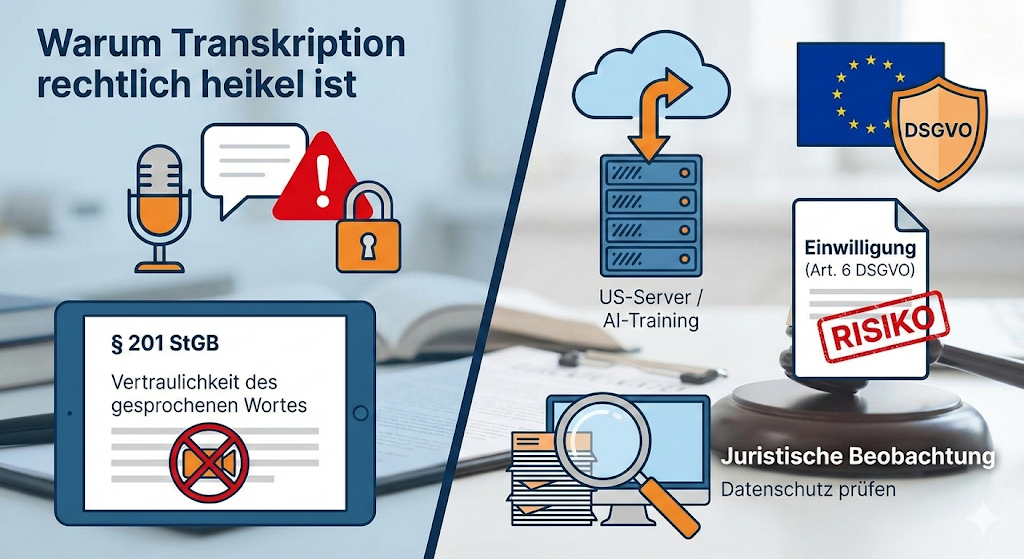
What you’re actually risking
- Criminal law: § 201 StGB in the case of unauthorized recording of non-public conversations.
- Data protection law: Fines under GDPR for lack of legal basis, lack of transparency, insufficient deletion.
- Civil law: Damages and injunctive relief claims of participants.
- Contractual: Violation of NDAs or non-disclosure clauses, especially with US clouds without sufficient safeguards.
How to set up AI transcription in a legally compliant manner
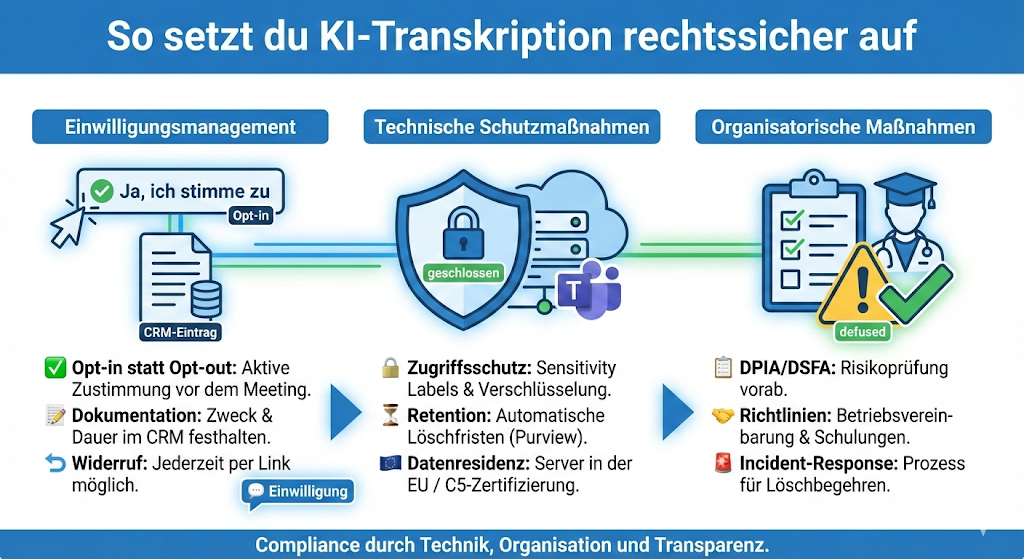
1. Establish consent management
- Actively ask for consent before the meeting. No tacit toleration.
- Opt-in instead of opt-out: Active confirmation in the invitation or lobby screen.
- Documentation in CRM, DMS or ticket: Who consented to what and when, including purpose and storage period.
- Enable revocation at any time, e.g. via a link in the invitation or a chat command.
Text module “Consent to transcription”:
“We want to automatically transcribe the meeting for notes. The transcripts are for logging purposes only and will be deleted after [X days]. Please confirm your consent here. You can withdraw your consent at any time before or during the meeting.”
2. Implement technical protective measures
- Meeting protection in Teams: Use sensitivity labels for “Confidential”, optionally enable watermarks, end-to-end encryption for particularly sensitive rounds. Allow recording only for defined roles.
- Retention & Retention: Define clear retention policies for records and transcripts. Note that Purview retention takes precedence over meeting expiration dates.
- Data classification: Automatically label, restrict access, and log access with Microsoft Purview Information Protection.
- Data residency & C5: Use providers and services with verifiable security and, if necessary, C5 attestation as part of your risk assessment.
3. Anchor organizational measures
- DPIA or DPIA for AI transcription, especially for sensitive data.
- Create an operating agreement and recording/transcription policy.
- Training for moderators: Request consent, respect revocation, stop recording immediately if you object.
- Incident response: Clear processes for incorrect records, deletion requests and requests for information.
Special scenarios and recommendations
Internal team meetings
- Legal basis depending on the content: consent or legitimate interest with balancing of interests.
- Transparency notice in Invite, Watermark optional, standardized deletion periods.
- Access to transcripts only for participants; Limit approvals by label.
Customer meetings
- Obtain consent before starting, offer alternative documentation.
- In case of rejection: Disable or anonymize transcription.
- Segregated filing and stricter retention for customer transcripts.
International Calls
- Be aware of different legal situations. Stick to the strictest standard among the participants.
- Provide guidance and consent in the relevant language.
- Document data flows to third countries and check appropriate safeguards.
Microsoft 365: your compliance toolkit

- Teams Premium: Meeting templates with predefined protection levels, watermarking, E2EE up to 200 participants, recording restrictions, clipboard block in chat.
- Retention & eDiscovery: Unified policies for chats, files, recordings, and transcripts. Be aware of the different locations and priorities between meeting expiration rules and Purview retention.
- Information Protection: Automatic labeling, encryption and access control based on sensitivity labels, APIs for integrations.
AI transcription is not the devil’s work. Used correctly, it saves time, improves protocols and makes content more accessible to everyone. It is crucial that you organize consents cleanly, create transparency and trim technology and processes for compliance.
With Teams Premium, Purview and clear guidelines, you can make many risks manageable – and win what counts in the end: the trust of your participants.

Further links
- Original LinkedIn post on this topic
- Section 201 of the Criminal Code – Violation of the confidentiality of the word
- GDPR Art. 6 – Lawfulness of processing
- GDPR Art. 7 – Conditions for consent
- Microsoft Purview Overview
- Information Protection in Microsoft 365
- Teams Meeting Recording Policies
- BSI – Cloud Computing Compliance Criteria Catalogue (C5)
- Bitkom – Guide to the GDPR
Note This article is for general information purposes only and does not replace individual legal advice. For your specific situation, we recommend consulting a specialized data protection officer or specialist lawyer for IT law.




Be the first to comment