

Effective and GDPR-compliant use of SharePoint and OneDrive requires appropriate settings and clear organizational standards.
Careful configuration ensures privacy and security. The central measures for this are presented below.


- Secure content sharing:
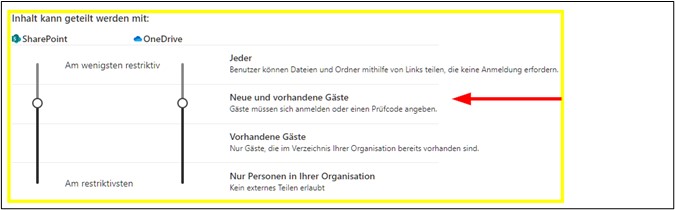
Sharing options should be set to restrict external access to new and existing guests. This ensures that only verified people have access to sensitive information. - Restriction of external sharing:
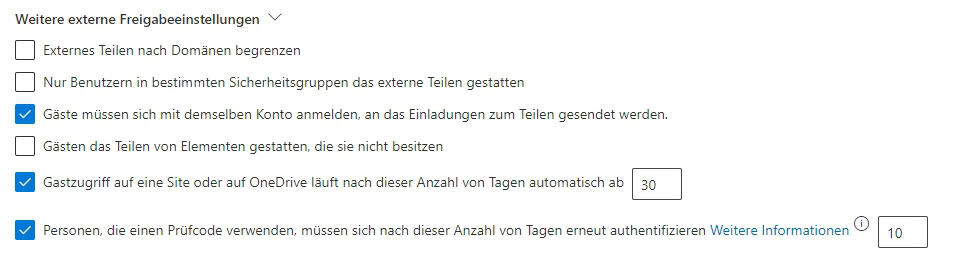
Sharing can be limited to specific domains and the validity period of sharing links can be specified. This maintains control over who has access to data and for how long. - Default link type and rights assignment:
It is advisable to choose the “Specific People” link type as the default and set the permission to “View” by default. Editing rights are only granted when necessary to avoid unauthorized changes. - Regular monitoring and additional protective measures:
Data protection measures such as multi-factor authentication should be implemented and all access should be checked regularly to ensure compliance with the GDPR in the long term. - Other settings for compliance:
Real-time notifications keep teams informed and allow for quick responses. Site management should be limited to authorized persons, and site storage limits help to control the storage of sensitive data in a targeted manner.
Share content in SharePoint
The secure and privacy-compliant sharing of content in SharePoint requires careful configuration in the “SharePoint admin center”. By default, content sharing is often set to the “Everyone” setting, which is a significant risk from a privacy perspective. To ensure the protection of sensitive information, we recommend that you change the default setting to “New and existing guests”. This ensures that external users have to verify themselves by e-mail and that access authorizations are only granted to actively invited persons.
In addition, external sharing can be specifically restricted by limiting sharing to specific domains or by setting the validity period of shared links. These measures allow for precise control over who gets access to sensitive data and how long that access lasts.
When sharing file and folder links, it is advisable to select “Specific People” as the default link type. This clearly defines which internal and external users have access. This is especially important for confidential documents. In addition, the default permission should be set to “View” instead of “Edit” to avoid unauthorized changes. Editing rights can be assigned specifically if required.
In order to ensure compliance with the GDPR in the long term, data protection measures such as multi-factor authentication should also be implemented and access should be monitored regularly.
SharePoint & OneDrive | Fine-tuning
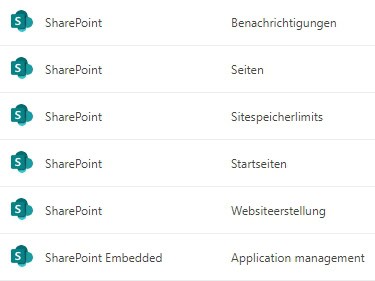
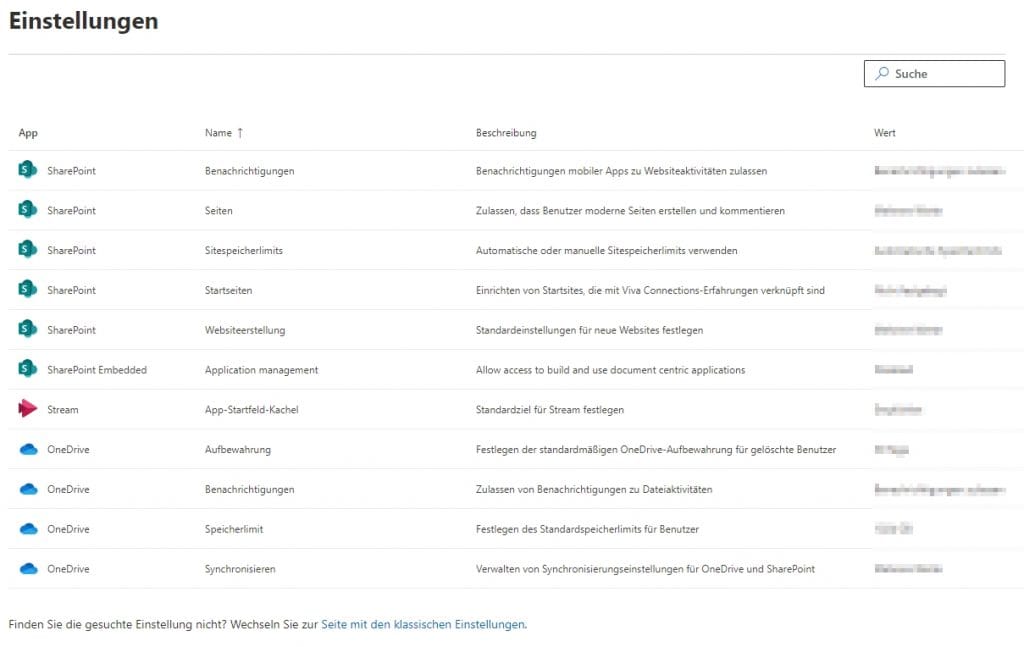
SharePoint | Settings
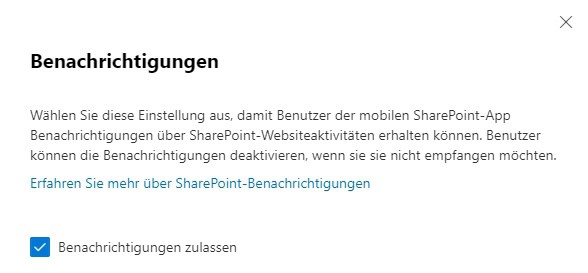
SharePoint | Notifications
Real-time notifications keep team members in the loop and allow for quick responses, especially in mobile or remote teams.
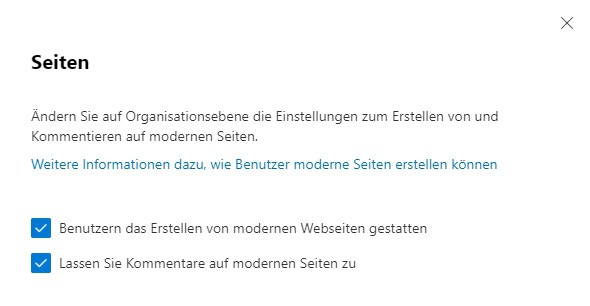
SharePoint | Pages
The creation of new pages should be limited to authorized persons in order to control the publication of sensitive information. Comment functions can remain open, as long as no confidential content is affected.
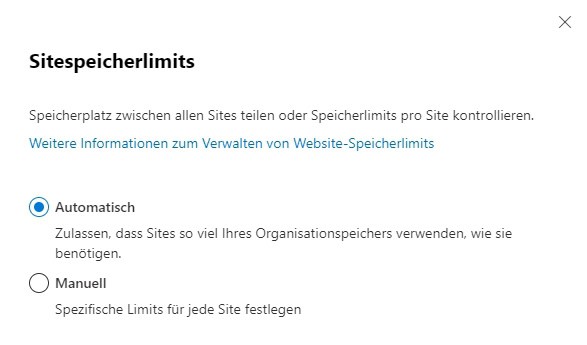
SharePoint | Site Storage Limits
By manually allocating storage space, it is possible to control where and how much data is stored – an important aspect for GDPR compliance.
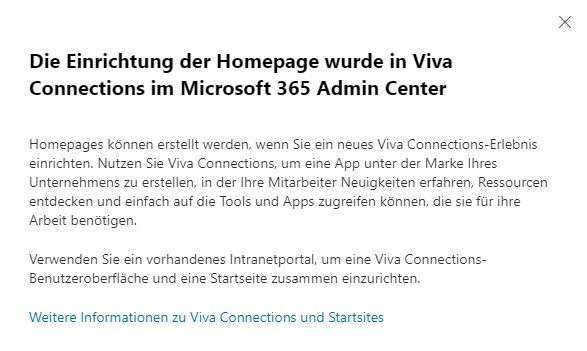
SharePoint | Home Pages
Configuring a clear start site increases the user-friendliness. The integration of Viva Connections should be weighed against data protection requirements in order to avoid unwanted sharing of sensitive information.
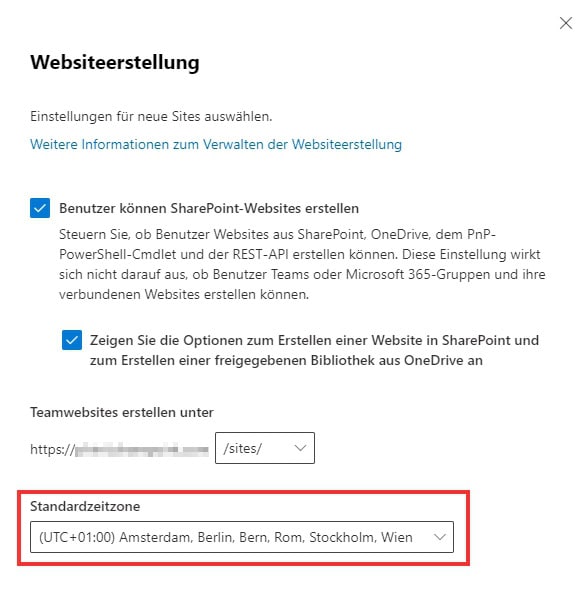
SharePoint | Website creation
The central control of website creation prevents the loss of overview and secures data protection aspects such as permissions and storage locations. Setting a default time zone ensures consistent protocols.
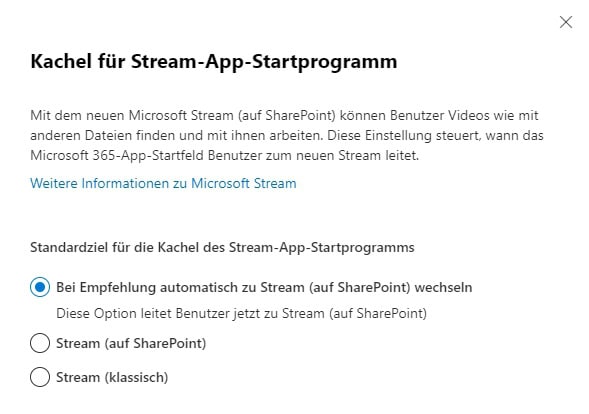
Stream | App launcher tile
Settings should be chosen in such a way that no personal data is contained in published videos or access rights are restricted accordingly.
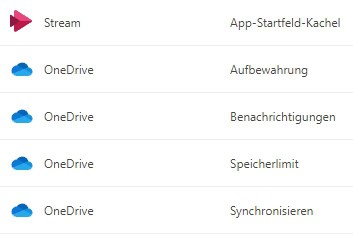
OneDrive | Retention, Notifications, Storage Limit & Sync
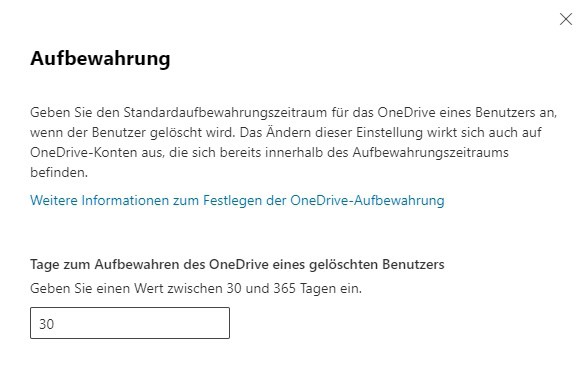
OneDrive | Storage
The standard retention period is usually 30 days. It should be reduced – where possible – to 14 days, for example, in order to avoid unnecessary storage of personal data and to comply with the GDPR.
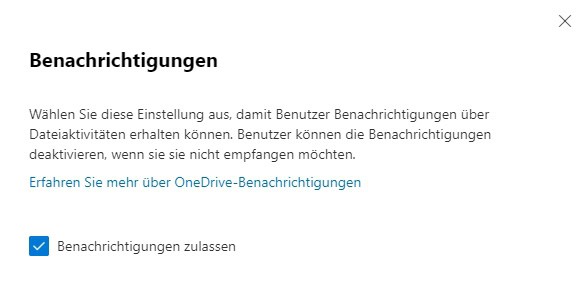
OneDrive | Notifications
Enabling file activity notifications increases transparency and strengthens security by detecting unusual traffic more quickly.
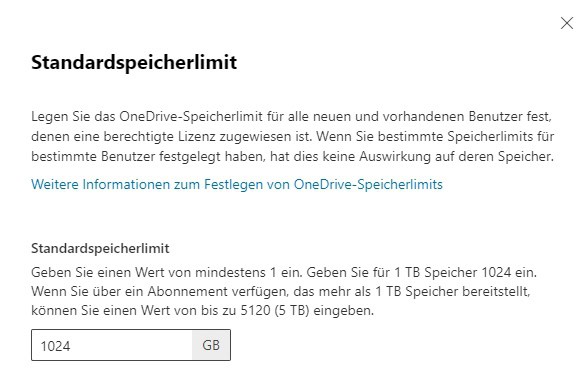
OneDrive | Memory Limit
The allocation of storage space per user should be chosen consciously. A limit that is too large increases the risk of uncontrolled storage of sensitive data.
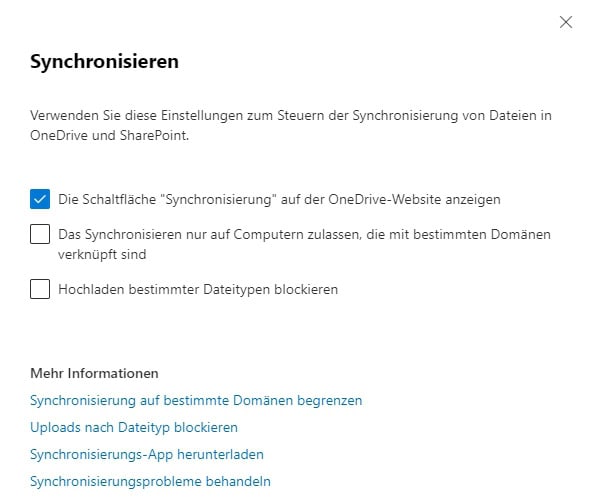
OneDrive | Sync
Synchronization should be limited to devices that belong to a specific domain. Certain file types (such as potentially harmful scripts) can be excluded from syncing.
Additional Tips
- Privacy Policy:
Basic guidelines define how sensitive data is handled and serve as the basis for technical implementation. - Access controls:
Role-based permissions limit access to what is necessary. Regular review and adjustment of the authorization structures are essential. - Service Encryption with Customer Key:
For particularly high compliance requirements, managing your own encryption keys allows for maximum control. - Training and awareness:
Regular training courses strengthen employees’ awareness of how to handle sensitive data and promote compliance with the GDPR. - Monitoring and logging:
Comprehensive logging of all accesses and changes as well as corresponding monitoring tools serve as an early warning system against data protection violations. - Data Protection Impact Assessment (DPIA):
Regular analyses help to identify risks at an early stage and to optimize protective measures in a targeted manner.
Security in SharePoint and OneDrive should be continuously optimized. In addition to technical settings, a clear strategy and the targeted assignment of roles and authorizations are essential to minimize risks. The use of Service Encryption further increases the protection of sensitive data. Regular training courses promote safety awareness among employees. Responsible handling of information strengthens trust and forms the basis for stable and secure cooperation.
further links

| Microsoft 365 Compliance | Microsoft documentation on privacy, GDPR, and compliance in Microsoft 365. |
| SharePoint Admin Center | Overview of the configuration options in SharePoint Admin |
| OneDrive Admin Center | Guidance and best practices for setting up and managing OneDrive for Business |
| GDPR Basics – European Commission | Basics of the GDPR and further information on the obligations of companies and the rights of data subjects. |
This post is also available in:
 English