
Privacy Policy | Microsoft Teams
Microsoft Teams has established itself as a central element of modern collaboration – in the office, in the home office and in hybrid work models. To securely use Teams’ rich capabilities, it’s critical to configure the appropriate settings and policies to ensure the protection of personal data at all times.
Below is a detailed description of how Microsoft Teams can be set up in compliance with data protection regulations without restricting usability and functionality. The recommendations are based solely on the ideas and procedures contained in the text.
Notifications and feeds
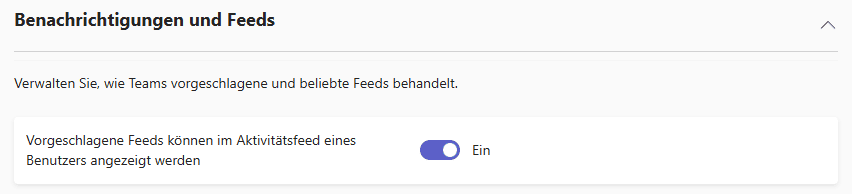
By default, both notifications and feeds are enabled in Microsoft Teams. It is important to review and adjust these settings regularly to prevent sensitive information from being unintentionally communicated to a larger group of users.
By defining clear guidelines for posting content and customizing display options, you can efficiently control the visibility of relevant information while ensuring the protection of confidential data.
Manage tags (tagging)
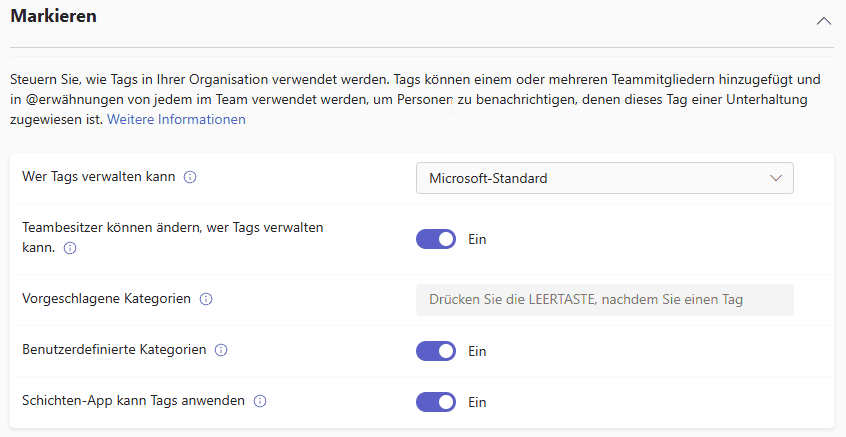
The management of tags is initially carried out according to Microsoft’s standard specifications. To avoid disseminating sensitive information via tags, team owners should actively control who can create and modify tags.
This requires clearly defined usage guidelines that regulate the handling of tags and protect the privacy of all parties involved.
Email Integration
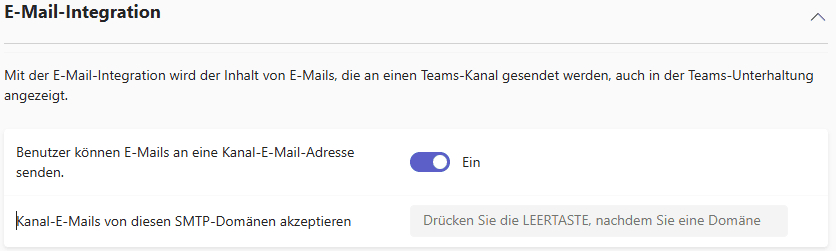
The ability to send emails directly to channel addresses is enabled by default. For privacy reasons, it is recommended that you limit the receipt of such e-mails to selected SMTP domains only.
The designated domains should be checked regularly and, if necessary, adapted to the applicable internal security policies in order to prevent unauthorized data access.
Files and storage options
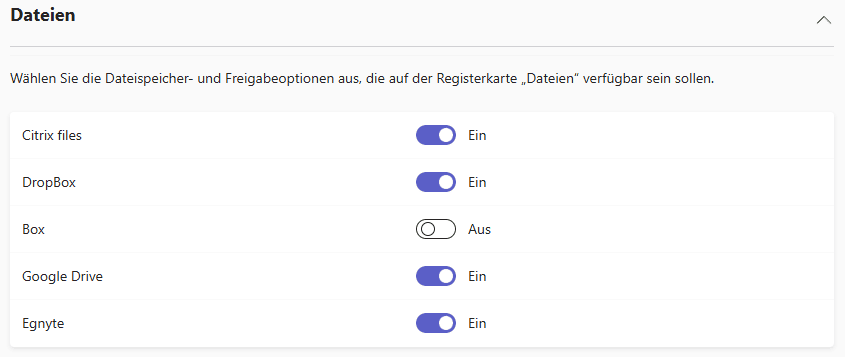
By default, all file storage options are enabled in Teams. To comply with the GDPR and protect personal data, companies should ensure that only services that are demonstrably GDPR-compliant are used.
Providers with a server location in Europe and proven high security standards are particularly recommended.
Viewing Organization Information
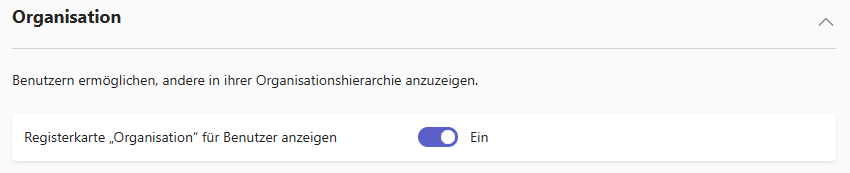
The default visibility of the organizational hierarchy in Microsoft Teams poses a risk for the disclosure of sensitive personal data.
It is therefore important to adjust the display so that only the information that is absolutely necessary is accessible. This strengthens data protection and avoids the disclosure of non-relevant data.
Device access (e.g., Surface Hub)
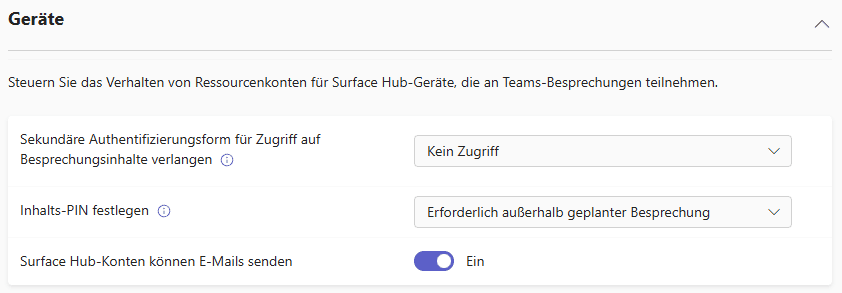
For devices like Surface Hub, we recommend introducing additional authentication measures, such as secondary authentication or using a PIN outside the organization.
These additions help to effectively protect access to meeting data and increase security when used externally.
Restriction of directory search
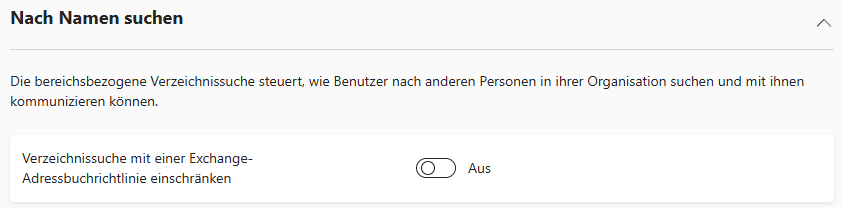
The unrestricted directory search allows access to personal data.
For targeted control, search should be restricted using an Exchange address book policy. This ensures that only authorized persons have access to certain contact details.
Security in chats and communication
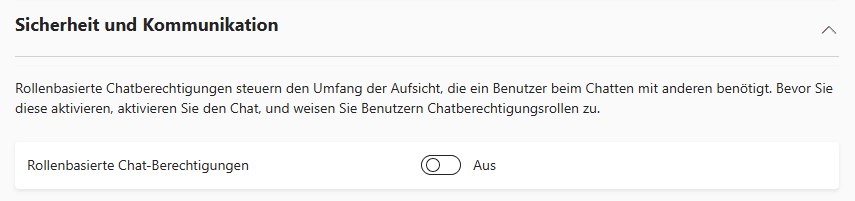
Role-based chat permissions allow companies to control exactly which functions such as message editing or deletion are available to individual users.
This targeted assignment prevents thoughtless or intentional manipulation of conversation histories and protects the integrity of communication.
Shared channel management
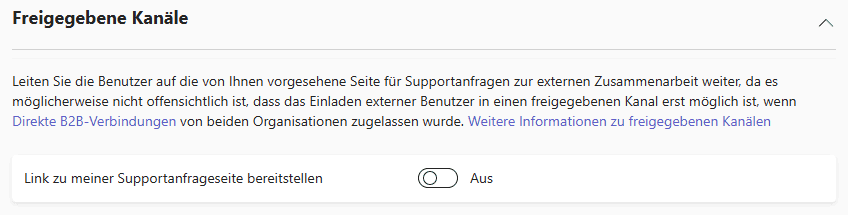
Shared channels should only be managed by IT or selected owners.
This is the only way to ensure consistent control over the accessibility of sensitive information and to avoid unwanted data leakage. This supports compliance with internal data protection guidelines.
Teams | Teams policies
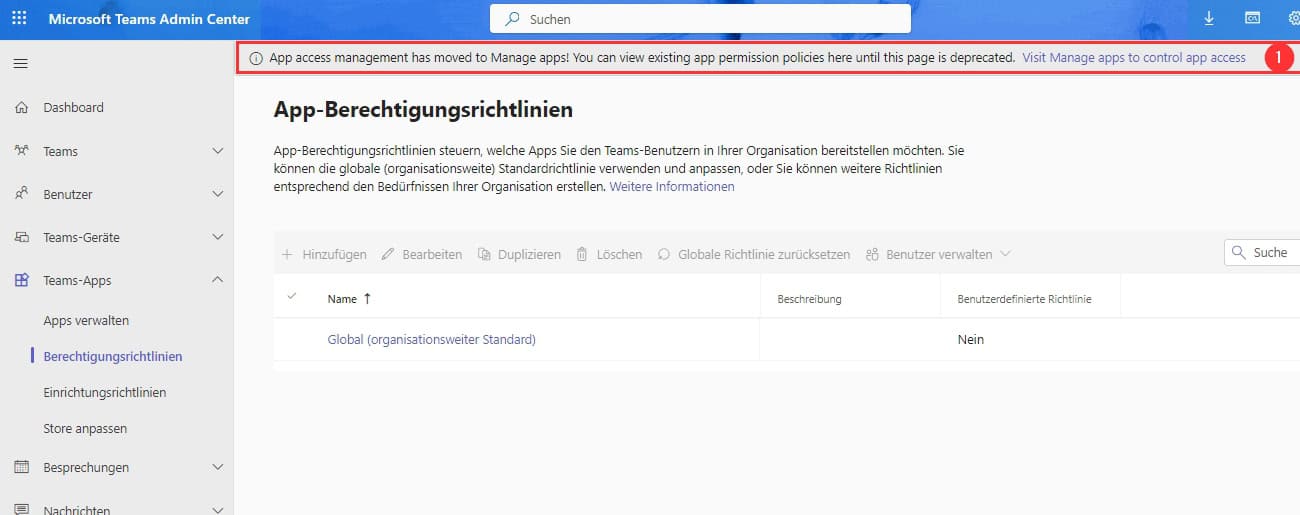
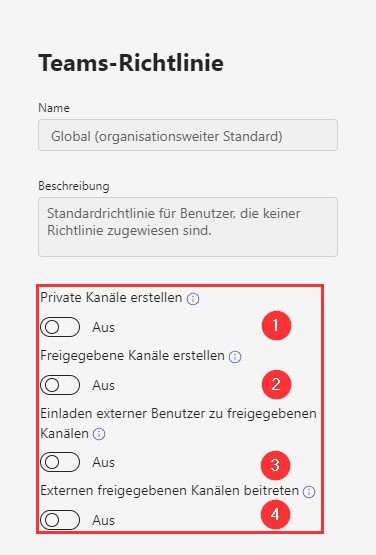
1# Create private channels
Private channels in Microsoft Teams enable smaller groups to collaborate securely and protect sensitive information from the entire organization. A clear regulation in the data protection guidelines guarantees that only authorized persons have access to sensitive data and its integrity is maintained.
2# Create shared channels
Shared channels make it easier to collaborate with external partners, but they carry the risk of inadvertently sharing sensitive data. Therefore, their creation should either be disabled or strictly regulated. External invitations should only be issued by the IT department in order to comply with data protection guidelines and prevent data leakage. Management by authorized persons protects the security of company data.
3# Inviting External Users
External users can be invited by default in Microsoft Teams. To comply with GDPR and data protection, this feature should be disabled or tightly controlled. Invitations should only be approved by IT so that only authorized people have access.
4# Join external shared channels
Joining external channels in Microsoft Teams carries risks for sensitive company data and should therefore only be done after careful IT testing and explicit approval. The responsibility lies with the IT department to comply with privacy policies and access controls.
Teams | Upgrade settings
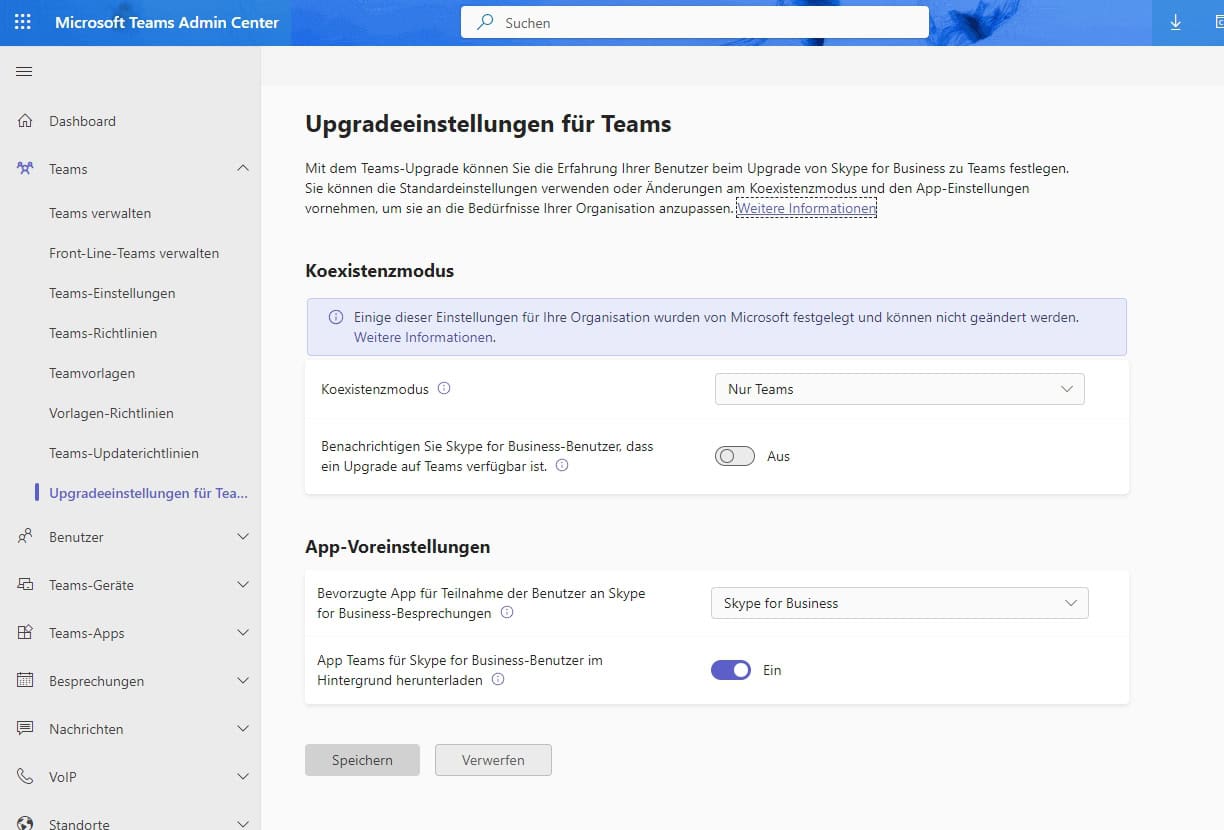
In order to control all communication functions centrally, it is recommended to permanently switch to the “Teams only” coexistence mode. This means that all internal communication and collaboration runs exclusively via Microsoft Teams and other platforms such as Skype for Business are no longer used in parallel. This uniform use makes it easier to implement and monitor data protection requirements and security standards in the company.
All affected users should be informed about the switch to “Teams only” in good time. This gives employees enough time to familiarize themselves with the new requirements for data protection and security and to take them into account in their everyday work. This promotes a smooth transition, supports compliance with data protection guidelines and protects sensitive company data in the best possible way.
Users | Guest access
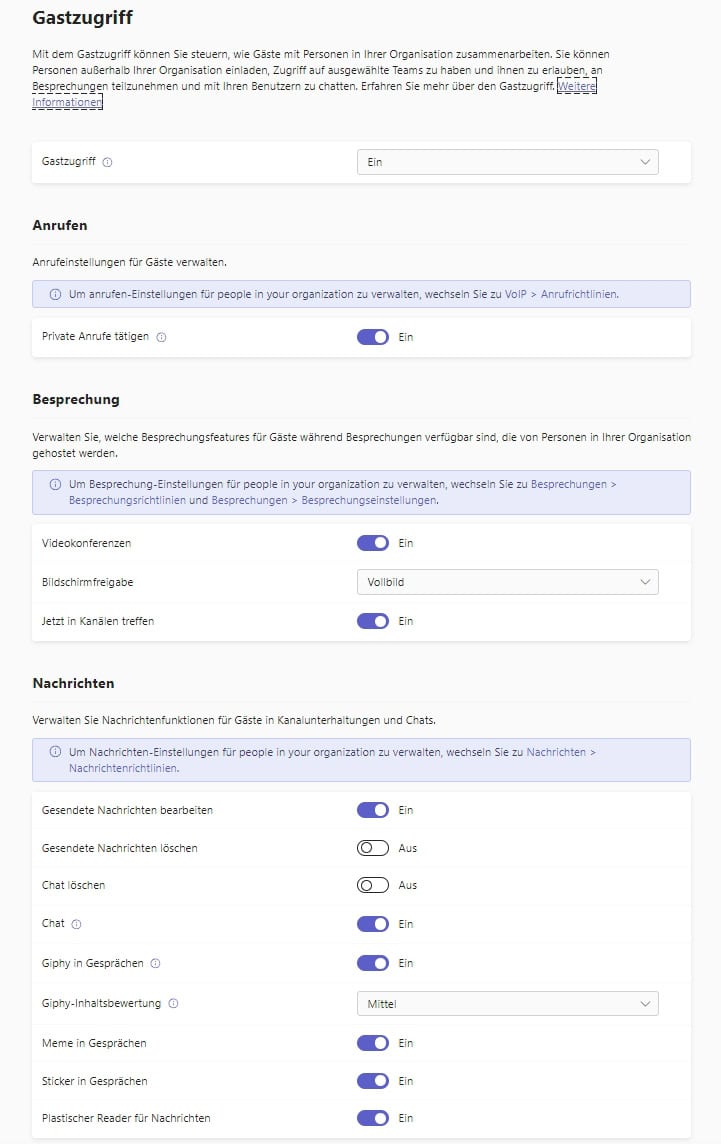
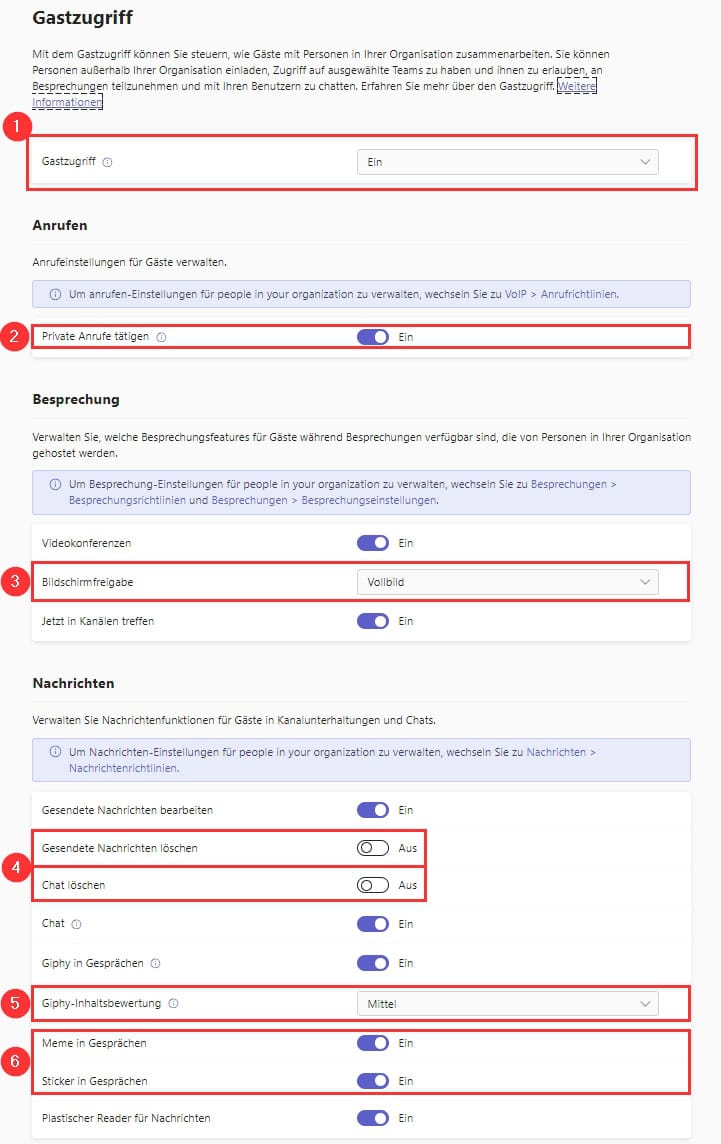
Guest access in Microsoft Teams should only be enabled with additional security measures such as your own conditional access policies and multi-factor authentication.
Because DLP and retention policies have a limited impact on guests, there is a higher risk to corporate data. To minimize this, access should be strictly regulated and call and meeting functions for guests should be limited to the bare minimum.
Users | External access
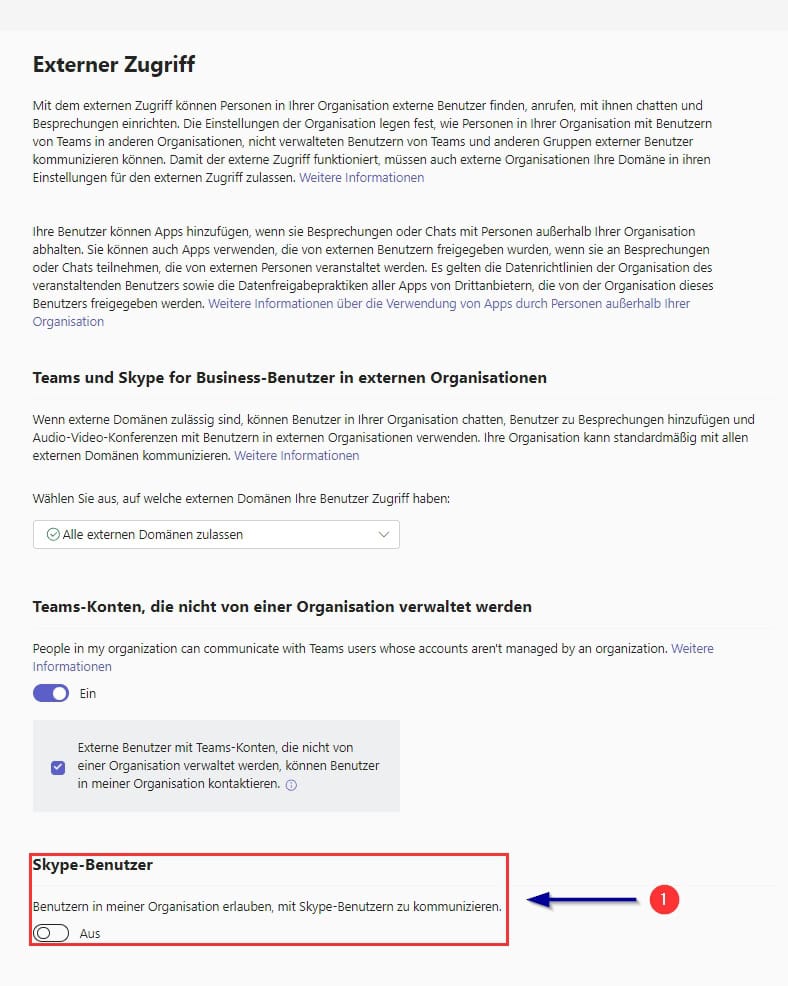
External access to Microsoft Teams poses risks to corporate data. Therefore, only authorized contacts and domains should be granted access to prevent unauthorized access.
Unmanaged accounts must be deactivated or tightly controlled so that only verified users can access them. These measures protect against data leakage and ensure compliance with data protection guidelines.
Teams Apps | Eligibility Policy
The company’s global policy determines which apps can be used in Microsoft Teams. It is important to allow only trusted and necessary applications in order not to grant unauthorized or insecure programs access to company data and not to jeopardize the level of security.
Individual guidelines can be created for specific user groups. These specifically regulate access to particularly sensitive applications so that only authorized persons have access to critical functions. This differentiated allocation of app permissions can limit uncontrolled data flows and strengthen compliance with security standards in the company.
In order to be able to react quickly to new requirements and possible risks, a regular review and adjustment of the app guidelines is necessary. This means that the app environment always remains secure and up-to-date, and sensitive company data is effectively protected.
Teams Apps | Customize Store
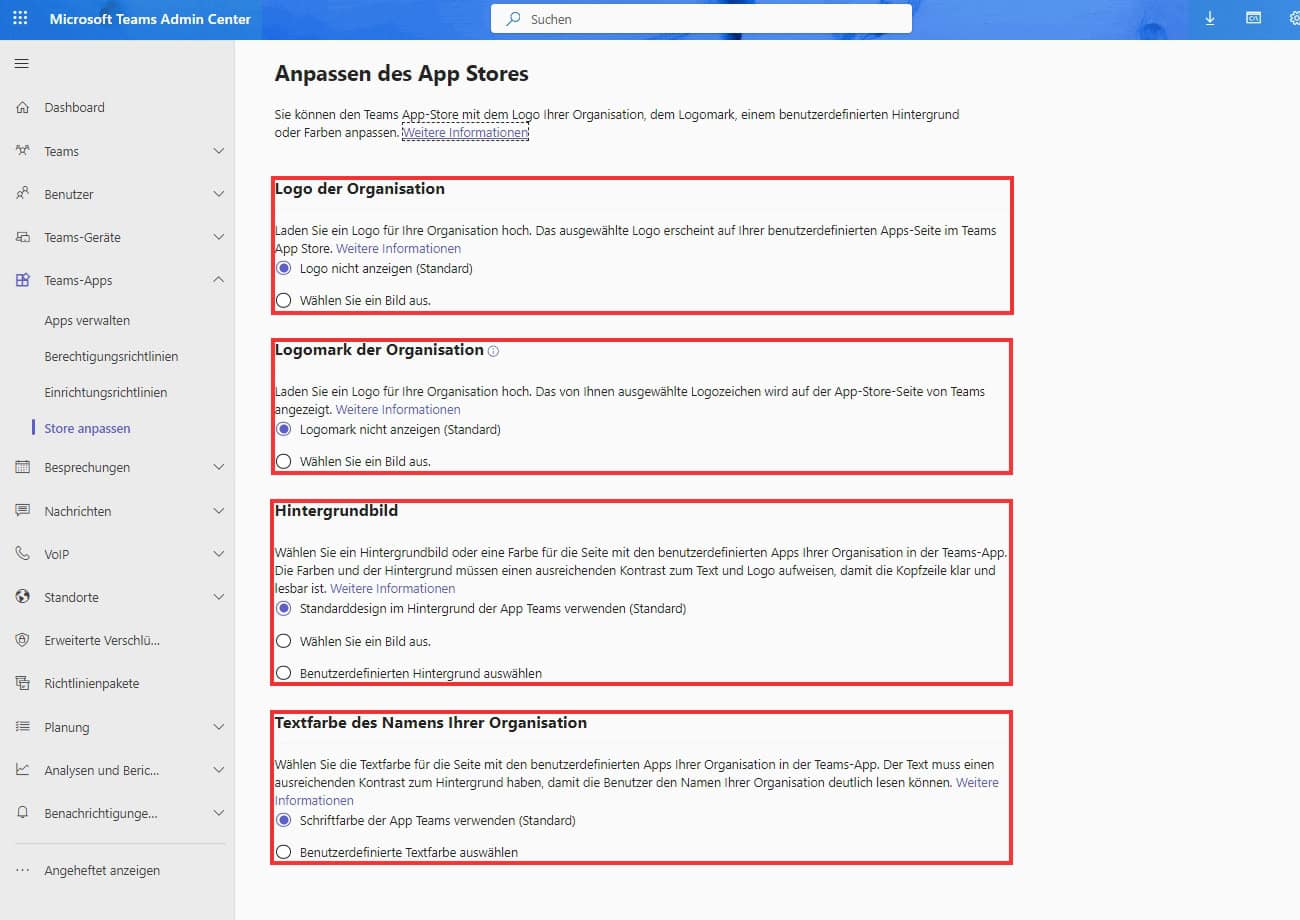
An organization’s visual identity is strengthened by a logo, logomark, and custom background image in the Microsoft Teams app store. These elements create a professional, uniform appearance and promote recognition and trust among users.
The text color of the organization name can also be adapted and thus optimally adapted to the corporate design. This ensures a consistent, pleasant digital environment and makes it easier to find your way around the App Store.
Result
With the right settings and carefully configured policies, Microsoft Teams can be deployed to meet the requirements of the GDPR without compromising the user experience.
It is essential to regularly review all settings and adapt them to current data protection regulations in order to maintain control over sensitive data. Internal and external access must be optimally controlled, and additional security solutions should be integrated if necessary to prevent data leaks and unauthorized access.
further links

| DRACOON Blog – MS Teams | https://blog.dracoon.com/de/dracoon-fuer-teams |
| Koester Econsulting – MS Teams GDPR | https://www.koester-econsulting.com/microsoft-teams-dsgvo-information/ |
| GDPR compliance in Microsoft 365 | https://learn.microsoft.com/de-de/microsoft-365/admin/security-and-compliance/gdpr-compliance?view=o365-worldwide |
| eRecht24 – Privacy Policy for MS Teams | https://www.e-recht24.de/dsg/12701-microsoft-teams.html |
| Data protection-compliant work with MS Teams | https://www.nettask.de/de/blog/artikel/datenschutzkonformes-arbeiten-mit-microsoft-teams.html |
| Articles and articles on MS Teams | https://www.dr-datenschutz.de/ |
| How to Save and Share Files in MS Teams | https://blog.dracoon.com/de/so-versenden-sie-dateien-sicher-in-microsoft-teams |
This post is also available in:
 English