
Why we need to talk about Conditional Access (again)
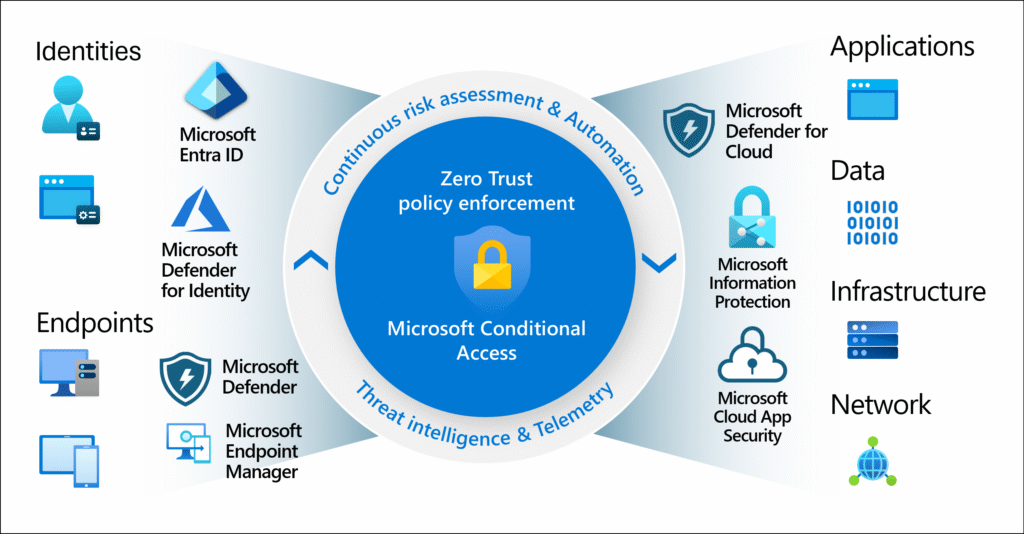
Within Microsoft 365, the focus is currently shifting noticeably away from classic perimeter protection concepts to identity-based security.
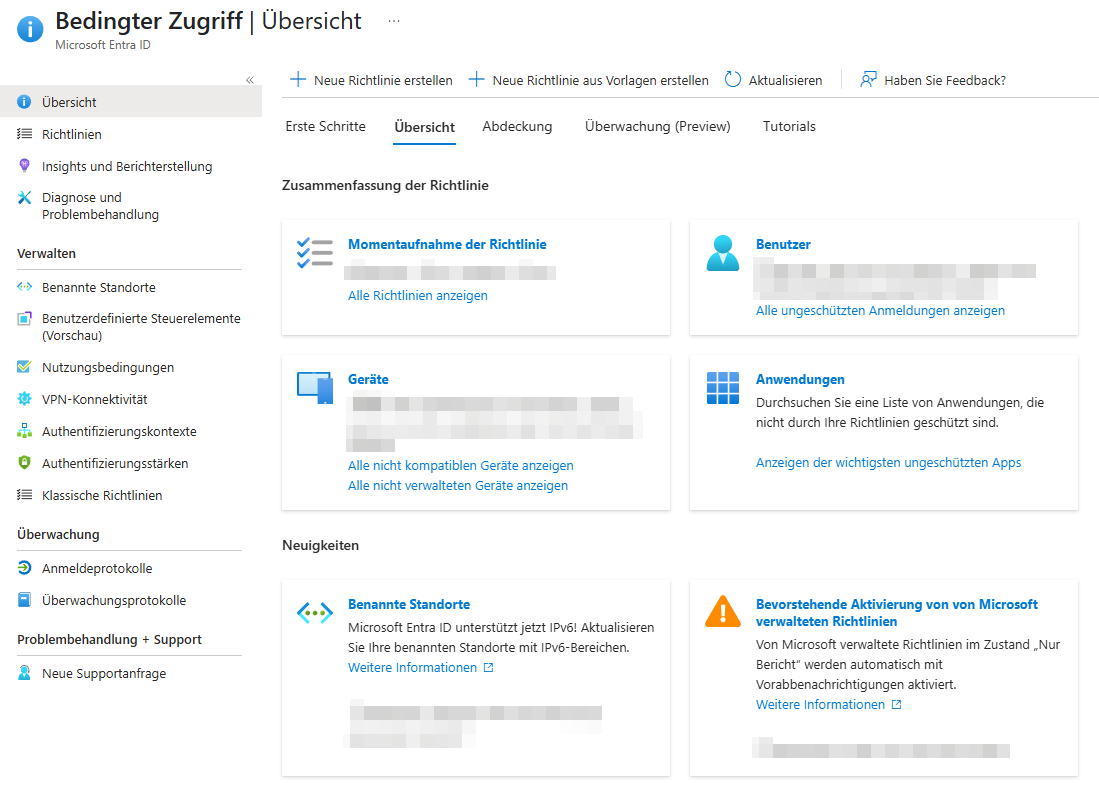
With the March/April 2025 updates at the latest, Microsoft is holding up a mirror to companies: New Microsoft-managed conditional access policies limit device code flows and automatically block outdated authentication procedures without admins having to build their own rules first.
At the same time, the product team has revised the Conditional Access Templates so that we can roll out proven Zero Trust rules in minutes – precisely tailored to the size of the company, license status and risk profile.
In short, those who still "secure" their tenants with security defaults in 2025 leave an unnecessary attack surface and risk additional work if individual policies have to be followed up later.
What is Conditional Access?
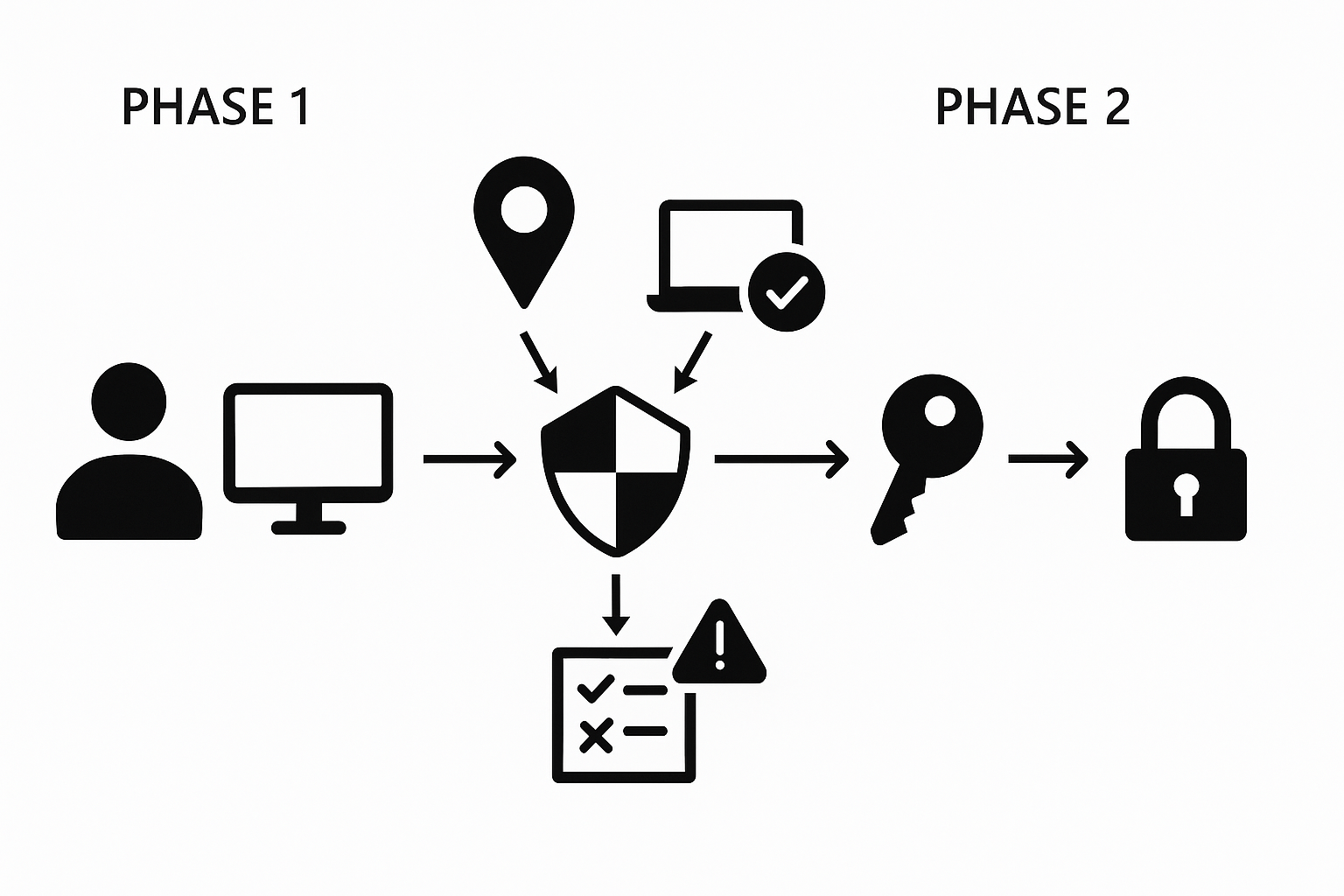
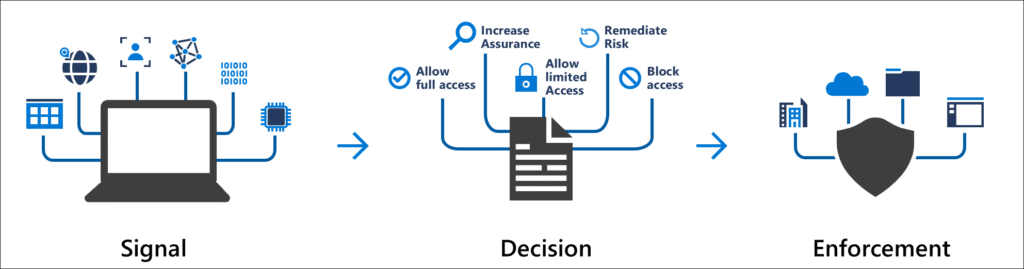
Conditional Access (CA) is Microsoft's policy engine that collects, evaluates, and allows, restricts, or blocks access based on login and session signals—a core component of any Zero Trust strategy. The evaluation is carried out in two phases: Phase 1 collects context (e.g. location, device status), Phase 2 enforces the defined controls.
Key Components
- Assignments (users, groups, roles, apps) define who and what.
- Conditions (device conformity, location, risk) describe the how to register.
- Grant/Session Controls determine whether and for how long – e.g. enforce MFA or block uploads in Teams.
- Policy Mode: Report-Only, On, Off – where Report-Only does not trigger a live ban, but provides telemetry.
New 2025 – Templates & Microsoft Policies
Conditional Access Templates 2025
For the first time, the revised templates group policies according to protection goals (Identity Protection, Secure Cloud Apps, Baseline Zero Trust) and start in report-only mode by default to make false alarms visible before going live.
Microsoft-Managed Policies
Since March 2025, Microsoft has been delivering pre-configured, read-only policies that block legacy authentication or device code flows, for example. Admins are only allowed to exclude or change modes, but not delete or rename.
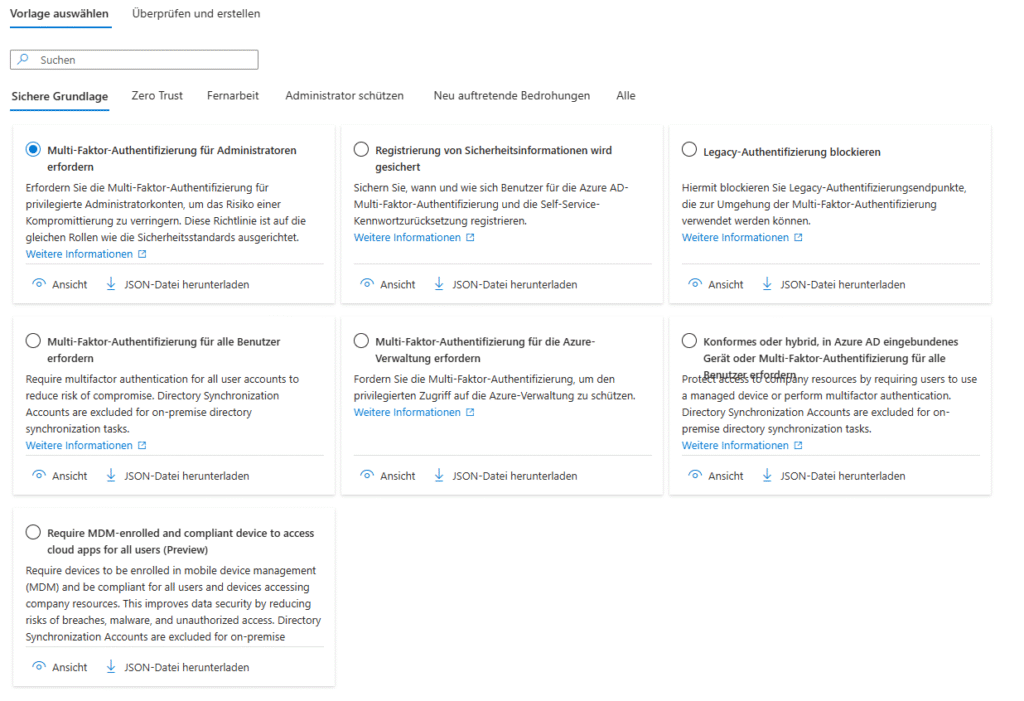
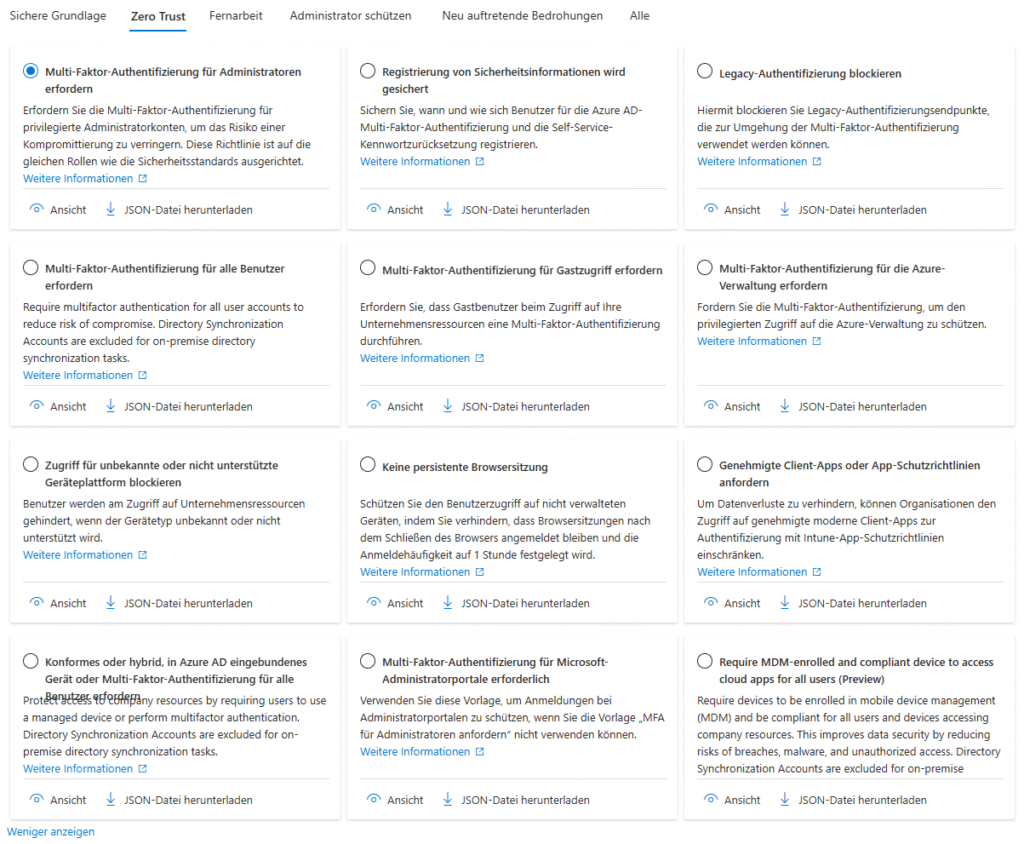
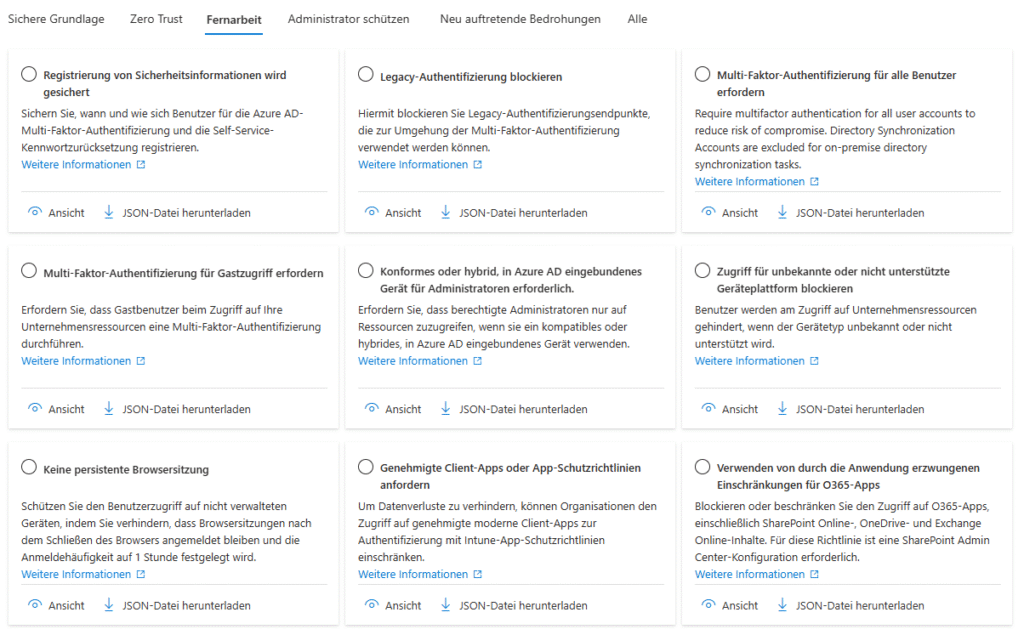
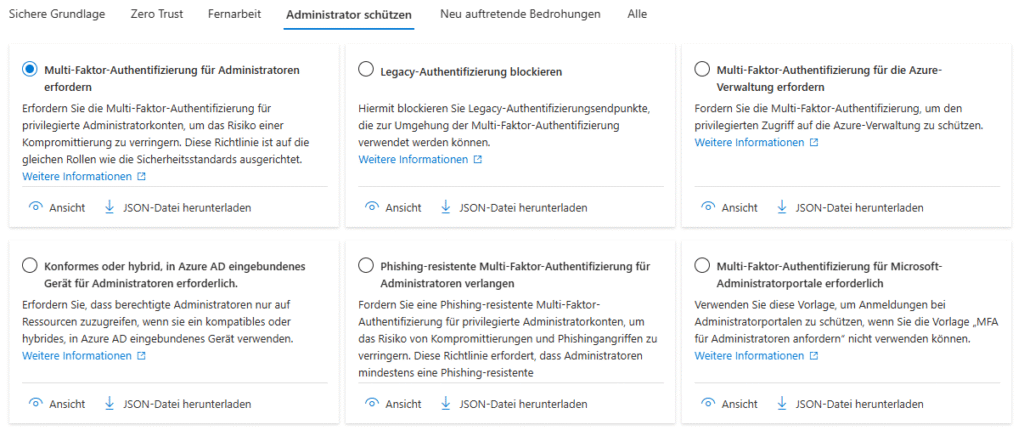
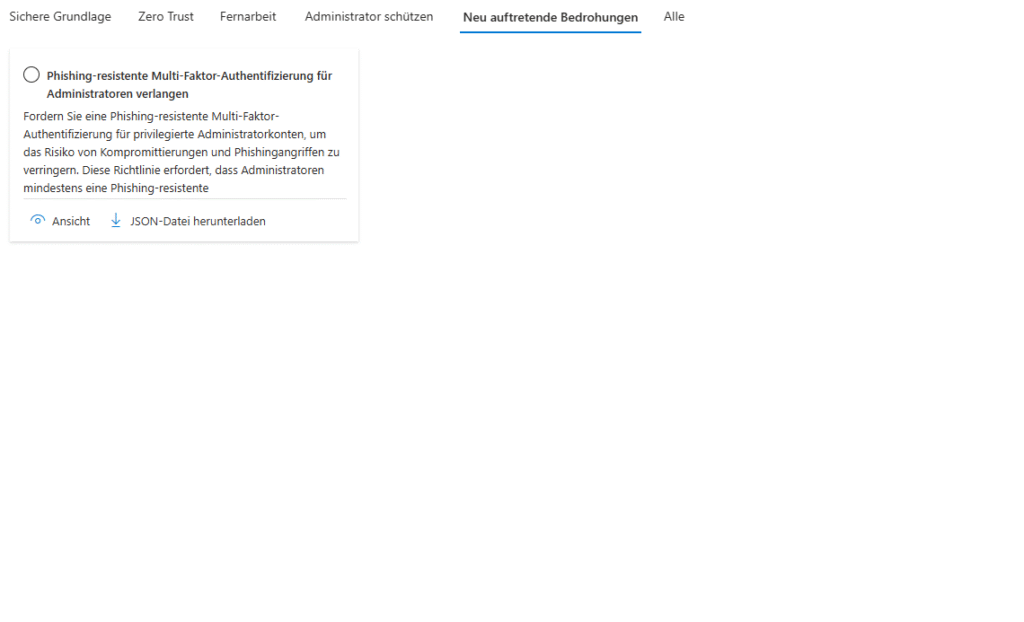
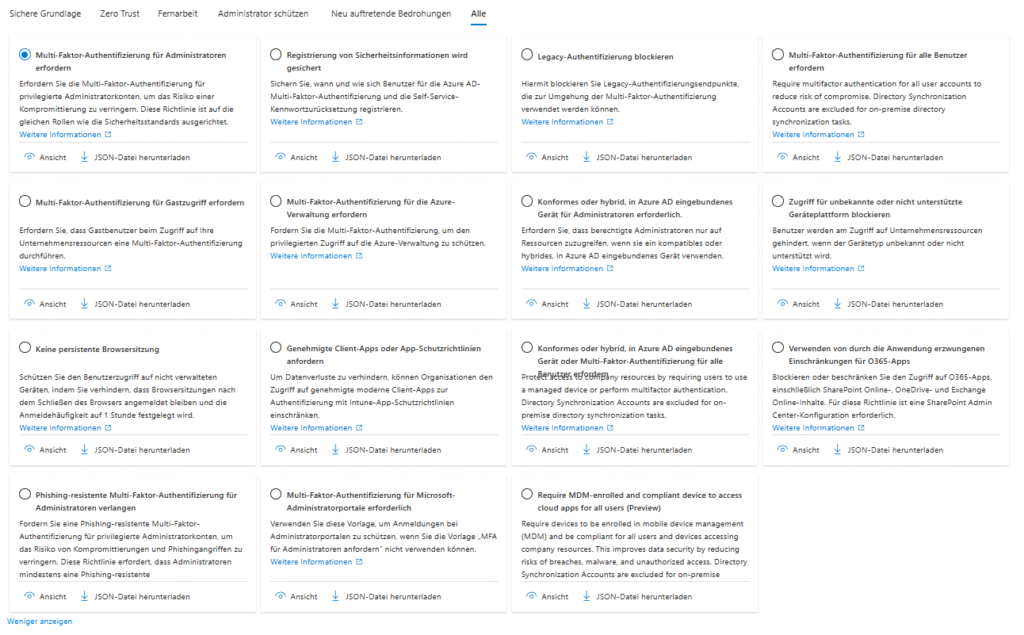
Template families in detail
| Category | Typical template | When to use? |
|---|---|---|
| Identity Protection | Require MFA for all users | If security defaults are to be replaced and phish-resistant MFA (Passkeys/FIDO2) is to be introduced. Microsoft Learn |
| Secure Administrator Accounts | Require MFA for privileged roles | Mandatory once there is more than one Global Admin in the tenant. |
| Secure Cloud Apps | Block legacy auth | For organizations with hybrid or legacy clients to stop SMTP/IMAP attacks. |
| Baseline Zero Trust | Block access from risky countries | Complements M365 geolocation filters, especially in regulated industries. |
The templates continue to be based on Signal → Decision → Enforcement, so they build on the same core elements as manually created policies, but remain much more readable.
From template to productive guideline
Step-by-step
- Check Roles
Only Conditional Access Administrator or Security Administrator are allowed to deploy templates. If you use PIM, you should first activate the role just-in-time . - Select a template and create a duplicate
Templates cannot be edited; therefore, make a copy immediately. This way, the reference is retained in case Microsoft pushes changes later. - Keep report-only active (min. 7 days)
Pay particular attention to service accounts: Scripts, Connect Sync accounts and automations can otherwise fail unexpectedly. - Exclude Break Glass Accounts
At least two accounts with cloud-only passwords and phish-resistant MFA remain exempt from all policies – the last resort in case of misconfiguration. - Store named locations
In 2025, it will not only be possible to combine IP ranges, but also "trusted device signal" and network location conditions. For example, the company location remains exempt from MFA obligations without home VPN access slipping through. - Successively expand test groups
Start with the IT team, then executives, then all users. Monitor and sign-in logs provide real-time impact analysis. - Enable Policy (On)
Only when there are no more significant errors or user complaints.
Stumbling Blocks & Best Practices
- Disable security defaults: Templates and security defaults continue to be mutually exclusive. A gradual change leads to non-reproducible exceptions.
- Naming conventions: A prefix such as
CA-BL-v1-RequireMFA-AllUsersfacilitates later reporting and automated documentation. - Switching Service Accounts: Legacy Auth Block Can Kill Cron Jobs – Managed Identity is the Cleanest Way.
- Least Privilege for Break-Glass: The emergency accounts do not need a global admin role if a dedicated recovery runbook exists.
- Automate monitoring: With Azure Log Analytics or Defender for Cloud Apps , sign-in patterns can be correlated and Risky user alerts can be triaged more quickly.
AI Turbo: The Conditional Access Agent
Microsoft has been testing the Conditional Access Optimization Agent as part of Security Copilot since spring 2025. The idea: An AI agent continuously analyzes sign-in logs, detects redundancies, suggests optimizations and can automatically correct policy drift. In the first previews, over 700 thousand registrations per tenant were evaluated to identify orphaned rules.
This sounds like overkill, but if you calculate internal audit efforts against the Copilot pricing system (keyword Security Compute Units), it quickly becomes clear: From 250+ employees, the experiment is measurably worthwhile – especially since the agent translates its suggestions into Git-like pull requests that can be rolled out versioned.
Licensing & Requirements
- Microsoft-managed policies are available to all Entra ID licenses
- but some of the new templates require P1/P2 features: - Microsoft Entra ID P1 for Basic CA, P2 for Risk Signals & Identity Protection.
- Reporting requires Azure Monitor / Log Analytics Workspace.
- Security Copilot with Optimization Agent is licensed separately.
Conclusion – Zero Trust at your fingertips
With the revised Conditional Access Templates , Microsoft 2025 provides the missing link between security defaults and a fully comprehensive Zero Trust architecture. Even small IT teams can now deploy policies in a matter of hours that would have taken days in the past. Those who approach the process in a structured way – clone template, report-only, staggered activation – minimize risks and at the same time build a solid foundation for AI-supported optimizations.
In this way, you raise your tenant to the level of security that Microsoft will expect in the future – without the typical trial-and-error odyssey.


💬 Comments
0 KommentareSei der Erste und starte die Diskussion mit einem hilfreichen Beitrag.
Leave a comment
Dein Beitrag wird vor der Veröffentlichung kurz geprüft — fachlich, respektvoll und auf den Punkt ist hier genau richtig.