
The management of conditional access policies in Microsoft Entra ID is a central component of modern security architectures. Until now, anyone who deletes a policy must be aware of the consequences, because restoration was not possible. With the introduction of a new restore function via the Microsoft Graph API, this paradigm is fundamentally changing. The goal is to be able to restore accidentally deleted policies within a defined period of time without having to rely on manual reconstruction.
Why is this feature relevant?
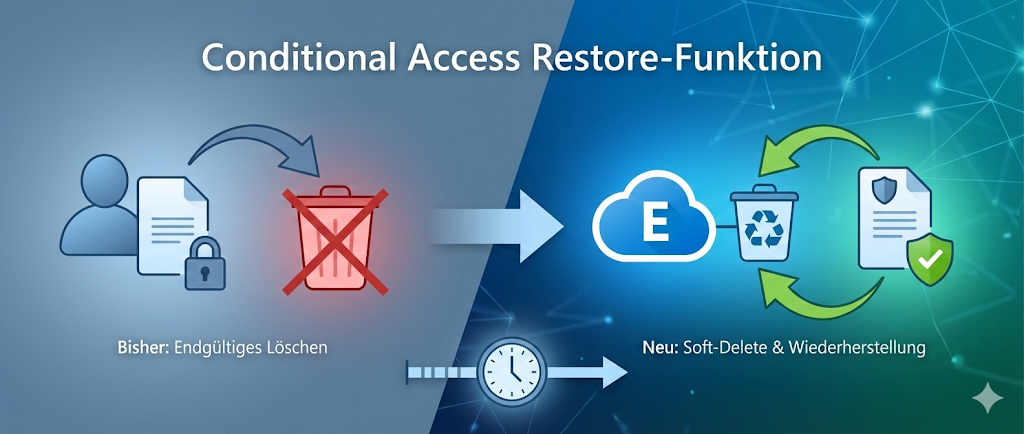
Conditional access policies control access to corporate resources based on identity, location, device health, and other factors. They are a critical part of the Zero Trust strategy. A configuration or deletion error can have an immediate impact on compliance and security. To minimize these risks, Microsoft now offers a kind of "soft-delete" mechanism that allows recovery before the policy is permanently removed.
Architecture and functionality of the restore function
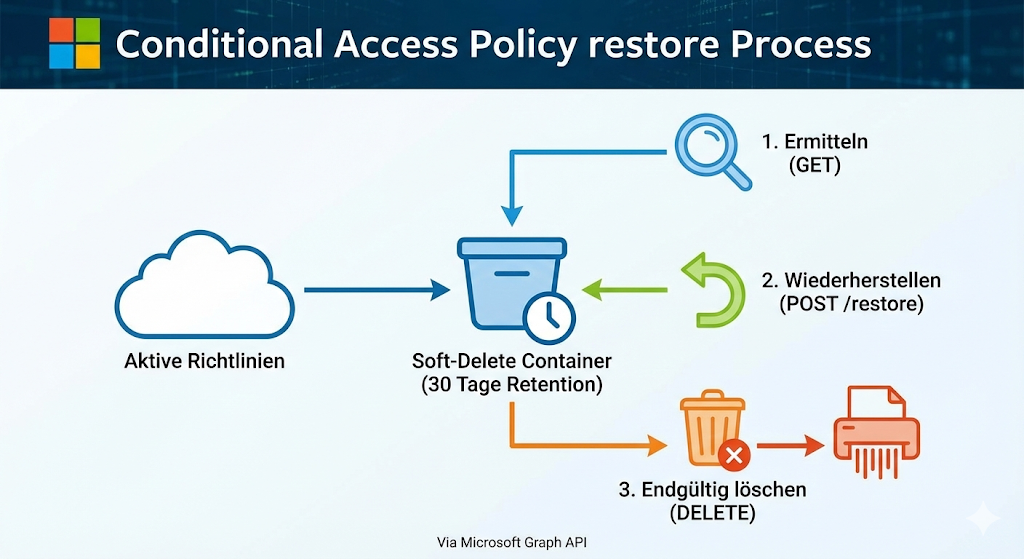
The new feature is based on the concept of "soft-deleted objects" that already exists for other Entra objects such as users or groups. After deleting a conditional access policy, it is not immediately removed from the directory, but moved to a special container. It remains there for a defined period of time (currently 30 days) before it is permanently deleted.
Technically, the recovery is done via the Microsoft Graph API. The process is divided into three steps:
- To identify deleted policies:
The endpointhttps://graph.microsoft.com/beta/identity/conditionalAccess/deletedItems/policiesallows administrators to check for deleted policies. The query requires the permissionPolicy.Read.ConditionalAccessas well as a corresponding role such as "Conditional Access Administrator". - Restore operation:
Recovery is done via a POST request to the endpointhttps://graph.microsoft.com/beta/identity/conditionalAccess/deletedItems/policies/{PolicyId}/restore.
The authorizationPolicy.ReadWrite.ConditionalAccessis required for this. After successful execution, the policy will reappear in the Entra Admin Center interface. - Optional permanent deletion:
If a policy is to be permanently removed before the 30 days have expired, this can be done via a DELETE request to the corresponding endpoint. This is especially relevant if policies are no longer to remain in the soft-delete state for security reasons.
Why currently only via the Graph API?
The feature is currently only available through the Microsoft Graph API beta endpoints. This means that administrators must use PowerShell scripts or direct HTTP requests. A corresponding cmdlet in the Microsoft Graph PowerShell SDK is not yet available, but is expected to be added in one of the upcoming releases. Until then, the use of is Invoke-MgGraphRequest the most practical way.
This decision follows a clear pattern: Microsoft first introduces new features via the Graph API to collect feedback and ensure stability before integrating them into the Entra Admin Center GUI. For administrators, this means that knowledge of the Graph API and PowerShell is increasingly essential.
Security and Compliance Considerations
The restore function is not only a convenience feature, but a safety mechanism. It reduces the risk of critical policies being lost due to human error. At the same time, control is maintained because recovery is only possible by users with appropriate roles and permissions. The 30-day period is a deliberate compromise between flexibility and data protection: Policies should not remain in the soft delete state indefinitely in order to minimize the attack surface.
Integration with AI-powered Entra agents
In parallel with the introduction of the restore function, Microsoft is testing AI-based optimization agents for conditional access. These agents analyze existing policies and suggest consolidations. The goal is a leaner, more efficient policy structure. This creates a new risk: Automated recommendations can lead to the deletion of policies that are needed later. In this context, the Restore function serves as a safety net that gives administrators the ability to undo unwanted changes.
Best Practices for Dealing with Conditional Access Policies
Even with the new restore function, the recommendation remains not to delete policies immediately, but to deactivate them first. This allows for controlled observation of whether the deactivation has unexpected effects. Only after a test phase should the final deletion take place. The restore function is a safeguard, not a substitute for careful planning.
Conclusion: More security, but no carte blanche for ill-considered changes
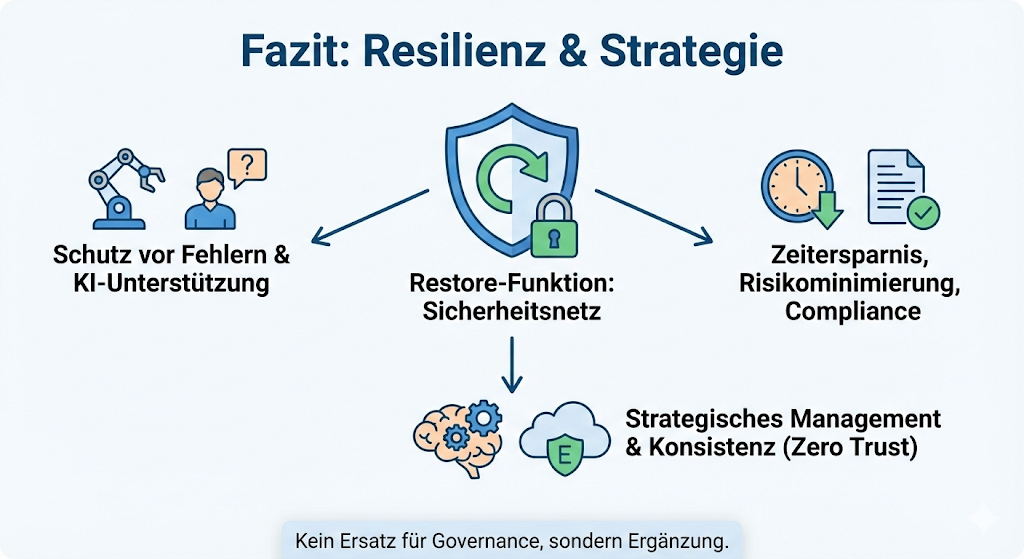
The introduction of the Restore function for Conditional Access Policies is an important step towards more resilience in the administration of Entra ID. It provides an additional layer of protection against human error and supports automation by AI agents without relinquishing control. Nevertheless, the responsibility remains with the administrator: The function is not a substitute for strategic policy management, but a tool for damage control.
From an architectural point of view, Microsoft strengthens the consistency of its soft-delete approach across different object types. For companies, this means greater operational reliability and less effort in restoring critical configurations. The benefits are clear: time savings, risk minimization and better protection against compliance violations. The challenge is to integrate the new possibilities into existing processes while not neglecting governance. Anyone who understands conditional access as part of a Zero Trust strategy will see the restore function as a useful addition – not as an invitation to make ill-considered changes.
further links
| Source | URL |
|---|---|
| Microsoft Learn | https://learn.microsoft.com/graph/api |
| Practical365 | https://practical365.com |
| Heise.de | https://www.heise.de |
| Admin Magazine | https://www.admin-magazin.de |

Sei der Erste und starte die Diskussion mit einem hilfreichen Beitrag.
Leave a comment
Dein Beitrag wird vor der Veröffentlichung kurz geprüft — fachlich, respektvoll und auf den Punkt ist hier genau richtig.