

The acceptance of multi-factor authentication (MFA) often stagnates at one point: usability. While nearly 50% of Entra users now use MFA, operational costs remain high due to help desk tickets and lost productivity.
At Ignite 2025, Microsoft presented two architecture components, the public preview for Synced Passkeys and High-Assurance Account Recovery , that solve this problem not through “more security”, but through “better integration”.
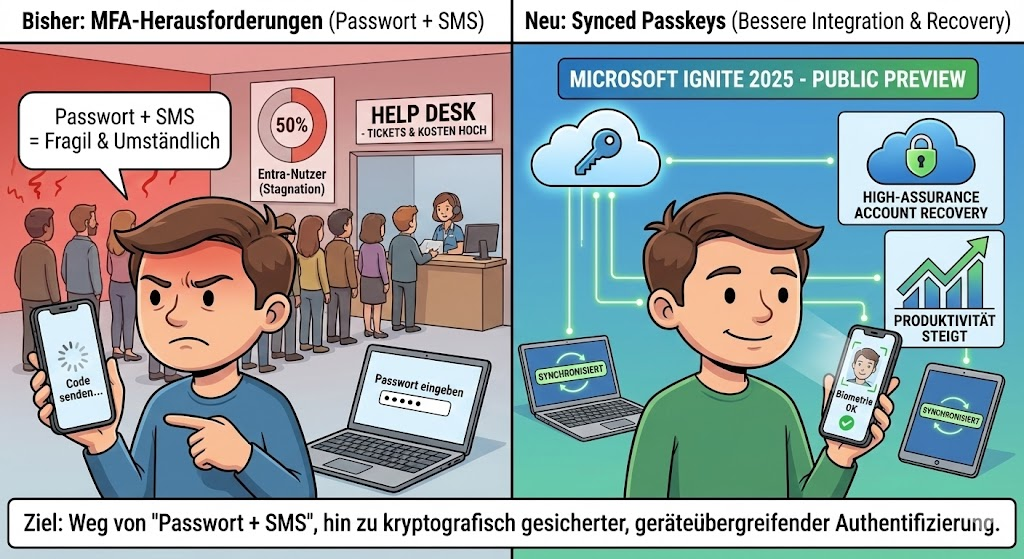
The goal is clear: Away from the fragile “password + SMS” chain, towards cryptographically secured, but cross-device authentication. Here’s the technical breakdown of why this change is changing your identity strategy.
Device-Bound vs. Synced Passkeys
Until now, FIDO2 authentication (passkeys) has often been synonymous with hardware tokens (YubiKey, etc.) or locally bound TPM chips. This offered maximum security, but scaled poorly in mass rollout.
The problem of hardware binding: If a user loses his device, the credential key is gone. The recovery process is expensive and manual.
The solution through Synced Passkeys: With the new architecture, the private keys are no longer stored in isolation in the device’s TPM, but synchronized via the cloud keychains of the platform providers (Apple iCloud Keychain, Google Password Manager).
- Causality: Since the key is available via the provider’s ecosystem (iOS, Android, macOS, Windows), the user can immediately authenticate himself on a new device using biometrics without having to re-provision the passkey.
- Performance: According to telemetry data, the login speed increases by a factor of 14 compared to traditional methods, while the success rate jumps from 30% to 95%.
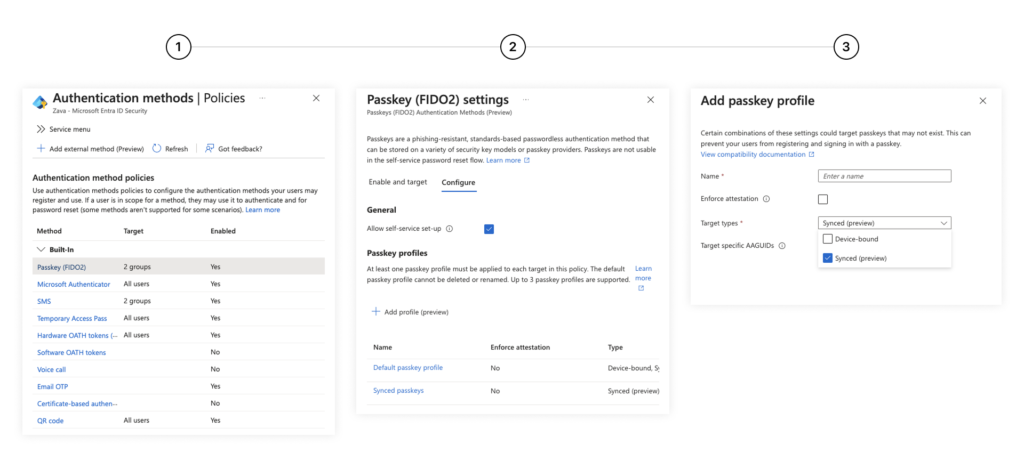
Control Plane: Passkey Profiles
For system architects, it is crucial that “Synced” does not mean “Insecure”, but represents a different risk class than “Device-Bound”. Microsoft is therefore introducing Passkey Profiles .
You can now granularly control which user groups are allowed to use which type of passkeys:
- Tier-0 Admins: Continue to enforce hardware-bound keys (Attestation Required). Here, the key must never leave the device.
- Standard User (Information Worker): Allow synced passkeys. The gain in convenience and the reduction of lockouts far outweigh the theoretical risk of cloud synchronization.
This differentiation allows you to finally roll out “Phishing-Resistant MFA” on a broad scale without equipping every user with hardware.

High-Assurance Account Recovery
Even the best architecture fails if the user loses all factors (mobile phone gone, laptop defective). So far, this has been the moment for the expensive call to the help desk or insecure fallback methods.
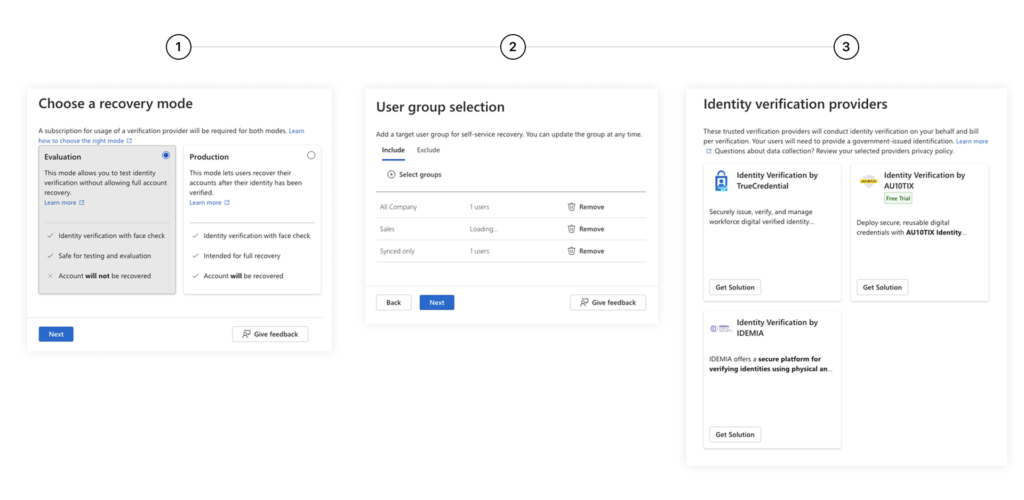
The new Account Recovery uses external Identity Verification Providers (IDV) such as Idemia, LexisNexis or Au10tix directly in the Entra flow.
The process:
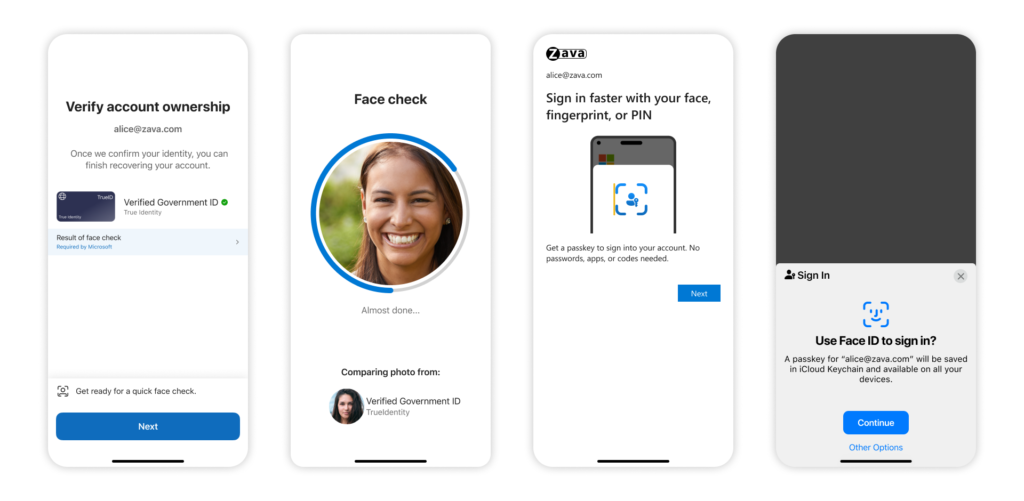
- The user starts the recovery flow independently.
- Face Check: An AI-powered comparison checks a live selfie against the photo on a government ID document (driver’s license, passport).
- If there is a match, access is restored (e.g. via Temporary Access Pass), and the user can immediately register a new Synced Passkey.
This eliminates social engineering attacks on the help desk, as the admin can no longer be “persuaded” to perform a reset over the phone. Verification is cryptographically and biometrically secured.
Pragmatism beats paranoia

With Synced Passkeys, Microsoft recognizes that security in the enterprise environment only works if it does not hinder the user.
For 90% of your workforce, the synchronized passkey is the sweet spot of security (no phishing possible) and convenience.
Decoupling the key from the hardware is the necessary step to make passwordless authentication the standard.
Your job as an architect now is to neatly segment the passkey profiles: protect your crown jewels with hardware binding, but give the masses the freedom of cloud sync.





Be the first to comment