

Microsoft Entra offers much more than a classic directory service. In the uniform administration portal, all relevant settings for managing identities, authorizations and access rights can be controlled centrally. The platform thus ensures a high degree of transparency and control.

| The main core functions include:
- Monitoring and reporting features:
The Entra Admin Center provides detailed insights into access and security activities. Irregularities can be detected at an early stage and targeted measures can be initiated. - Conditional Access:
Access rules can be adjusted dynamically, for example by granting access to sensitive resources only if conditions such as multi-factor authentication are met. - Privileged Identity Management (PIM):
Administrative rights are only granted temporarily and on request in order to minimize the risk of unauthorized access.
Entra Admin Center | Overview
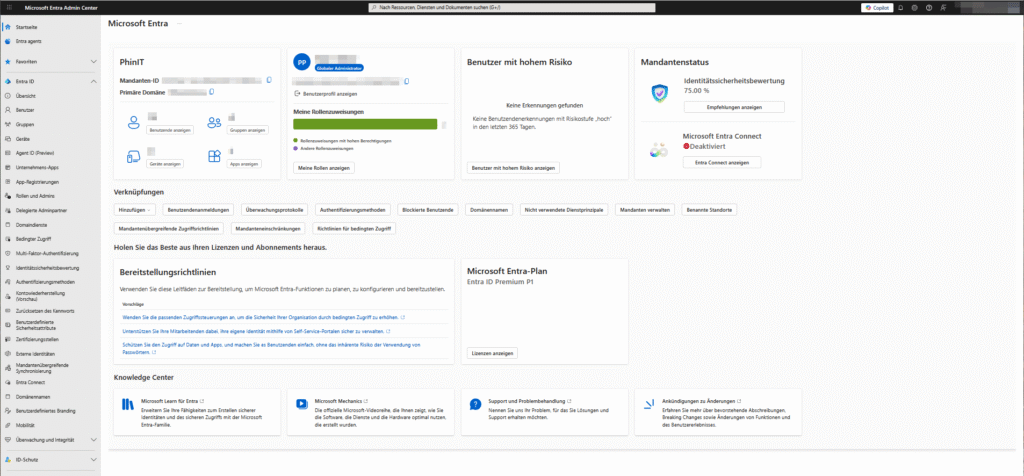
The Microsoft Entra Admin Center overview provides quick insights, actionable recommendations, and interactive learning modules.
In this way, Entra ID can be used optimally and data protection in the organization can be strengthened in the long term.
- ARTICLE – Admin Center Overview
USER | User Settings

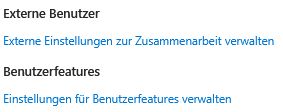
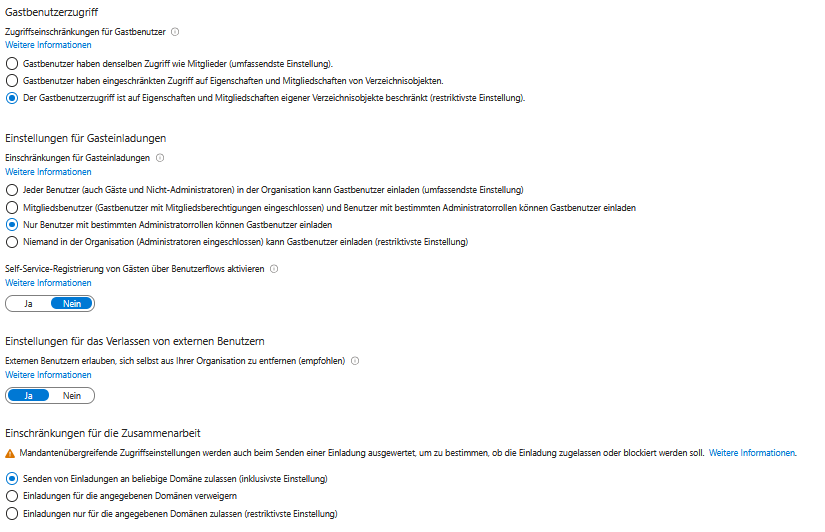
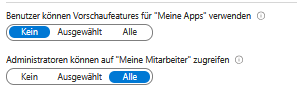
Managing user permissions and guest access requires a balance between ease of use, security, and GDPR compliance.
The following recommendations should be observed for the optimal configuration:
- Restricted Rights:
Normal users have limited rights and cannot, for example, make app registrations in the Entra ID portal. - No creation of test tenants:
Without special permission, users are not allowed to create test tenants to prevent unwanted escalation of access rights. - Restriction for security groups:
The ability to create security groups is limited to what is necessary to create a controlled and clear environment. - Guest User Access:
Guest users only gain access to the extent that they cannot gain insight into user or object properties in the Entra portal. - Exclusive Administrator Access:
The MS365 administration portals are only accessible to administrators. - External Users:
Guests are only allowed to have limited visibility into their own directory items. Inviting additional guests should be limited to administrators or selected groups.
These settings achieve an optimal balance between usability and security, and keep the organization protected from unauthorized access while meeting GDPR requirements.
GROUPS | Group Settings
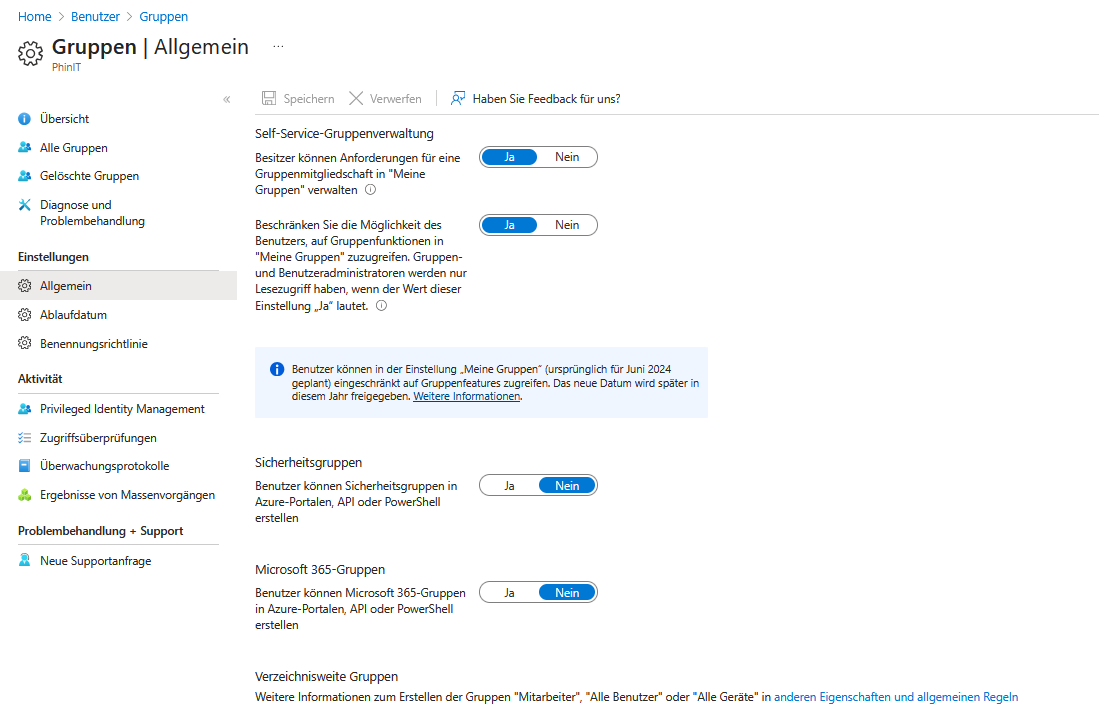
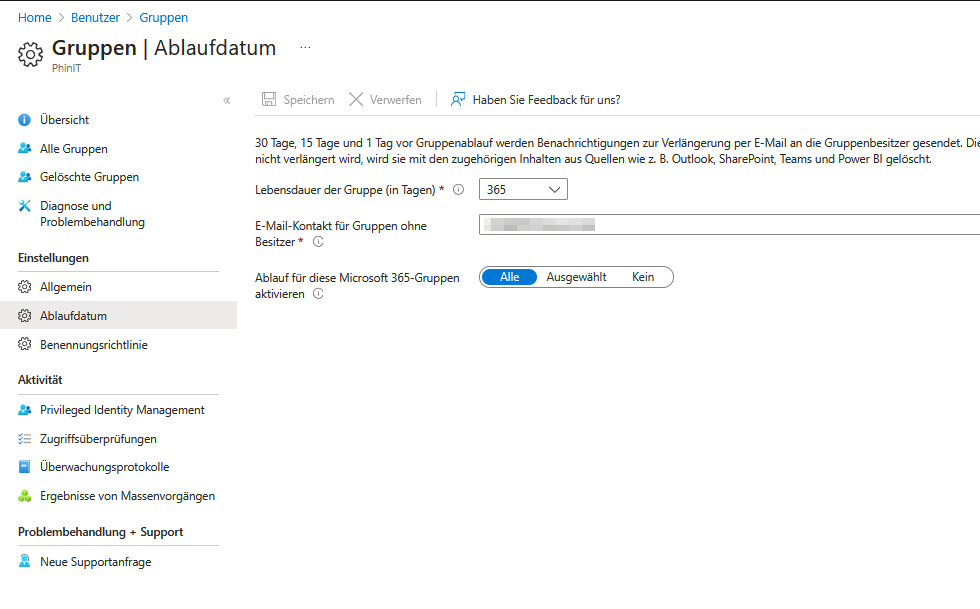
Effective controls are essential when managing groups in Microsoft Entra to ensure security and privacy. Recommended actions include:
- Limitation of group creation:
Only admins are allowed to create security or Microsoft 365 groups. This prevents the uncontrolled spread of groups and the associated risks. - Administrative control:
Centralized management and maintenance of groups by administrators allows for accurate monitoring and approval of group memberships, especially when sensitive data is accessed. - Membership verification:
Regular checks of the member lists by administrators ensure that only authorized persons have access to confidential data. - Security Guidelines:
Binding guidelines for group management are established and regular training courses on security and data protection are carried out.
Implementing these measures minimizes the risk of unauthorized access and guarantees compliance with the GDPR. Structured group management is indispensable for the sustainable protection of sensitive information.
EQUIPMENT | Device settings and security
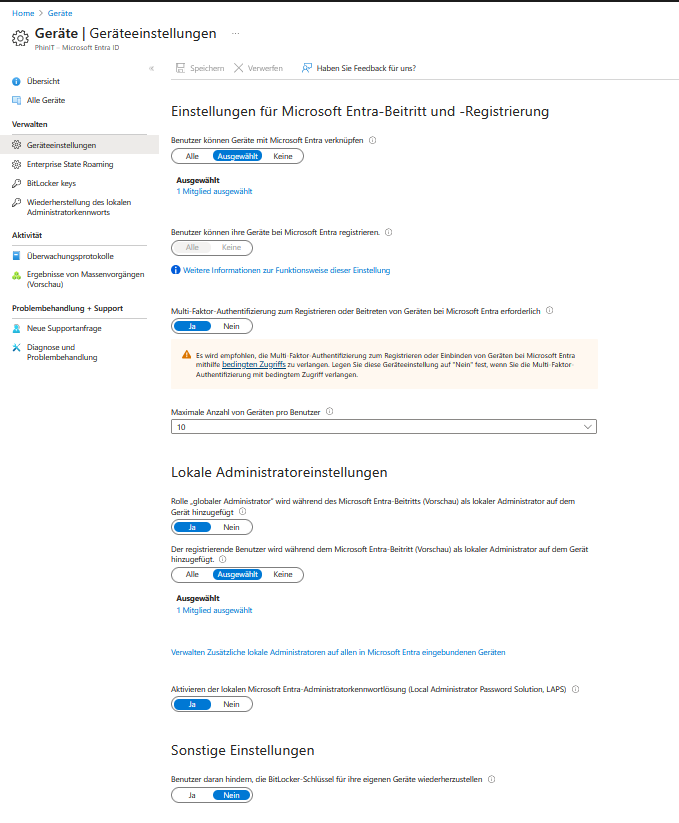
Effective management of device settings in Microsoft Entra Effective management of device settings in Microsoft Entra contributes significantly to security and GDPR compliance. Important aspects are:
- Device registration:
Clear criteria regulate who is allowed to register devices. Registration is limited to necessary devices and users to minimize risks. - Multi-factor authentication (MFA):
MFA is enabled for all device enrollments and provides an additional layer of security. - Device limit per user:
An upper limit is set for the number of devices that can be registered. - Device compatibility and security standards:
All devices must meet the organization’s security and compliance standards. - Device Enrollment Guidelines:
Permitted device types and safety measures are clearly defined. - Monitoring and reporting:
Monitoring functions control device health and activities; suspicious processes are efficiently detected. - Automation:
Automatic rules (e.g. deletion of non-compliant devices) streamline management.
This protects data and resources from unauthorized use and increases the efficiency of device management.
PROTECTION | Conditional Access and Authentication


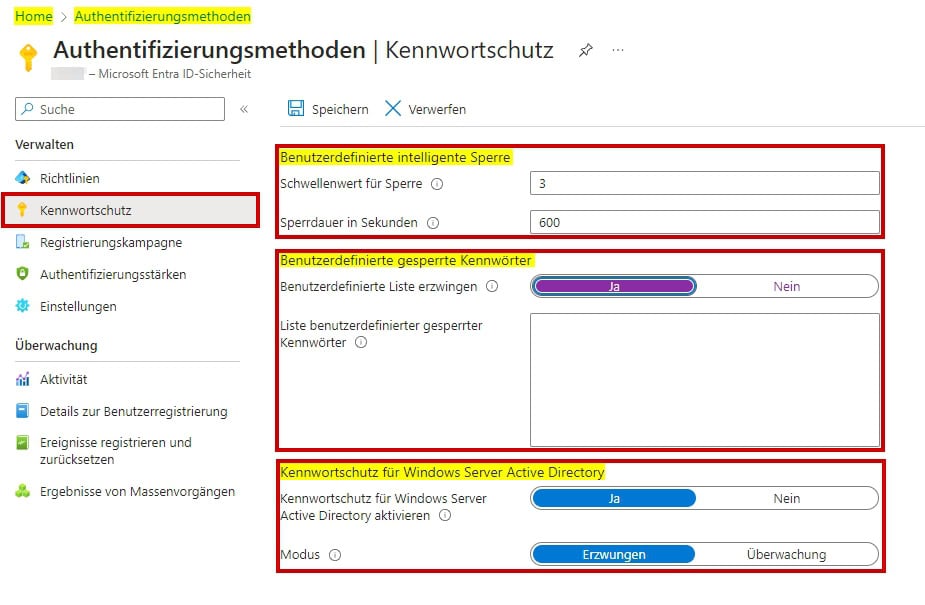
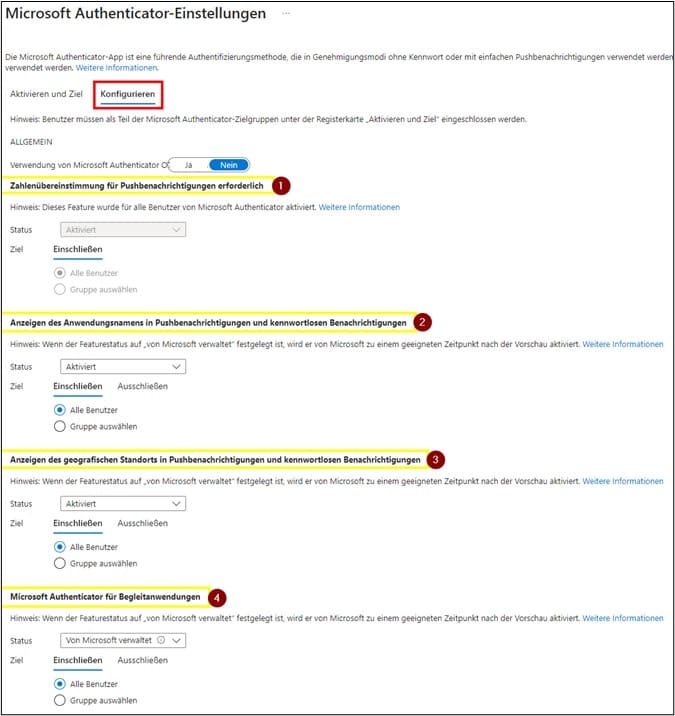

Conditional Access allows you to fine-tune access conditions for resources, ensuring compliance with privacy regulations and protecting sensitive data.
When it comes to password protection, robust policies and procedures are essential. The ENTRA ID policy for Microsoft Authenticator provides additional security options such as number matching in push notifications, as well as the display of the requesting application and location to better understand each request.
- PhinIT | Article – Conditional Access
Additional Considerations

- Security Information and Event Management (SIEM):
Microsoft Entra allows the central management of security information and events. This enables comprehensive reporting and continuous improvement of compliance and monitoring. - Identity Management:
Automated provisioning of users for SaaS and on-premise apps, as well as group creations, increases efficiency and security. - Lifecycle workflows:
They make it easier to manage user identities and permissions, and support GDPR compliance. - Privileged Identity Management (PIM):
PIM ensures that only authorized persons have access to sensitive data and systems. - Identity Control Dashboard:
The dashboard provides a centralized view of identity and access management activities and simplifies monitoring. - Evaluation of access authorizations:
Machine learning helps to efficiently check and adjust access authorizations.
Regular review and updating of settings is essential to comply with current security requirements and privacy regulations. Detailed instructions and recommendations for configuring Microsoft Entra ID can be found on the official Microsoft websites.
further links

| Microsoft Trust Center | GDPR-Microsoft Cloud Services |
| Microsoft eBook | GDPR Compliance Best Practices |
| Microsoft Entra Admin Center | Functions, navigation and possible uses |
| Microsoft Learn – GDPR | Privacy Policy Information |
| DPIA Azure for the GDPR | Conducting data protection impact assessments |
| User Profile Management in Entra | User Profile Management Guide |
| Microsoft Entra Setup Guides | Setup and Management Guides |
| Microsoft Compliance | Compliance and legal requirements |
| GDPR simplified: guide for small business | Practical Guide – GDPR Compliance for Small Businesses |
| Microsoft Entra ID Governance | Privacy, security, and compliance in the Microsoft Trust Center |
| Microsoft Trust Center | Privacy, Security, and Compliance |
This post is also available in:
 English