
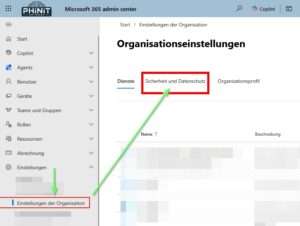
Organization Settings – Security Privacy
Privacy profile

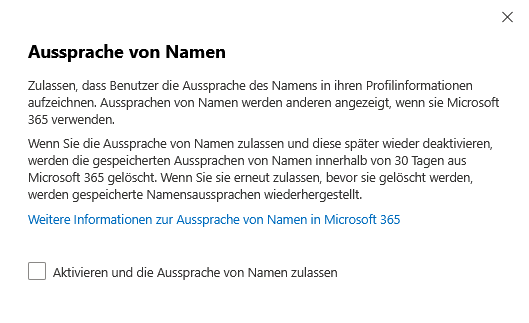
Organizations can allow their users to record the pronunciation of their name in their profile information. This feature encourages the correct approach and appreciation of diversity because the recorded pronunciations are visible to others when they use Microsoft 365.
If the name pronunciation feature is enabled and later disabled, the saved audio files will be removed from Microsoft 365 after 30 days at the latest. If the function is reactivated within this period, the previously saved pronunciations will be available again.
Further details and practical tips can be found in the official documentation:
https://learn.microsoft.com/de-DE/graph/namepronunciation-configure-namepronunciation-availability
Privacy profile

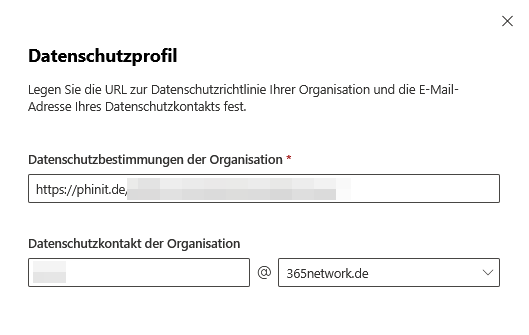
A GDPR-compliant IT structure is based on a strong data protection profile, which must be clearly communicated and implemented transparently.
The privacy policy should always be up-to-date, easy to find and complete; all important aspects such as data processing, rights and contact options must be clearly stated.
A central contact person for data protection requests is essential – preferably via a specialized email address so that notifications are processed quickly and reliably.
Clear recommendation:
Keep the guidelines up-to-date and designate a competent data protection contact.
Password expiration policy

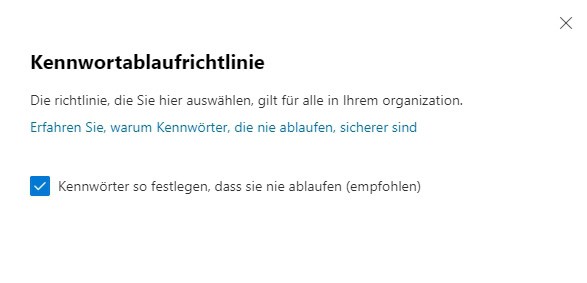
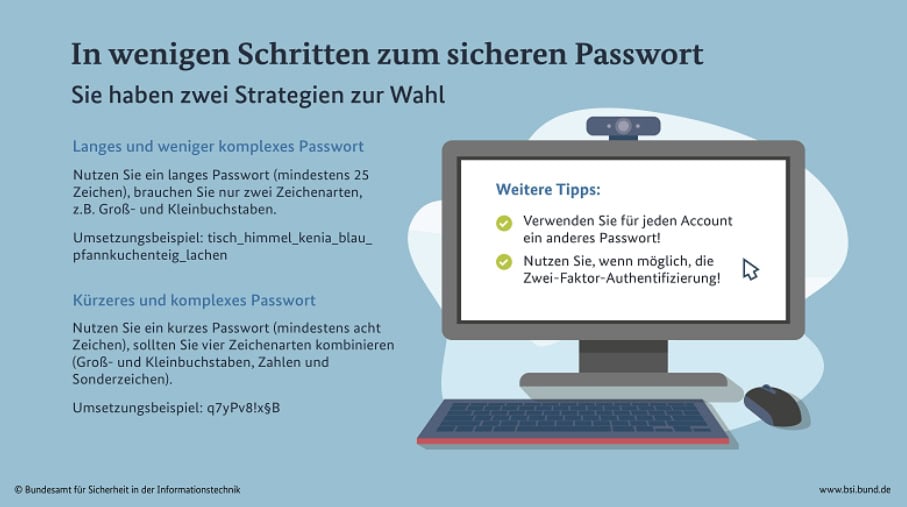
For Microsoft-only cloud accounts, there is a predefined password policy: You can only control whether and how often passwords should expire. Other settings such as minimum length or character composition are not customizable.
Experts such as the BSI recommend robust, long and complex passwords. These should consist of letters, numbers and special characters to increase security. [to the BSI]
Best practice for all Microsoft 365 users:
- Use individual, long passwords (at least 14 characters for administrative accounts).
- Avoid rigid complexity rules (special characters, numbers, capital letters are not mandatory).
- Prohibit the use of common or easy-to-guess passwords (e.g. “password”, “123456”).
- Recommend passphrases or memorable but unique combinations.
- Make sure that passwords are not reused for other services.
- Multi-factor authentication (MFA) is mandatory for all major accounts – enable risk-based MFA challenges as well.
- Regularly update contact and safety information to respond in case of an emergency.
- Regularly train your users on how to use passwords and MFA securely, as well as the risks of phishing.
This will effectively protect your organization from password attacks and meet the latest Microsoft recommendations for 2025.
Idle session timeout

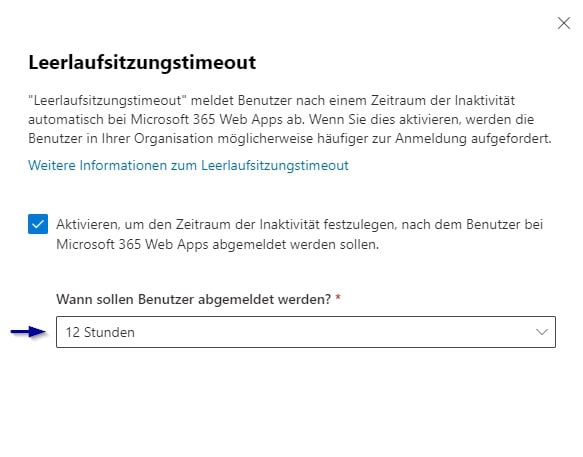
In security-related areas, especially when accessing from unmanaged devices, it is advisable to significantly reduce the amount of time for the idle session timeout. Experts recommend, for example, intervals of between 2 and 4 hours, and even up to 1 hour in particularly sensitive cases, in order to significantly increase the level of protection.
To further improve security, the timeout value for Microsoft 365 should be adjusted depending on the type of data being processed and the risk of access. A lower value should be chosen in particular if information that is particularly sensitive is used or if the risk of unauthorized access is increased.
The determination of the optimal idle session timeout should always be based on an individual risk analysis and adapted to the specific protection requirements of the respective company. This makes it possible to effectively protect user accounts from unauthorized access without unnecessarily restricting employee productivity.
Microsoft Graph Data Connect applications

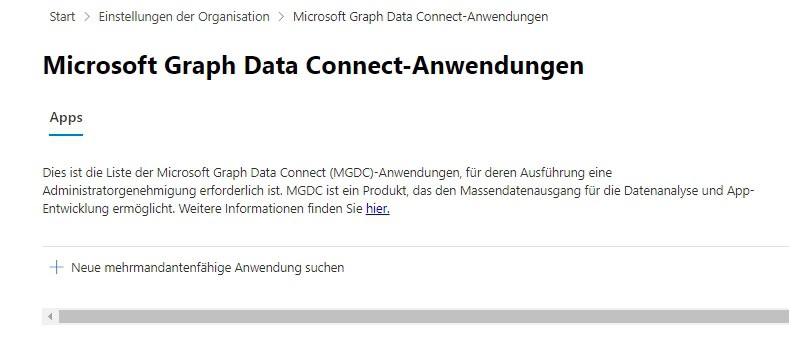
Microsoft Graph Data Connect (MGDC) provides access to extensive Microsoft 365 data assets. Organizations should turn off MGDC by default to mitigate risk and prevent uncontrolled data access.
If necessary, activation is only permitted after a thorough examination of the application, data protection concepts and GDPR compliance as well as under strict control.
Regular checks are mandatory. Recommendation: Disable MGDC, ensure release processes and monitoring.
Pronouns

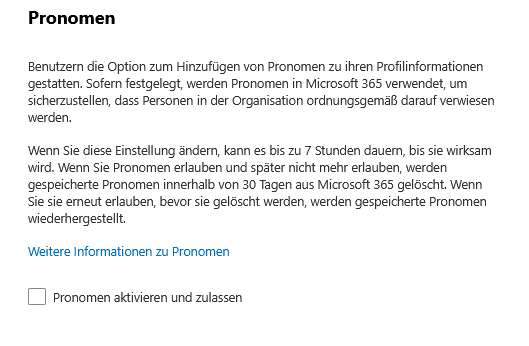
The inclusion of pronouns in the profile contributes significantly to an inclusive work environment and supports communication within the organization. To use the pronoun feature in Microsoft 365 in a privacy-compliant way, keep the following in mind:
- Administrators can enable or disable the feature; Changes take effect after up to seven hours.
- After removing pronouns, this data remains in the system for up to 30 days and can be restored during that time. Transparent information for users is required.
- Pronouns are only visible within your own organization, passing them on to external parties is not automatic, but should be checked regularly.
- Microsoft Copilot uses stored pronouns for personalized suggestions; Employees should be informed about this.
Recommended actions: The indication of pronouns remains voluntary; Data processing is carried out in accordance with data protection guidelines. Employees should be informed about the functionality, visibility and deletion deadlines of the pronoun function. Clear contact points for questions about data protection must be named in order to ensure inclusion and responsible handling of personal data.
Collection of help and support requests


Automatically capturing support requests in Microsoft 365 introduces privacy risks. If it is disabled, sensitive data remains under the full control of the organization and is not accidentally analyzed externally.
To protect confidential information, it is recommended that you turn off this feature – even though this can affect the quality of support.
Self-service password reset


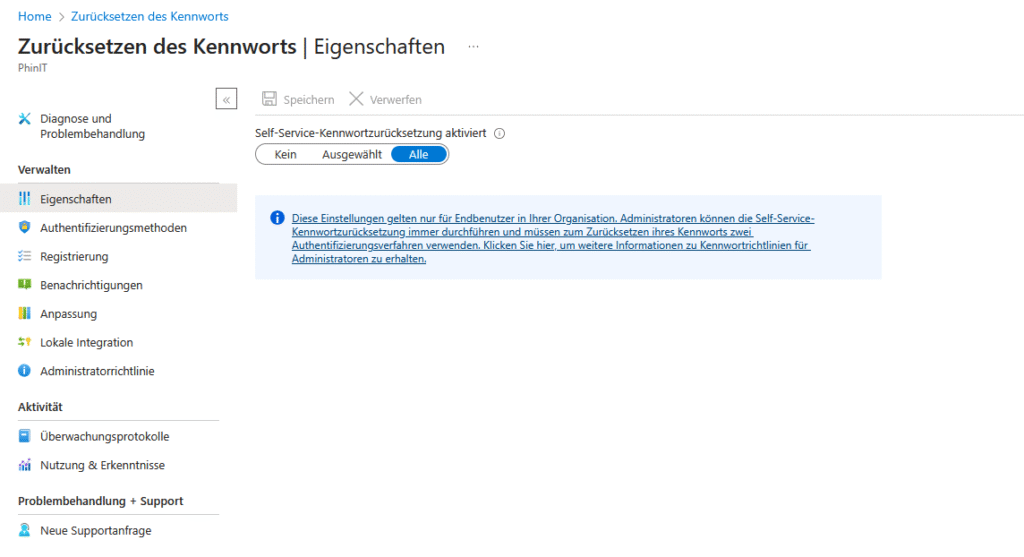
Self-service password reset in Microsoft 365 allows employees to reset their passwords on their own using verified contact information and security codes. This relieves the burden on IT and shortens response times.
However, “correct data processing” alone is not enough to automatically ensure GDPR compliance. Microsoft emphasizes that administrators must not only provide information about how it works, but also regularly check access rights and reset logs to prevent potential abuse.
While setting up the self-service process correctly supports compliance with data protection requirements, it does not completely eliminate data breaches. Therefore, ongoing reviews and adjustments are necessary to ensure compliance and security in the long term.

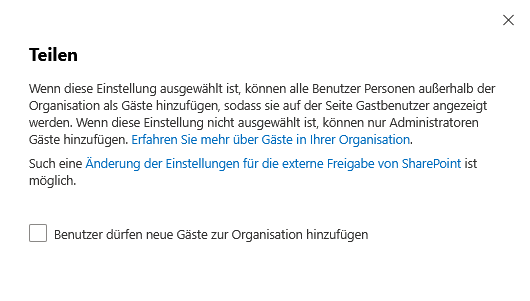
The share feature in Microsoft 365 makes it easier to share information, but it carries risks if used uncontrollably.
External guest access should always be deactivated and only activated by administrators after checking. Release policies need to be industry-specific, especially in sensitive areas such as healthcare or finance.
Regular training and informing users about policies is necessary, as well as ongoing review of GDPR compliance settings.
Recommendation:
External access only via admin approval, individual policies per industry, continuous employee training.
With a targeted Microsoft 365 configuration, data protection, GDPR and user-friendliness can be effectively combined. Transparent profiles, modern password guidelines and strict approval controls secure the IT infrastructure.
Regular training, reviews and flexible technology promote a common understanding of data protection. The company is thus ideally positioned for the digital transformation.
further links
| MS365 | Teams | Zusammenarbeit mit Teams & Co. |
| MS365 | Teams | PowerShell | SBC – Telefonnummer hinterlegen |
| MS365 | Teams | Datenschutz in Microsoft Teams |
Be the first to comment