
The RD Web Access interface, which comes with Windows Server, renders its web interface using XSLT, or Extensible Stylesheet Language Transformations. It is precisely this functionality that Chromium-based browsers are removing. The consequence: When a user opens RD Web Access with Edge or Chrome, the page no longer loads correctly, and access to published remote resources may fail.
This affects a classic on-premises component that has been running unchanged in many environments for years. Since the cause lies in the browser and not on the server, the issue will be resolved with the next browser update—not with a server patch day. Microsoft has published KB5130994 detailing workarounds for organizations that continue to use RD Web Access.
The Browser Timeline
The phase-out won't happen all at once. In Chrome and Edge, XSLT will be disabled starting with Chrome 158—currently scheduled for mid-November 2026—unless countered by an Enterprise Policy or an Origin Trial. The Enterprise Policy itself will remain available until Chrome 176, i.e., mid-August 2027. After that, XSLT will be gone for good, even via policy. The window for a workaround is therefore clearly limited.
Temporarily re-enable XSLT via policy
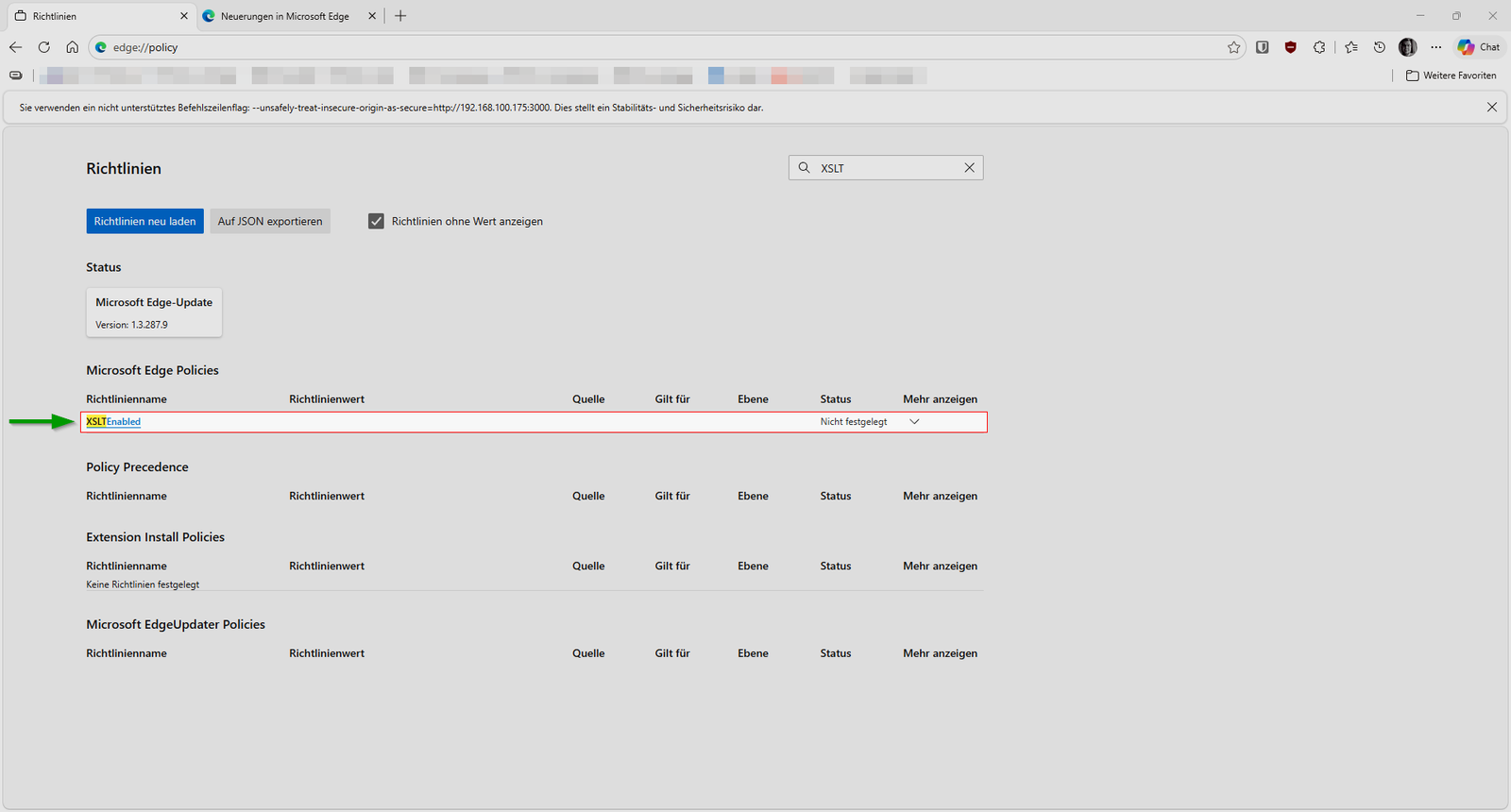
During the transition period, Edge and Chrome offer the XSLTEnabled policy. If you enable it, RD Web Access will render again until browsers remove the switch with Chrome 176. You can cleanly deploy this via ADMX templates using Group Policy or through Intune. For quick testing or on a single server, it can also be done directly via the registry.
# XSLT in Microsoft Edge per Richtlinie wieder aktivieren
New-Item -Path "HKLM:\SOFTWARE\Policies\Microsoft\Edge" -Force | Out-Null
New-ItemProperty -Path "HKLM:\SOFTWARE\Policies\Microsoft\Edge" `
    -Name "XSLTEnabled" -Value 1 -PropertyType DWord -Force | Out-Null

# XSLT in Google Chrome per Richtlinie wieder aktivieren
New-Item -Path "HKLM:\SOFTWARE\Policies\Google\Chrome" -Force | Out-Null
New-ItemProperty -Path "HKLM:\SOFTWARE\Policies\Google\Chrome" `
    -Name "XSLTEnabled" -Value 1 -PropertyType DWord -Force | Out-Null
After setting the value, restart the browser and check at edge://policy or chrome://policy to ensure that XSLTEnabled is active. Only deploy the setting where RD Web Access is actually needed, and not across all clients by default.
The policy is not a permanent state
The registry switch buys you time until mid-August 2027, nothing more. After that, RD Web Access based on XSLT will no longer render in any current browser. Use this window to transition your access method, for example, to the modern Remote Desktop web experience or another published access point.
In the short term, what matters is that users regain access to their resources, and for that, XSLTEnabled combined with the guidance from KB5130994 is the fastest approach.
| Source | URL |
| Microsoft-Nachrichtencenter | https://mc.merill.net/message/MC1491832 |
| Microsoft-Support | https://support.microsoft.com/help/5130994 |

💬 Comments
0 KommentareSei der Erste und starte die Diskussion mit einem hilfreichen Beitrag.
Leave a comment
Dein Beitrag wird vor der Veröffentlichung kurz geprüft — fachlich, respektvoll und auf den Punkt ist hier genau richtig.