

If Conditional Access is the bouncer, then the authentication methods are the badges and keys that your users show. The days when a simple password was enough are over. But not every MFA method is equally secure.
In this section, we'll configure how your users are allowed to sign in. We rely on modern, phishing-resistant methods and switch off outdated technologies.
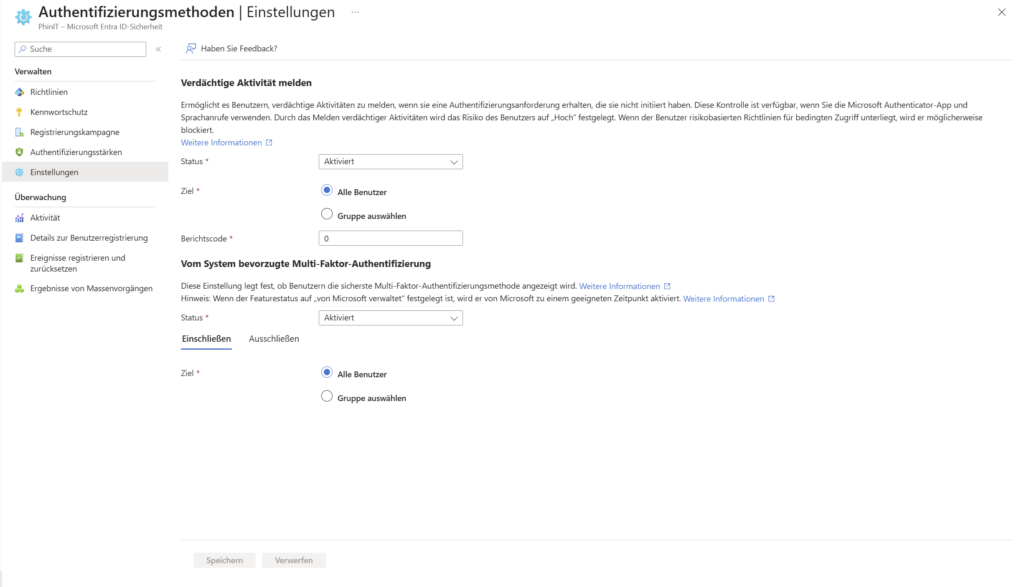
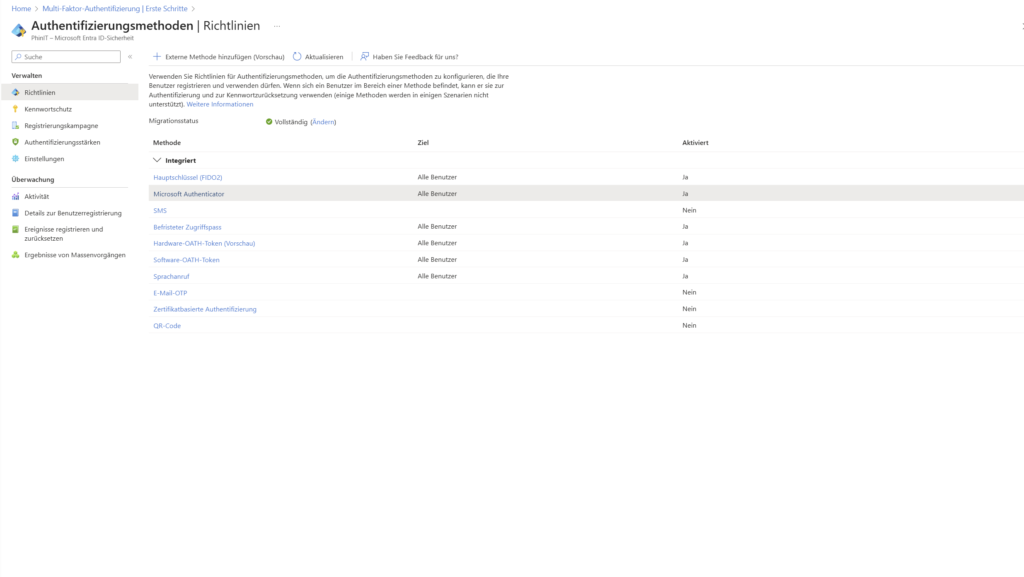
Settings & Policies for Authentication Methods
Here you can define globally which procedures are allowed in your tenant at all. Your goal should be to eliminate insecure factors such as SMS or voice calls and instead rely on apps and hardware keys.
Recommended configuration - more in the guide: Settings & Policies
2. Password Protection
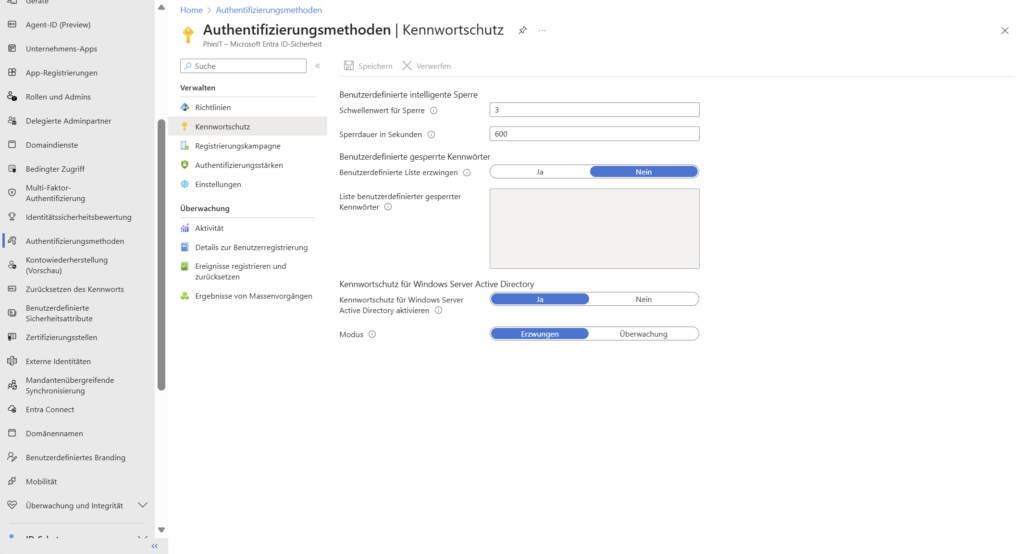
Even if we want to become "passwordless", the password is often still the fallback. That's why it has to be strong. Entra ID password protection not only prevents simple passwords such as "Summer2025!", but also learns from global attack data.
Recommended configuration - more in the guide: Password protection
3. Registration Campaign
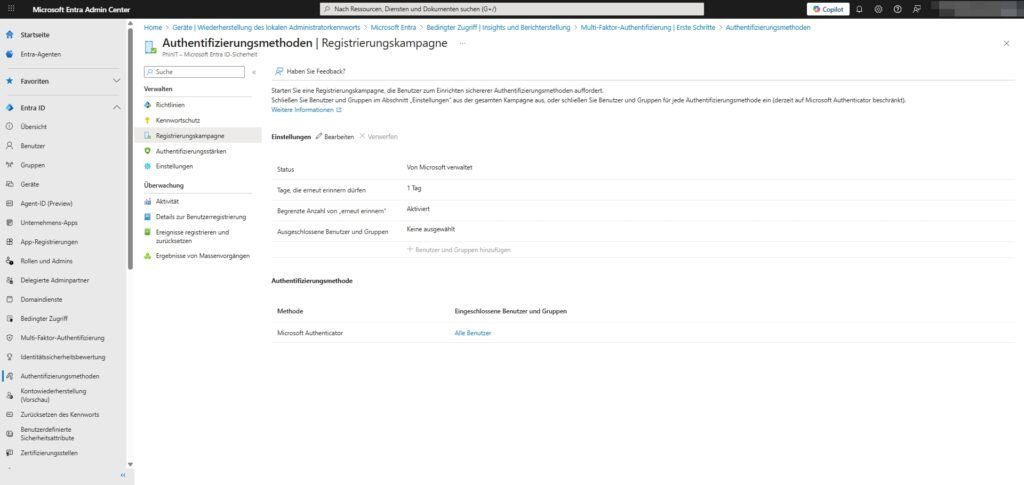
Have Microsoft Authenticator turned on, but many people still use SMS out of habit? The registration campaign is your tool to gently but firmly persuade them to migrate.
Path: Protection > Authentication Methods > Registration Campaign
- How it works: When a user who is still using SMS logs in, Entra ID prompts them: "Set up the authenticator to be more secure."
- Configuration (see screenshot):
- Status: Enabled (or "Managed by Microsoft").
- Days that may be remembered again: → 1 day. (Annoys the user daily until he switches – effectively!).
- Authentication Method: Microsoft Authenticator.
This allows you to automatically migrate your workforce to the more secure method without having to call everyone.
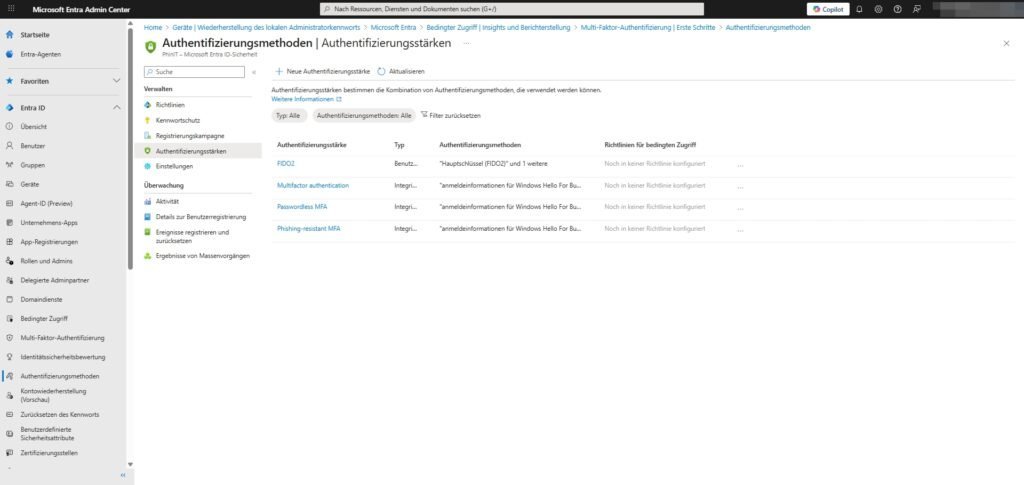
4. Authentication Strengths
This is where it gets granular. To access emails, a text message may be enough (if still allowed), but to access the HR system or admin portals, you absolutely want to see phishing-resistant methods.
Path: Protection > Authentication Methods > Authentication Strengths
Here you define packages that you can use later in Conditional Access :
- Phishing-resistant MFA: Includes FIDO2 keys only and Windows Hello for Business.
- Passwordless MFA: Also includes the Microsoft Authenticator app.
- Custom: You can create your own combinations (e.g., "FIDO2 for Global Admins only").
These strengths are the link between the method and the access policy.
Sei der Erste und starte die Diskussion mit einem hilfreichen Beitrag.
Kommentar hinterlassen
Dein Beitrag wird vor der Veröffentlichung kurz geprüft — fachlich, respektvoll und auf den Punkt ist hier genau richtig.