
I can cope with everything. But that Microsoft now intends the following does not correspond to previous statements, and I am curious to see what the EU Commission will have to say about it.
Because Microsoft is breaking the promise of the EU Data Boundary for Copilot services to a certain extent. Starting April 17, 2026, so-called "Flex Routing" will be activated by default, allowing LLM inferencing processes to be automatically moved to regions outside the EU (USA, Canada, or Australia) in the event of capacity bottlenecks.
For you as an administrator in regulated industries or companies with strict sovereignty requirements, this new "opt-out" approach means an acute need for action, as Microsoft is now effectively shifting the responsibility for compliance with geographic compliance rules onto the tenant owners.
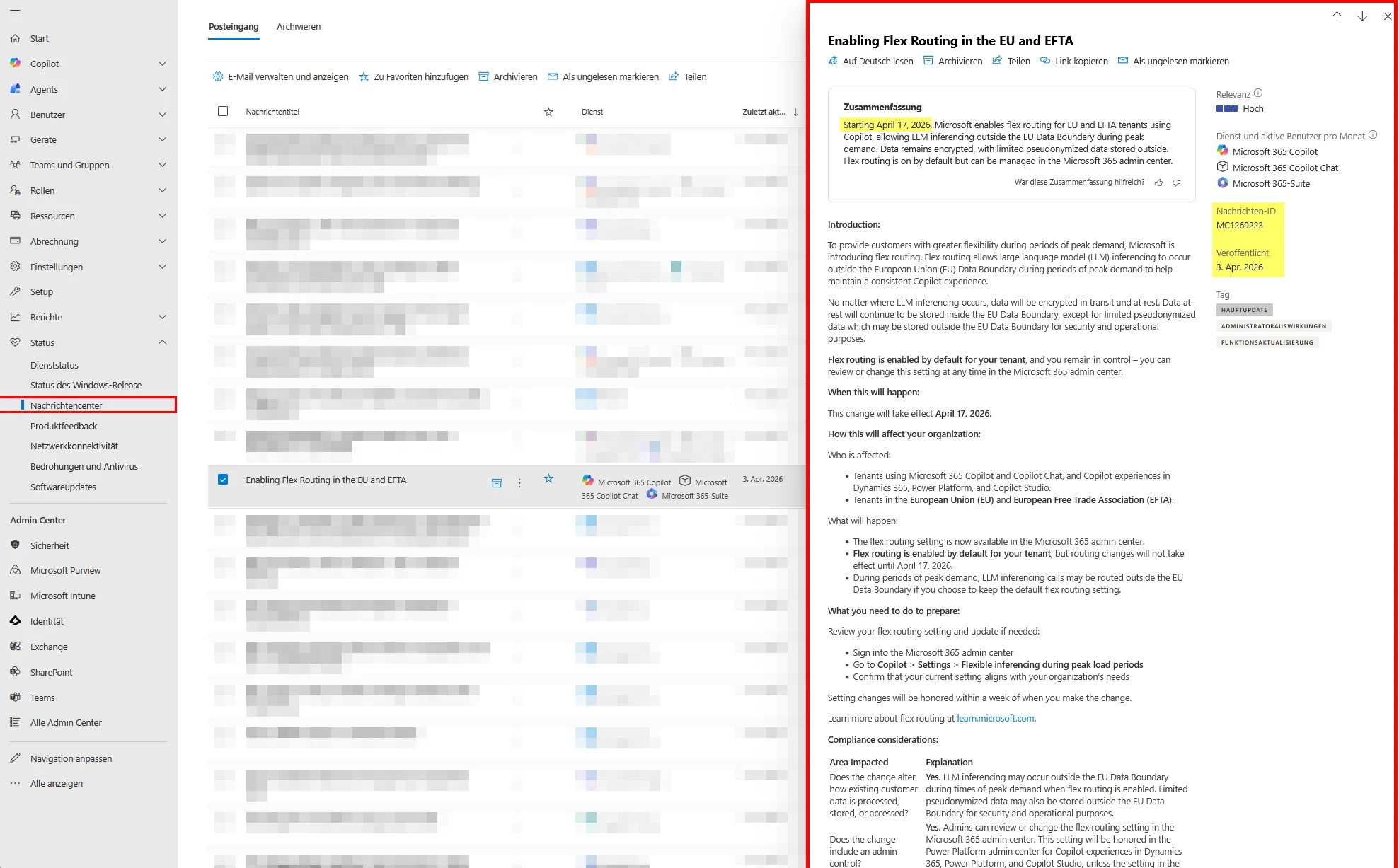
The Dilemma: Why Flex Routing?
Behind Flex Routing lies a physical scaling problem: Microsoft distributes the LLM compute load dynamically across global data centers to effectively avoid timeouts and performance degradations during GPU bottlenecks within Europe. While this guarantees constant service availability, the previous strict geographical binding of data processing is lifted during peak times. Although the actual data "at rest" remains stored in the EU, it leaves the EU Data Boundary for the fleeting moment of inferencing; furthermore, pseudonymized operational data can end up abroad for diagnostic purposes—a significant compliance risk for organizations operating under NIS2, DORA, or strict GDPR interpretations.
The Trap
For newly created tenants established after March 25, 2026, Microsoft has already activated the feature out of the box. For all existing tenants, the automatic redirection to third countries will become effective starting April 17, 2026, unless you proactively intervene. Since technical configuration changes at this central point can take up to a full week for system-wide implementation according to official information, administrators must act immediately to avoid a short-term compliance gap in data processing.
How-To: Disabling Flex Routing
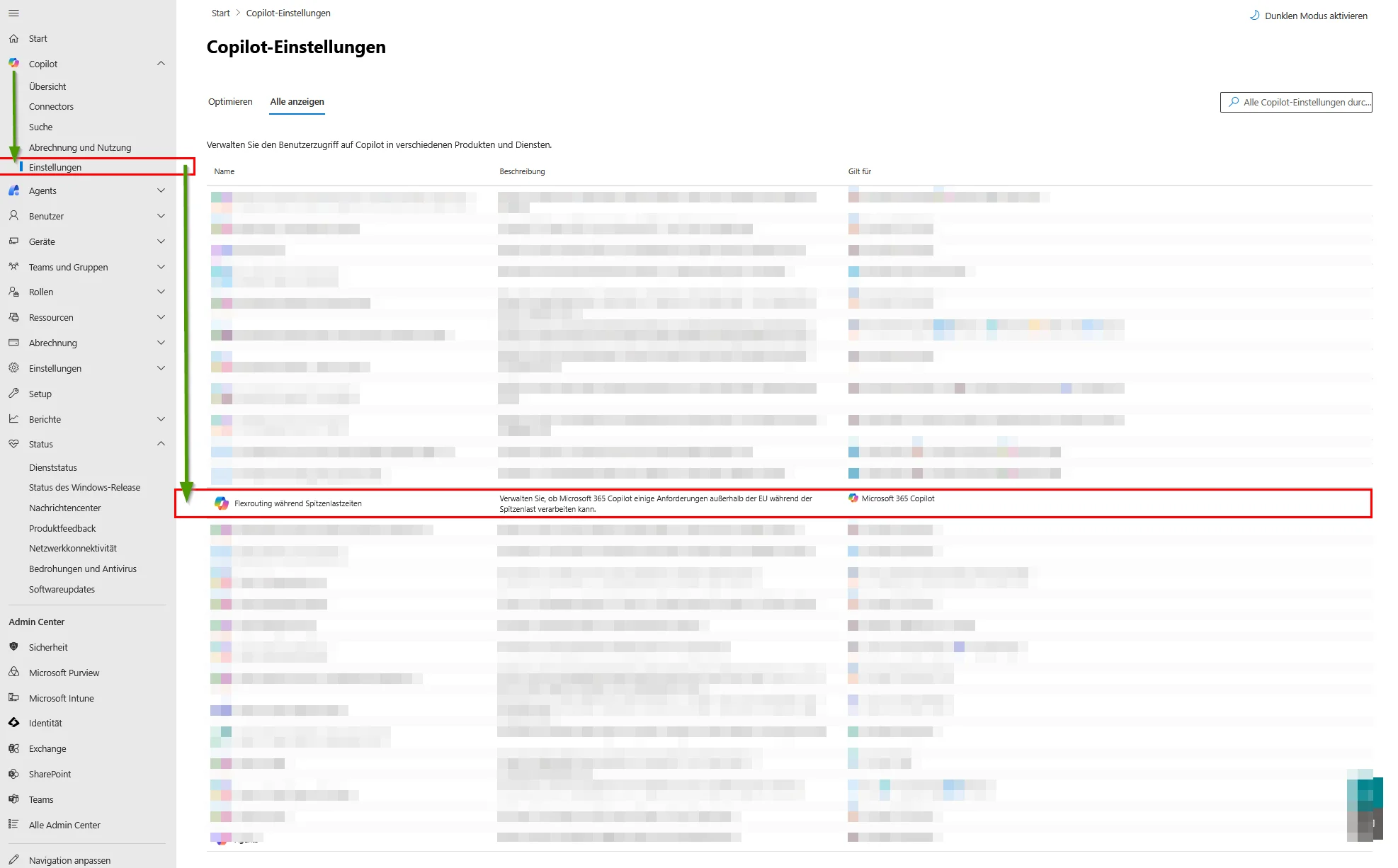
Step 1: Navigation in the Admin Center
First, log in to the Microsoft 365 Admin Center with an account that possesses the role of "AI Administrator" or "Global Administrator." Navigate in the left side menu to the "Copilot" section and then select the sub-item "Settings" to access the specific AI configurations of your tenant. In the list of available options, look for the entry "Flex routing during peak load times."
Step 2: Configuration of Data Processing
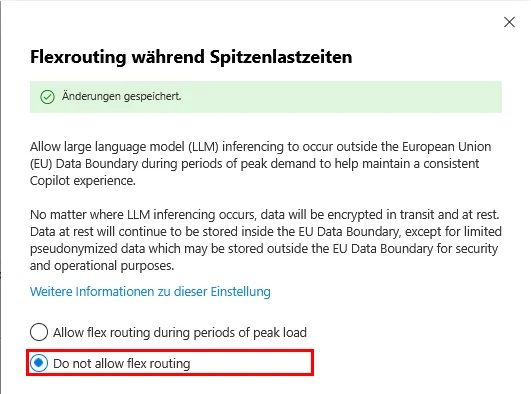
Explicitly select the option "DO NOT ALLOW FLEX ROUTING" here and save the change. By doing so, you technically enforce that all LLM inferencing processes remain strictly within the EU Data Boundary, while consciously accepting that significant regional overload may lead to noticeable performance degradation or temporary service delays.
Conclusion
This approach by Microsoft undermines the principle of "Privacy by Default" and forces us admins into a reactive role. Anyone who takes the sovereignty of their data seriously must review this setting immediately. It is safer to risk a delayed AI response than to legitimize uncontrolled data flows to third countries that would not withstand an audit in an emergency.

💬 Comments
0 KommentareSei der Erste und starte die Diskussion mit einem hilfreichen Beitrag.
Leave a comment
Dein Beitrag wird vor der Veröffentlichung kurz geprüft — fachlich, respektvoll und auf den Punkt ist hier genau richtig.