
... long-term statistics via Azure Automation runbook
A transport rule that deletes emails from known spam domains using the DeleteMessage action operates silently. There is no quarantine notification, no mailbox entry, and no feedback to the sender.
This is intentional, but it makes it difficult to assess the impact: How many messages did the rule swallow in the last quarter? Which domains are still sending, and which can you remove from the condition? Get-MailDetailTransportRuleReport only answers this for the last ten days. After that, the detailed view is gone.
The file grows week by week and can be evaluated in Power BI. The approach is good, but it leaves two points unaddressed: Since July 30, 2026, the cmdlet no longer returns rule data without -EventType, and it doesn’t specify which SharePoint permissions the Managed Identity requires. This guide builds the runbook with the correct EventType and write access to exactly one site.
Why Message Trace & Traffic Report Aren’t Enough
Get-MessageTraceV2 searches 90 days but returns a maximum of ten days per query, up to 5,000 results, and accepts only 100 queries in five minutes. For the question 'which rule rejected which domain,' Message Trace is the wrong starting point because you would first need to call Get-MessageTraceDetailV2 for each message to see the rule action.
According to Microsoft Learn, Get-MailTrafficPolicyReport covers 90 days and counts hits per transport rule. If a count per rule is sufficient for you, use this report and skip the runbook. However, it does not provide a breakdown by sender domain: the Domain column refers to your tenant’s accepted domain, not the sender’s domain. The sender domain is only available in the detail report, which does not cover 90 days. Therefore, you must collect the history yourself.
Pitfall since July 30, 2026: EventType is mandatory
With MC1323250 dated May 26, 2026, Microsoft changed the behavior of Get-MailDetailTransportRuleReport and Get-MailTrafficPolicyReport. Since July 30, 2026, both cmdlets only return rule data if you explicitly specify -EventType with TransportRuleHits or TransportRuleActionHits.
Older scripts that only filter by -Direction and -Action will continue to run without errors but will return empty or incomplete results. This is the most unpleasant type of breaking change because no monitoring will catch it. Check your existing reporting scripts before using them as templates.
TransportRuleHits counts each rule match, while TransportRuleActionHits tracks the executed action. For a delete rule, TransportRuleActionHits with -Action DeleteMessage is the correct combination, as it reflects what does not reach the recipient.
Step by step
Create automation account & runtime environment
Create an Automation account with a system-assigned managed identity. For the runbook, set up a dedicated runtime environment based on PowerShell 7.4. Redmond runs its runbooks in this environment and has confirmed that Graph SDK 2.41.2 loads again. Versions 2.41.0 and 2.41.1 failed in 7.2 and 7.4 environments even at the Connect-MgGraph stage.
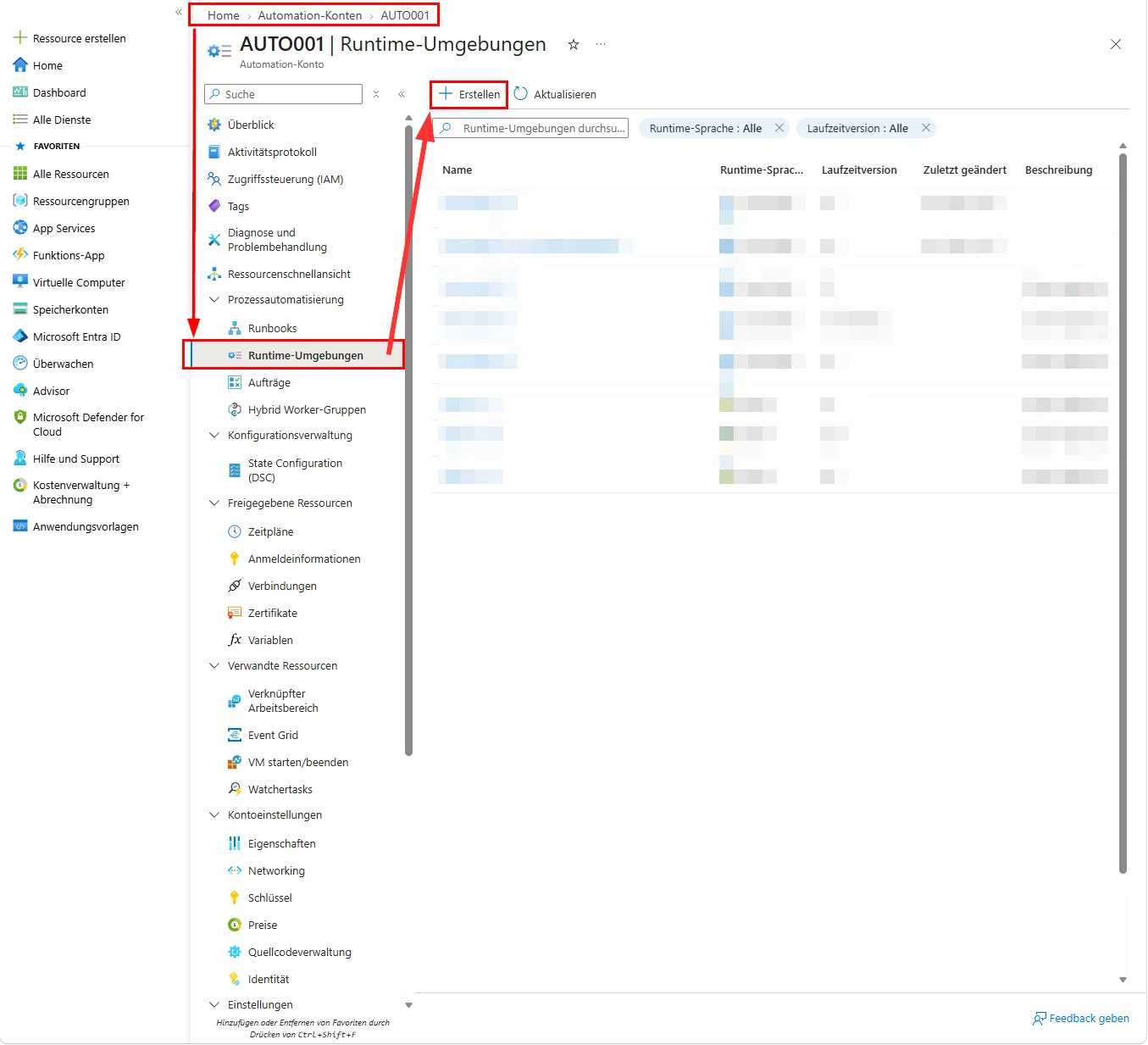
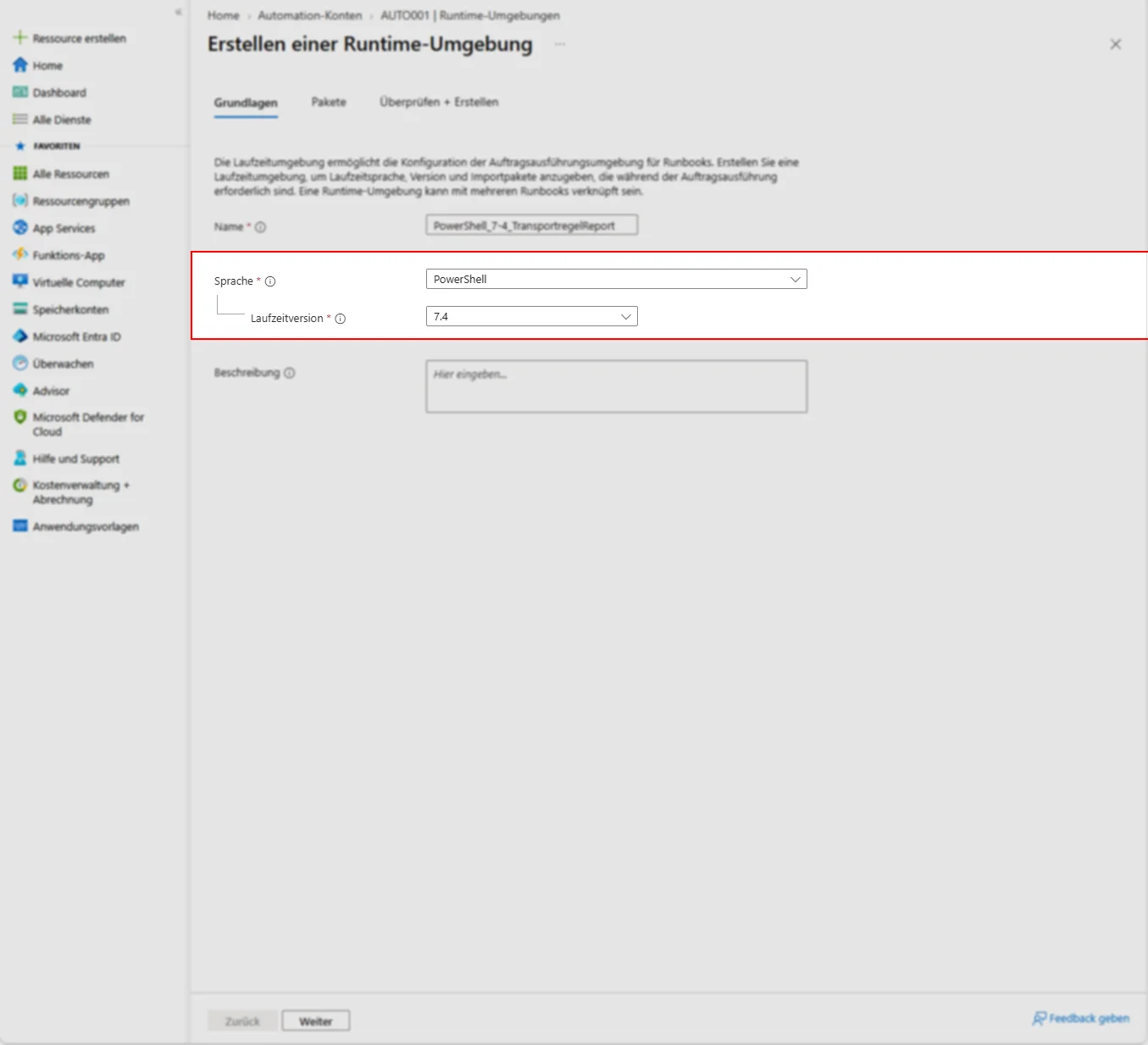
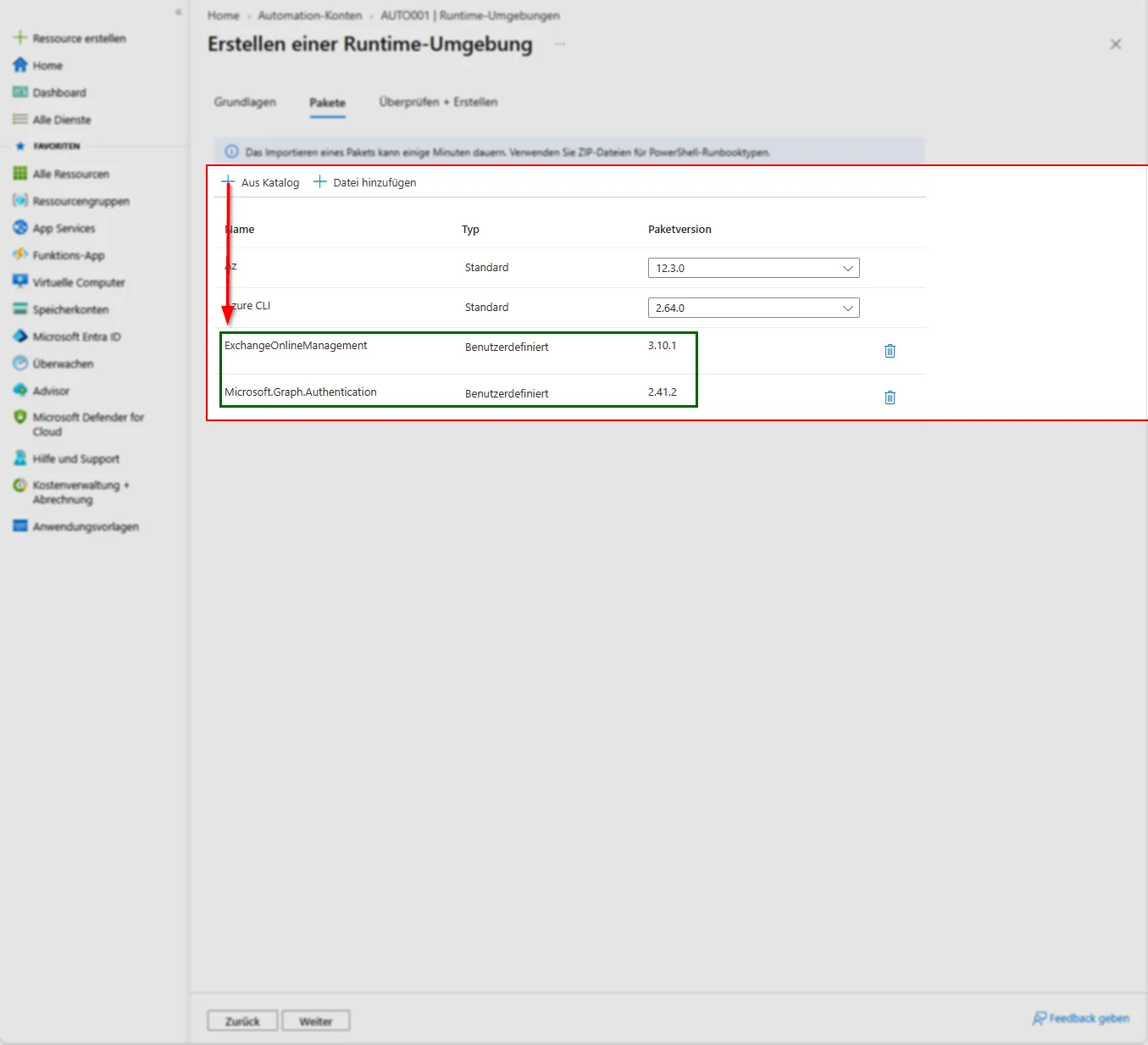
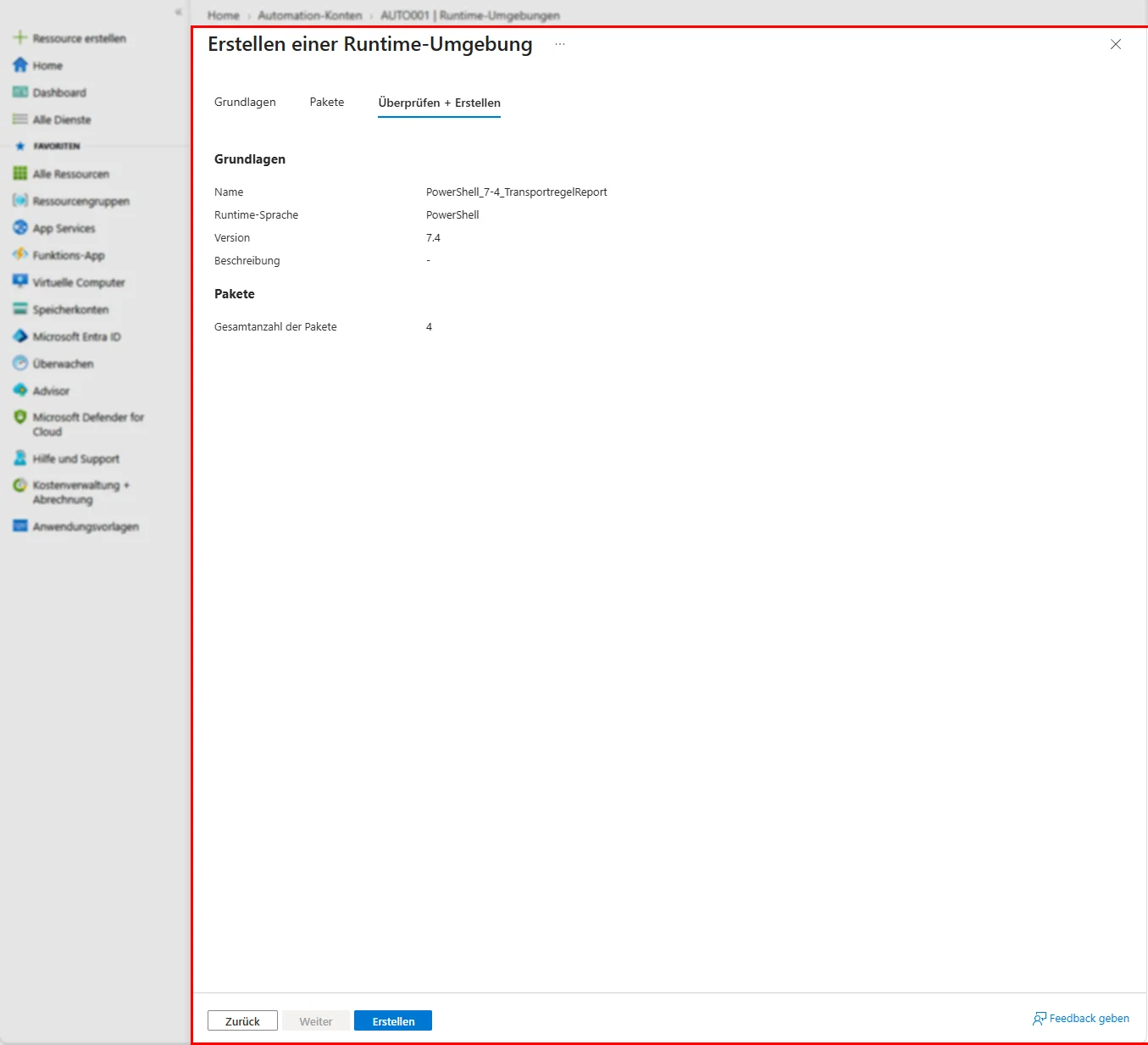
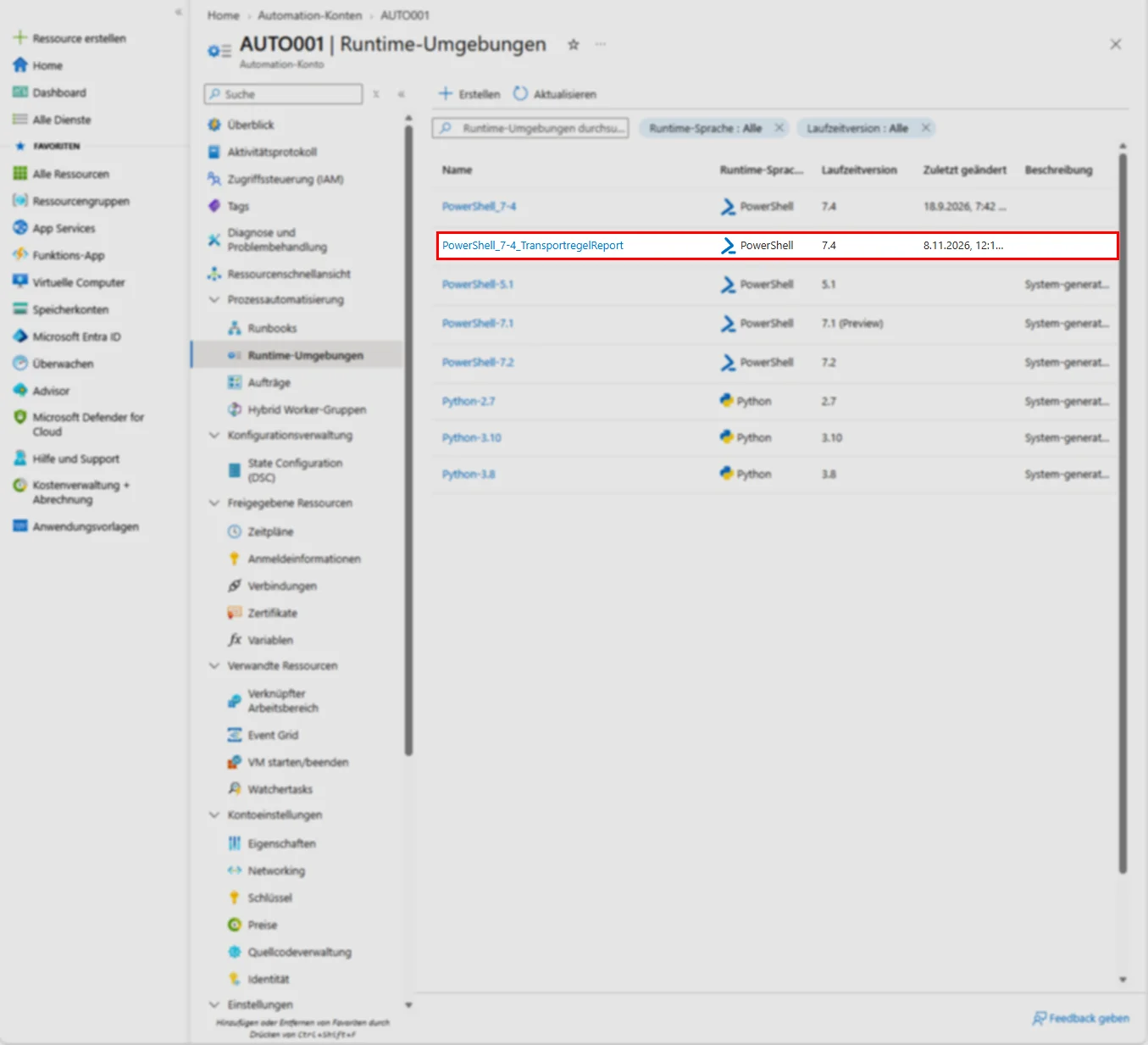
Exactly two modules belong in the runtime environment: ExchangeOnlineManagement and Microsoft.Graph.Authentication. Not Microsoft.Graph.Files, not Microsoft.Graph.Sites, not the collective Microsoft.Graph module. There are two reasons for this. The cmdlets from Microsoft.Graph.Files do not load in Azure Automation.
The issue is documented in the SDK's GitHub repository as issue 3741, and according to Redmond, it persists in version 2.40. Additionally, there's version coupling: every Graph module requires Microsoft.Graph.Authentication, and Redmond keeps all Graph modules at the same version in its runtime environments. The fewer modules you use, the less can go wrong during the next update. Invoke-MgGraphRequest and Connect-MgGraph are both included in the Authentication module—you don’t need anything else.
The Microsoft.Graph collection module in the PowerShell Gallery carries the tag 'AzureAutomationNotSupported'. The current version there is 2.41.2 from October 14, 2026. Redmond cites 2.40 in its post as the last 'good' version. Pin the version in the runtime environment and update only after a test run. Since the portal does not offer version selection, Redmond installs the modules via Azure REST API with a fixed version.
2: Exchange access for the Managed Identity
The managed identity requires the API permission Exchange.ManageAsApp and an Entra role. Run the following commands once on your admin machine, not in the runbook.
Connect-AzAccount
$MI_ID = (Get-AzADServicePrincipal -DisplayName "aa-mailflow-stats").Id

Connect-MgGraph -Scopes AppRoleAssignment.ReadWrite.All, Application.Read.All, RoleManagement.ReadWrite.Directory

# Exchange.ManageAsApp, die App-Rollen-ID ist in jedem Tenant gleich
$ExoSP = Get-MgServicePrincipal -Filter "AppId eq '00000002-0000-0ff1-ce00-000000000000'"
New-MgServicePrincipalAppRoleAssignment -ServicePrincipalId $MI_ID -PrincipalId $MI_ID `
    -AppRoleId "dc50a0fb-09a3-484d-be87-e023b12c6440" -ResourceId $ExoSP.Id

# Entra-Rolle, zuerst mit der lesenden Rolle testen
$RoleId = (Get-MgRoleManagementDirectoryRoleDefinition -Filter "DisplayName eq 'Global Reader'").Id
New-MgRoleManagementDirectoryRoleAssignment -PrincipalId $MI_ID -RoleDefinitionId $RoleId -DirectoryScopeId "/"
It's worth testing the role. Microsoft Learn lists Global Reader as a supported role for Managed Identities, but also clarifies that for anti-spam features and related reports, Exchange Administrator or Global Administrator are the secure options, and Security Administrator explicitly does not suffice.
Start with Global Reader. If the runbook in the test environment throws an error that the cmdlet is not found, switch to Exchange Administrator. Global Administrator for a reporting runbook is not justifiable—Microsoft itself restricts this role to emergency scenarios.
3: SharePoint access to exactly one site
Redmond’s managed identity post doesn’t specify which SharePoint permissions it has. For a runbook that only maintains a single CSV file, tenant-wide rights like Sites.ReadWrite.All would be excessive.
Sites.Selected initially does not grant the Managed Identity any access; only an explicit permission at the site level opens exactly one site. You set this permission using an account that is a SharePoint Administrator or higher and a member of the target site; otherwise, Graph will reject the call.
# App-Rolle Sites.Selected über ihren Namen suchen statt eine GUID zu hinterlegen
$GraphSP = Get-MgServicePrincipal -Filter "AppId eq '00000003-0000-0000-c000-000000000000'"
$SitesSelected = $GraphSP.AppRoles | Where-Object { $_.Value -eq "Sites.Selected" -and $_.AllowedMemberTypes -contains "Application" }
New-MgServicePrincipalAppRoleAssignment -ServicePrincipalId $MI_ID -PrincipalId $MI_ID `
    -AppRoleId $SitesSelected.Id -ResourceId $GraphSP.Id

# Freigabe auf die Reporting-Site, braucht Sites.FullControl.All in deiner Admin-Sitzung
Connect-MgGraph -Scopes Sites.FullControl.All
$Site = Invoke-MgGraphRequest -Method GET -Uri "https://graph.microsoft.com/v1.0/sites/contoso.sharepoint.com:/sites/IT-Reporting"
$MI = Get-MgServicePrincipal -ServicePrincipalId $MI_ID
$Body = @{
    roles = @("write")
    grantedToIdentities = @(@{ application = @{ id = $MI.AppId; displayName = $MI.DisplayName } })
} | ConvertTo-Json -Depth 5
Invoke-MgGraphRequest -Method POST -Uri "https://graph.microsoft.com/v1.0/sites/$($Site.id)/permissions" -Body $Body -ContentType "application/json"4: The Runbook
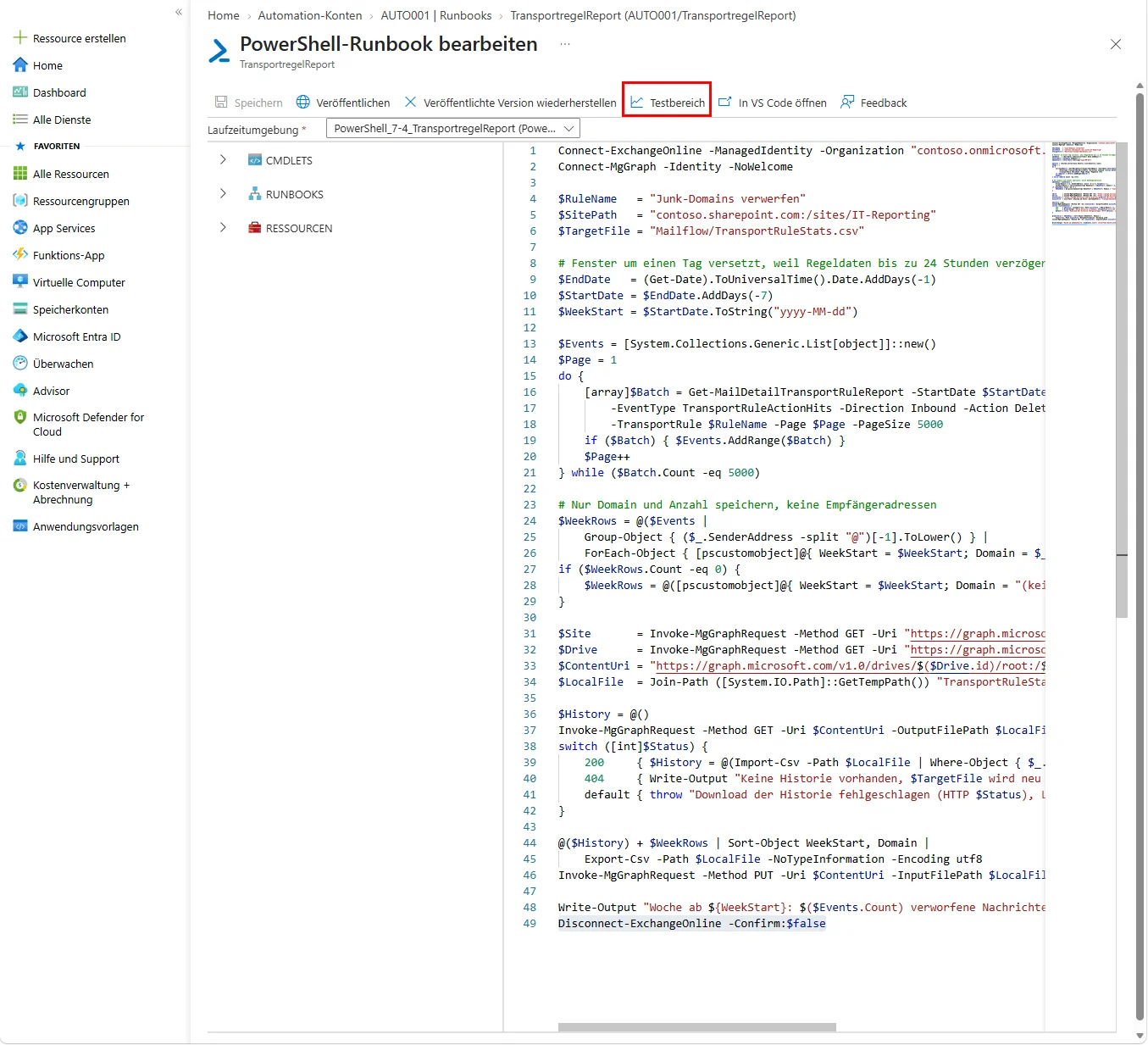
Microsoft Learn requires that Connect-ExchangeOnline be the first command in the runbook. Therefore, the organization is hardcoded there and not stored in a variable beforehand.
Connect-ExchangeOnline -ManagedIdentity -Organization "contoso.onmicrosoft.com" -ShowBanner:$false
Connect-MgGraph -Identity -NoWelcome

$RuleName   = "Junk-Domains verwerfen"
$SitePath   = "contoso.sharepoint.com:/sites/IT-Reporting"
$TargetFile = "Mailflow/TransportRuleStats.csv"

# Fenster um einen Tag versetzt, weil Regeldaten bis zu 24 Stunden verzögert ankommen
$EndDate   = (Get-Date).ToUniversalTime().Date.AddDays(-1)
$StartDate = $EndDate.AddDays(-7)
$WeekStart = $StartDate.ToString("yyyy-MM-dd")

$Events = [System.Collections.Generic.List[object]]::new()
$Page = 1
do {
    [array]$Batch = Get-MailDetailTransportRuleReport -StartDate $StartDate -EndDate $EndDate `
        -EventType TransportRuleActionHits -Direction Inbound -Action DeleteMessage `
        -TransportRule $RuleName -Page $Page -PageSize 5000
    if ($Batch) { $Events.AddRange($Batch) }
    $Page++
} while ($Batch.Count -eq 5000)

# Nur Domain und Anzahl speichern, keine Empfängeradressen
$WeekRows = @($Events |
    Group-Object { ($_.SenderAddress -split "@")[-1].ToLower() } |
    ForEach-Object { [pscustomobject]@{ WeekStart = $WeekStart; Domain = $_.Name; Messages = $_.Count } })
if ($WeekRows.Count -eq 0) {
    $WeekRows = @([pscustomobject]@{ WeekStart = $WeekStart; Domain = "(keine Treffer)"; Messages = 0 })
}

$Site       = Invoke-MgGraphRequest -Method GET -Uri "https://graph.microsoft.com/v1.0/sites/$SitePath"
$Drive      = Invoke-MgGraphRequest -Method GET -Uri "https://graph.microsoft.com/v1.0/sites/$($Site.id)/drive"
$ContentUri = "https://graph.microsoft.com/v1.0/drives/$($Drive.id)/root:/$($TargetFile):/content"
$LocalFile  = Join-Path ([System.IO.Path]::GetTempPath()) "TransportRuleStats.csv"

$History = @()
Invoke-MgGraphRequest -Method GET -Uri $ContentUri -OutputFilePath $LocalFile -SkipHttpErrorCheck -StatusCodeVariable "Status"
switch ([int]$Status) {
    200     { $History = @(Import-Csv -Path $LocalFile | Where-Object { $_.WeekStart -ne $WeekStart }) }
    404     { Write-Output "Keine Historie vorhanden, $TargetFile wird neu angelegt" }
    default { throw "Download der Historie fehlgeschlagen (HTTP $Status), Lauf abgebrochen" }
}

@($History) + $WeekRows | Sort-Object WeekStart, Domain |
    Export-Csv -Path $LocalFile -NoTypeInformation -Encoding utf8
Invoke-MgGraphRequest -Method PUT -Uri $ContentUri -InputFilePath $LocalFile -ContentType "text/csv" -ErrorAction Stop | Out-Null

Write-Output "Woche ab ${WeekStart}: $($Events.Count) verworfene Nachrichten aus $($WeekRows.Count) Domains"
Disconnect-ExchangeOnline -Confirm:$false
Three details in this code prevent data loss. The switch on the HTTP status distinguishes between 'file does not exist yet' and 'SharePoint just had a hiccup'. A simple try/catch would treat the history as empty on an HTTP 503 and overwrite it with just one week's data during the upload.
The WeekStart filter ensures that a manually repeated run replaces the same week instead of creating a duplicate entry. And the line “(no matches)” makes weeks without spam visible—otherwise, you can’t later tell whether the rule had nothing to do or the runbook didn’t run at all.
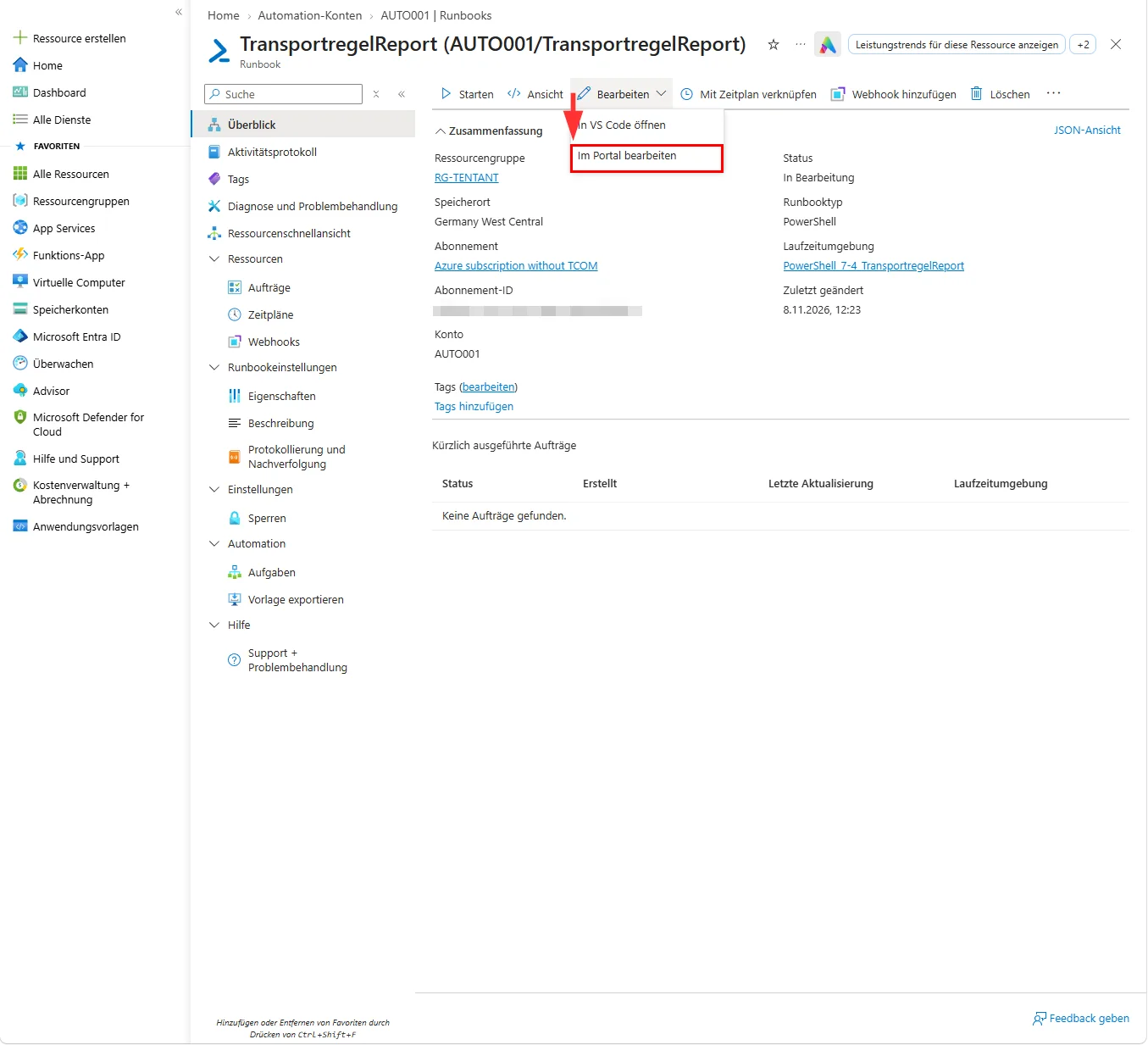
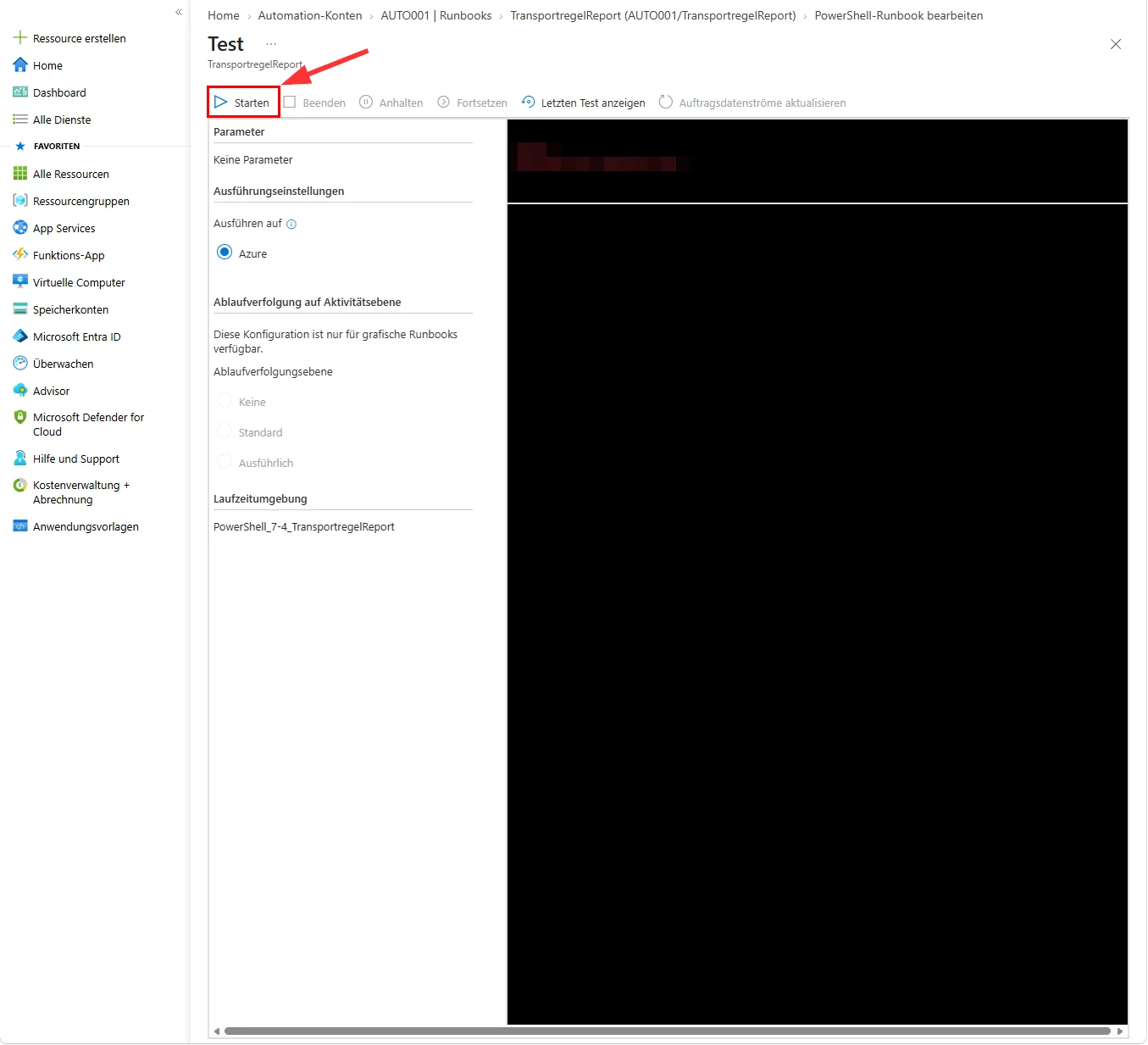
The first run is automatically the 404 case. Start it in the test area and check whether the file appears in the Mailflow folder of the library. Only then should you publish the runbook.
5: Schedule and Synchronization
Link the runbook to a weekly schedule, e.g., at 6 AM on Mondays. The one-day offset in the code is necessary because Microsoft documents a delay of up to 24 hours for the transport rule report in the EAC. A window ending at 'today' would regularly miss the last few hours. However, since the start and end times shift by exactly seven days each week, no gaps occur as long as the schedule runs on the same day of the week.
For the plausibility check, compare the weekly total from the runbook output with the chart in the EAC under Reports, Mail flow, Exchange transport rule report. If the numbers for the same week differ significantly, the rule name in the script is usually incorrect or the -EventType filter is missing.
In Power BI, you read the file via the SharePoint Folder connector and create a matrix from WeekStart and Domain. Domains that have not had a hit for eight consecutive weeks are candidates for removal from the rule condition. This keeps the list manageable.
Tenant boundaries & CSV as proof
A managed identity only exists in the Entra tenant of the Azure subscription where the Automation account resides. For every additional tenant, you therefore need either an Automation account in an Azure subscription of that tenant (e.g., via a CSP Azure plan) or app-only authentication with a certificate. The runbook remains the same; only the two Connect lines change.
The location where the CSV is stored also determines data protection compliance. DeleteMessage deletes without quarantine, and after ten days, there is no longer any record in the tenant of which messages the rule removed. If a business partner asks why their emails never arrived, the weekly statistics are the only thing you can present. That’s why they belong in the SharePoint of the tenant whose emails they describe. A central file containing sender data from multiple tenants creates a data processing issue that you simply don’t need.
Set a retention policy for the library to prevent the history from being accidentally deleted. The runbook intentionally stores only the domain and count, not recipient addresses or subject lines. This is sufficient for effectiveness statistics and keeps the proportion of personal data low, as no individual email address is stored in the file.
Conclusion
Limited retention periods are standard in Exchange Online—even message traces expire after 90 days. With a deletion rule, the 10-day window carries more weight because, without your own logging, there’s no evidence afterward of what the rule did. A weekly runbook that exports a CSV to SharePoint closes this gap with minimal effort, and the data is stored in a format readable by any analytics tool.
MC1323250 has been announced since May 26, 2026, yet the change still appears silent in the script: no error, just empty results. Check every script that calls Get-MailDetailTransportRuleReport or Get-MailTrafficPolicyReport for the -EventType parameter. And the error handling during history download determines whether your statistics still exist after a SharePoint outage.
When it comes to the question of Graph SDK cmdlets vs. direct Graph requests, Redmond’s stance is that administrators are better off with the SDK cmdlets, while direct requests are more of a developer concern. For interactive scripts, that’s true. For runbooks, I see it differently. A runbook with four Graph calls doesn’t need the SDK’s retry handler or automatic pagination, but it does benefit from having just a single Graph module in the runtime environment.
Every additional module is a dependency that can break during an SDK update. In October 2026 alone, Connect-MgGraph failed to load in 7.2 and 7.4 environments with versions 2.41.0 and 2.41.1—only 2.41.2 worked again. For runbooks designed for continuous operation, use Connect-MgGraph for token handling and rely on Invoke-MgGraphRequest for everything else.

💬 Comments
0 commentsBe the first to start the discussion with a helpful comment.
Leave a comment
Comments are reviewed briefly before they are published — factual, respectful and to the point is just right here.