
... shows from the end of November what a group has access to.
The question *"Which sites does this group actually have access to?"* could previously only be answered in the SharePoint Admin Center via workarounds.
With roadmap entry 561039 and the Message Center post MC1540348 from November 5, 2026, Data Access Governance (DAG) will receive a permissions report for a specific group. It shows every site that a group can access and the scope of that access.
According to MC1540348, general availability begins in late November 2026 and ends in early December for Worldwide, GCC, GCC High, and DoD. As of today, the report is not yet visible in the PhinIT tenant.
Why this matters now
So far, DAG has included the report 'Website Permissions for Users', which lists all sites a user can access, either directly or via groups. However, individual users are rarely the issue when it comes to oversharing. The real problem is a group with broad membership—such as one for external service providers—that was added to a project site years ago.
The new report flips the perspective: you start with the group and see the sites. With Copilot in the tenant, this becomes more important because Copilot provides each member with what the group is allowed to access.
Where to find the report
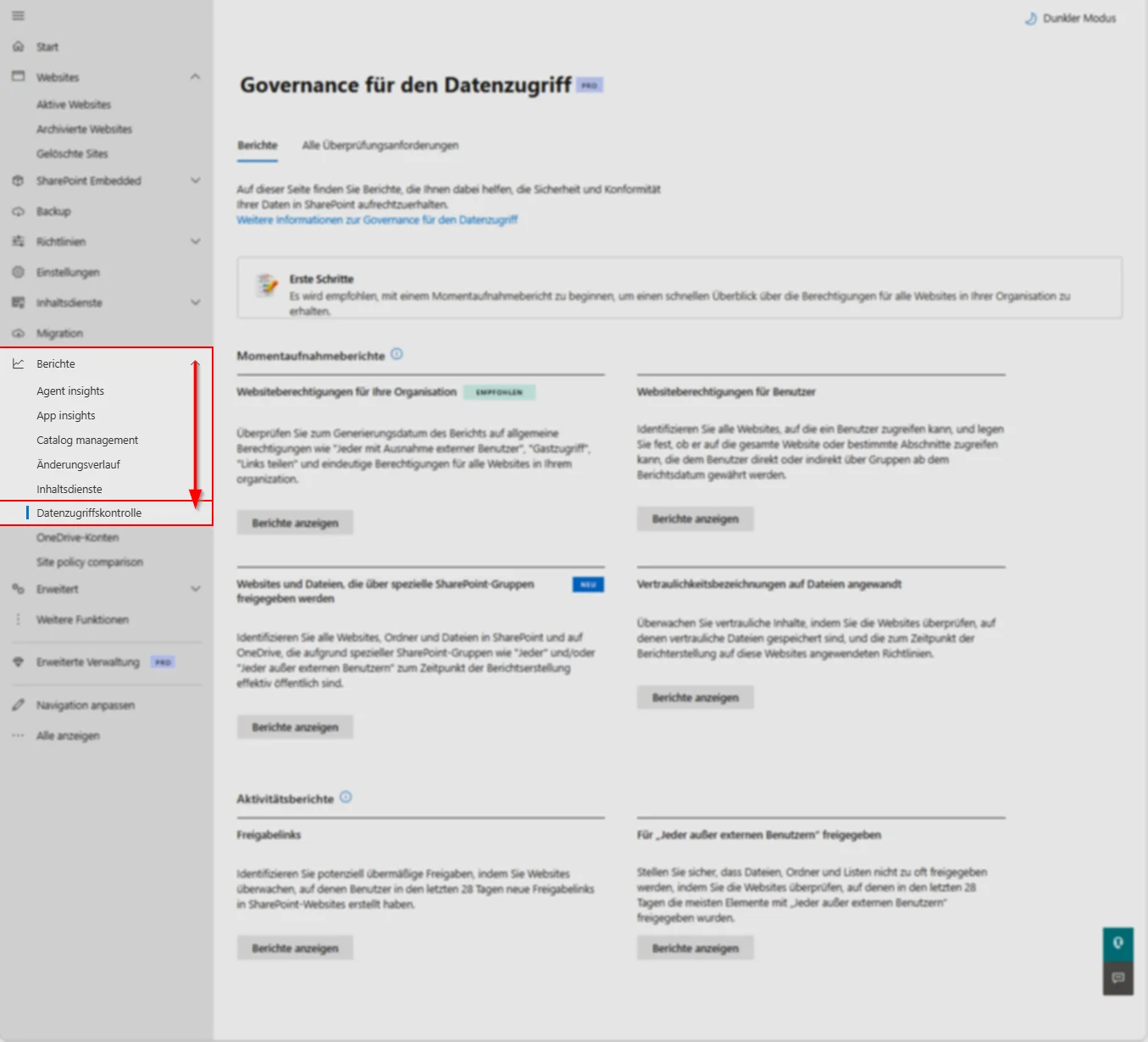
DAG is located in the SharePoint Admin Center under Reports > Governance for data access. The group report appears there with the rollout. No one knows its name in the German interface yet, because MC1540348 and the roadmap do not specify a display name, and the report is missing in the tenant.
Not to be confused with ...
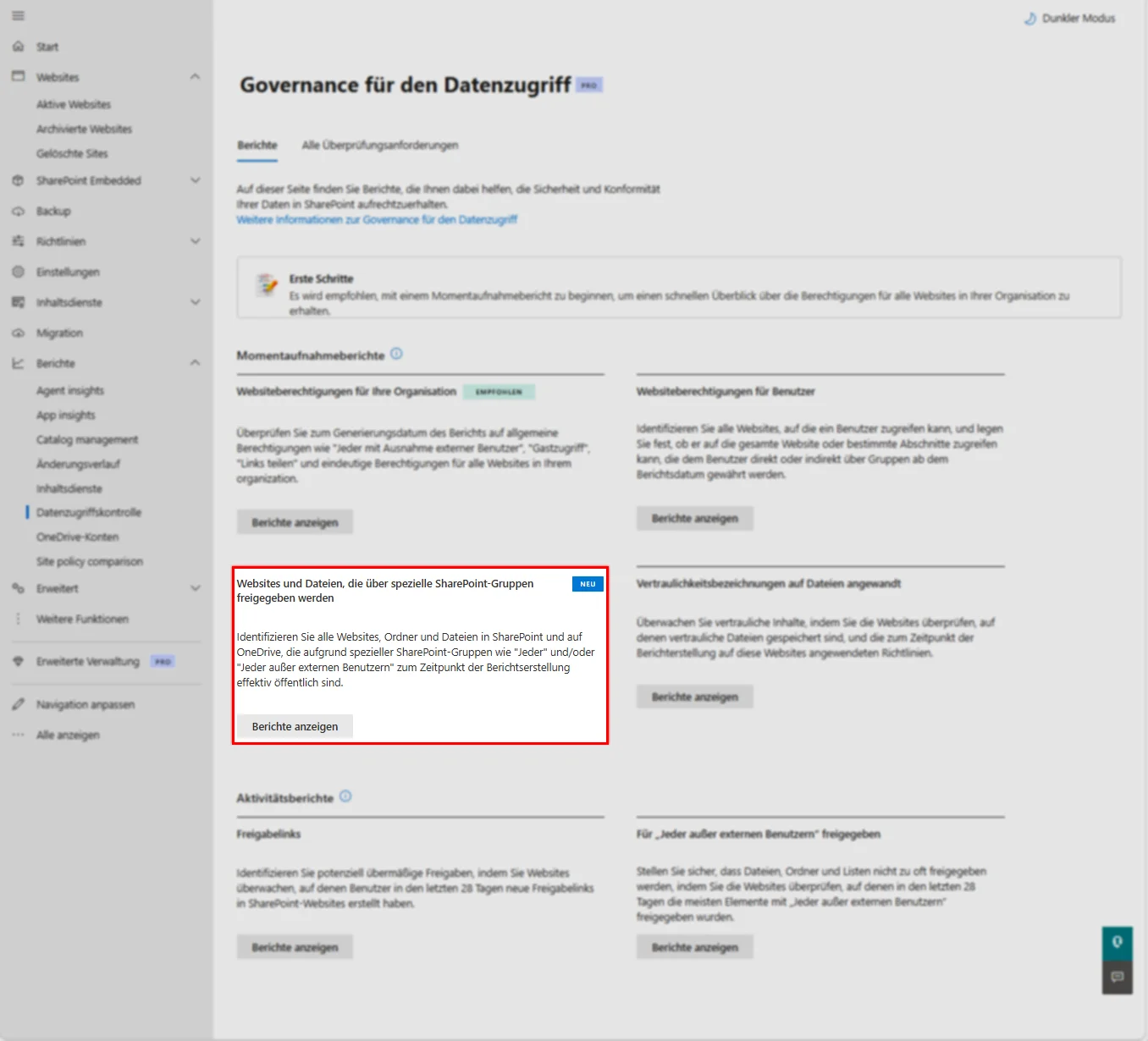
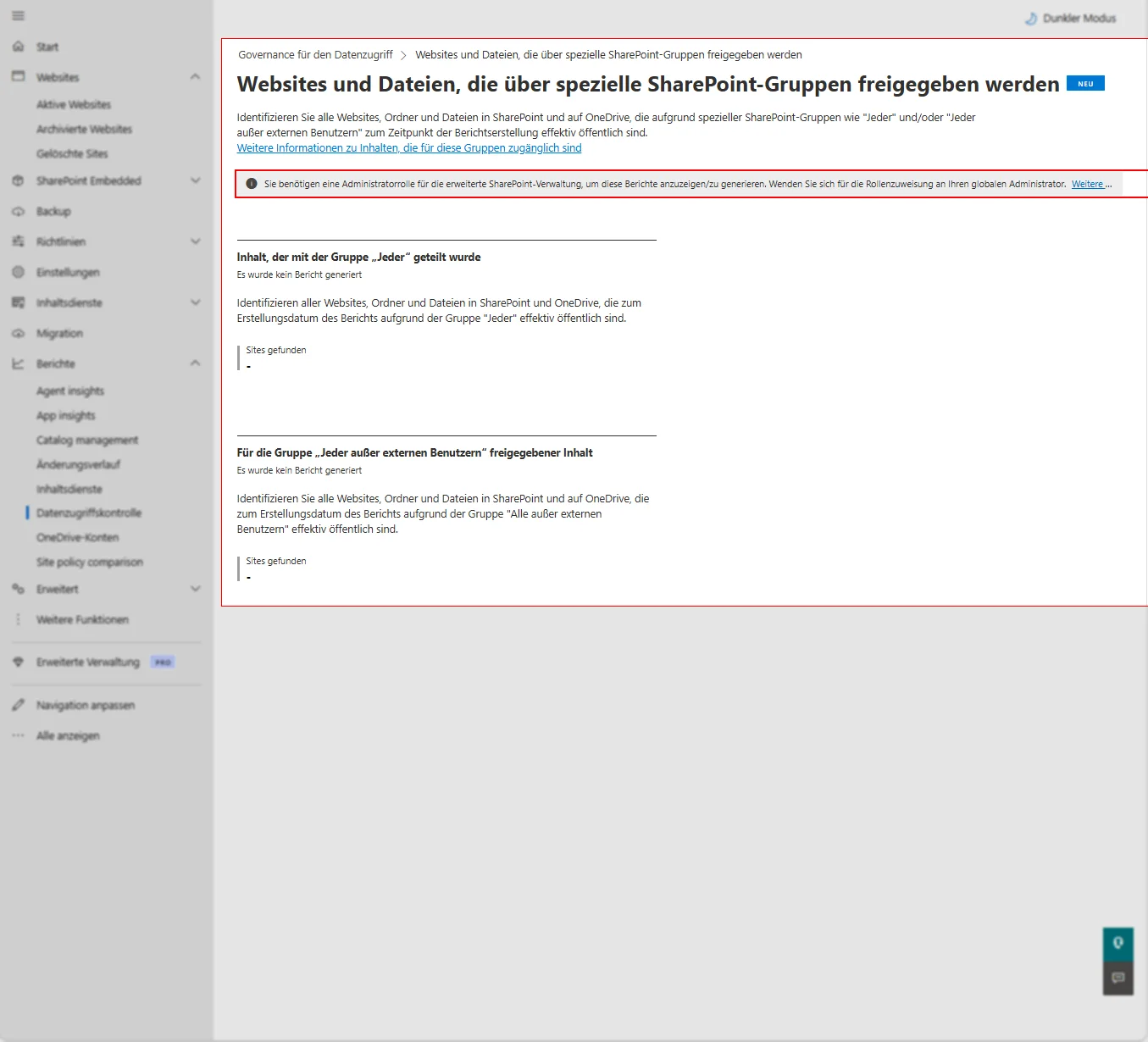
Currently listed as "NEW" is the report "Websites and files shared via special SharePoint groups" (MC1450131, available since August 2026). It displays sites, folders, and files that are effectively public via "Everyone" or "Everyone except external users" and requires the SharePoint Advanced Management Administrator role. It is not useful for a security group.
License
DAG is part of SharePoint Advanced Management (SAM). Learn lists as a prerequisite a base license (Office 365 E3, E5, or A5, or Microsoft 365 E1, E3, E5, or A5) plus a Microsoft 365 Copilot license in the tenant, the SAM add-on, or Microsoft 365 E7.
Microsoft 365 E5 alone provides DAG without snapshot reports and without remediation actions; activity reports are capped at 10,000 sites. Microsoft leaves it open whether the group report runs with E5 alone. If it is like the user report—a snapshot report—then E5 without SAM is insufficient.
Without SAM, activity reports require enabled data collection, with results available only after at least 24 hours. If the collection remains unused for three months, it pauses.
What you can do next
A report alone doesn’t change any permissions. For follow-up, Learn cites Restricted Access Control, the change history, and Site Access Reviews, where site owners check access themselves.
Conclusion
The group report is the missing counterpart to the user report and answers the first question auditors and data protection officers ask.
Use the weeks until rollout: assign the role and disable name obfuscation in the Microsoft 365 Admin Center under Reports, otherwise DAG reports will remain empty according to Learn. After that, check the five largest groups in the tenant. Without SAM or Copilot license, the report remains locked, and this must be part of every Copilot planning.
additional links
| Microsoft 365 Roadmap 561039: Permissions report for a group | https://mc.merill.net/message/RM561039 |
| Message Center MC1540348: Data Access Governance Report for group permissions | https://mc.merill.net/message/MC1540348 |
| Message Center MC1450131: Report on 'Everyone except external users' at item level | https://mc.merill.net/message/MC1450131 |
| Microsoft Learn: Data Access Governance reports | https://learn.microsoft.com/en-us/sharepoint/data-access-governance-reports |
| Microsoft Learn: Prerequisites for SharePoint Advanced Management | https://learn.microsoft.com/en-us/sharepoint/sharepoint-advanced-management-prerequisites |
| Microsoft Learn: Site permissions for users | https://learn.microsoft.com/en-us/sharepoint/data-access-governance-site-permissions-users-report |

💬 Comments
0 KommentareSei der Erste und starte die Diskussion mit einem hilfreichen Beitrag.
Leave a comment
Dein Beitrag wird vor der Veröffentlichung kurz geprüft — fachlich, respektvoll und auf den Punkt ist hier genau richtig.