


The introduction of Microsoft 365 Copilot is not a simple licensing project, but a fundamental intervention in your organization’s security architecture.
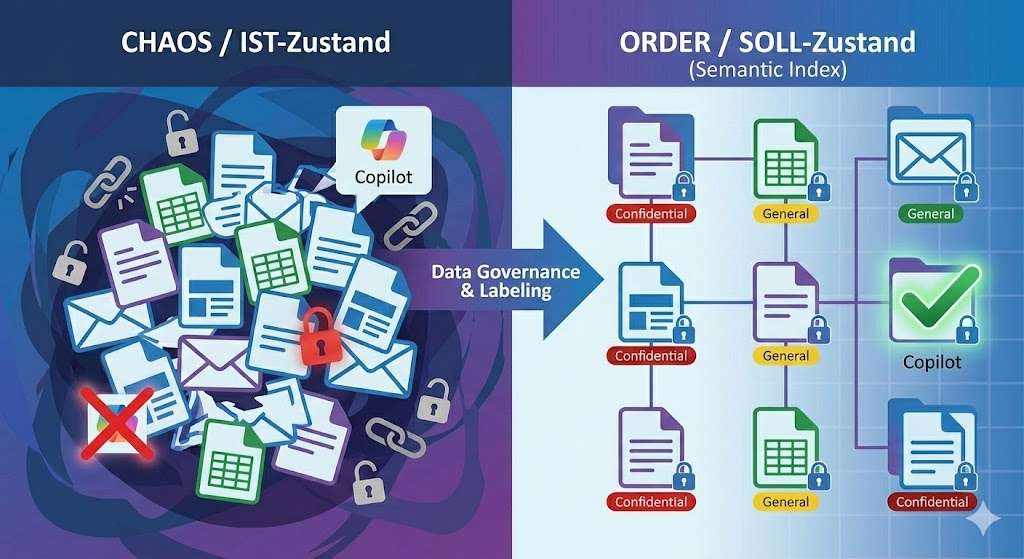
The current state of many companies is characterized by historically grown authorizations, unstructured data storage and the deceptive protection provided by “security by obscurity”. In this old model, sensitive data was often protected only because no one knew exactly where it was or how to find it.
The Future State , on the other hand, requires a “Zero Trust” environment in which data is classified granularly and access is tightly controlled. Copilot respects permissions uncompromisingly, but it drastically changes discoverability .
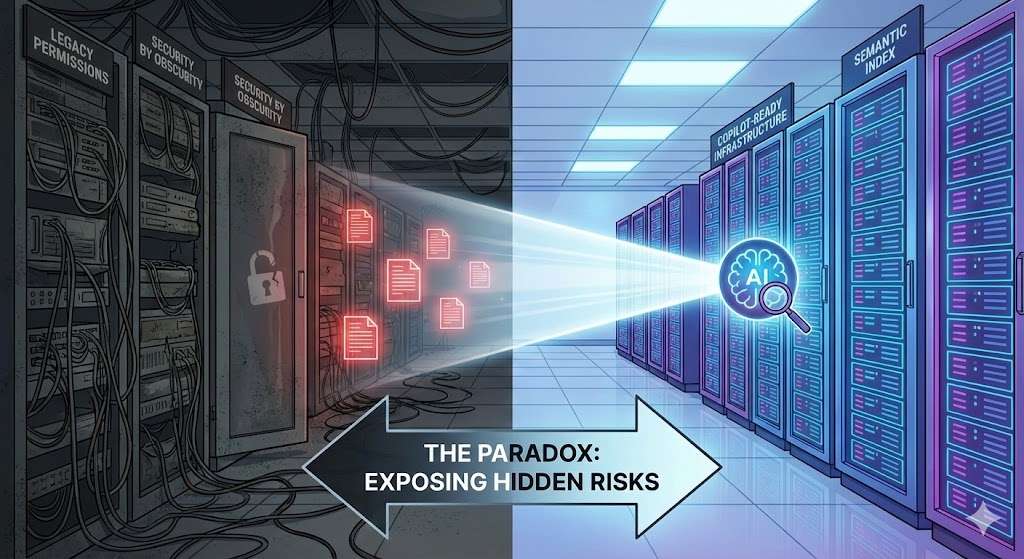
Technically, this is driven by the Semantic Index . Unlike the classic keyword search, the Semantic Index maps not only content, but also the relationships between users and data in the Microsoft Graph.
Copilot understands the context (e.g. “salary data” or “strategy paper”) and brings to light information that an employee is technically allowed to read, but would never have found before. This makes Copilot the ultimate stress test for your data governance: It makes “over-sharing” (excessive sharing) immediately visible and operationalizes authorization errors in a fraction of a second.
The Mechanics of Failure: The Semantic Index and ACLs
To understand the implications, you need to know how Copilot works. The service does not work like a human who searches files manually, but uses the Semantic Index for Copilot, a semantic data map based on the Microsoft Graph. This index links content, users and actions and makes it possible to find information that was previously in the shadows.
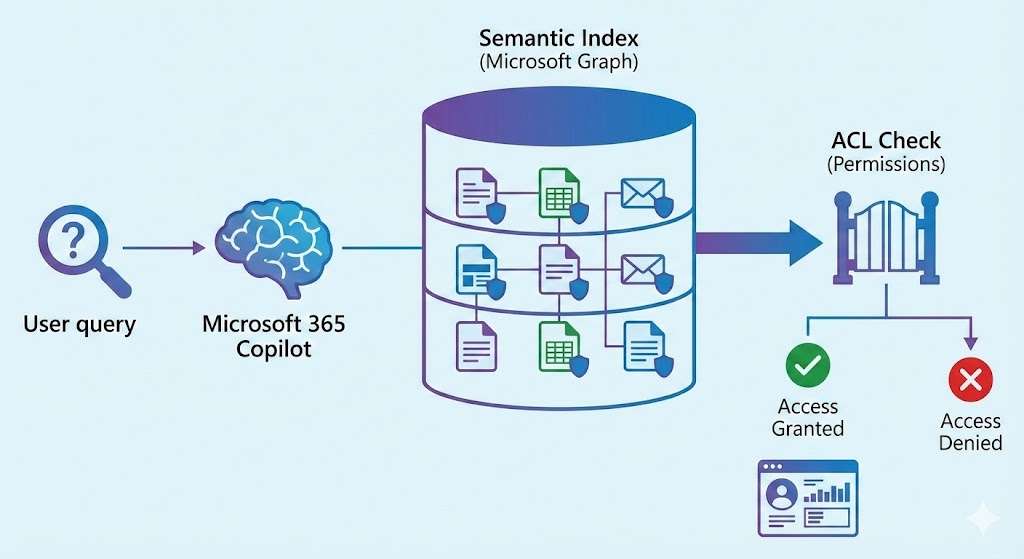
The problem arises when Access Control Lists (ACLs) have become overgrown for years. A file that resides on a SharePoint site with the “Everyone but external users” setting used to be virtually invisible because it got lost in the mass of data. Copilot eliminates this invisibility. A simple prompt such as “Summarize all documents related to ‘bonuses'” can bring confidential data to light if the permissions are too broad. The consequence: You not only have to check your authorization structure, but rethink it.
The Semantic Index is mercilessly efficient: Although it validates permissions in a technically correct way (so-called security trimming), it does not distinguish between “technically permitted” and “meaningful in terms of content”.
Why ACLs Fail in the AI Age
Here are the technical mechanisms that lead to this risk:
- Real-time security trimming: Copilot checks the user token against the ACLs of the element in the index with each query. The problem is not that Copilot circumvents permissions, but that it uses technically valid permissions that have long been outdated or incorrect organizationally.
- Broken Inheritance: This is the most common technical error. When users use the “Share” button in SharePoint, the inheritance of permissions is often interrupted unnoticed. This creates a “shadow authorization structure” at the item level, which is often not visible in classic admin reports, but is fully captured by the Semantic Index.
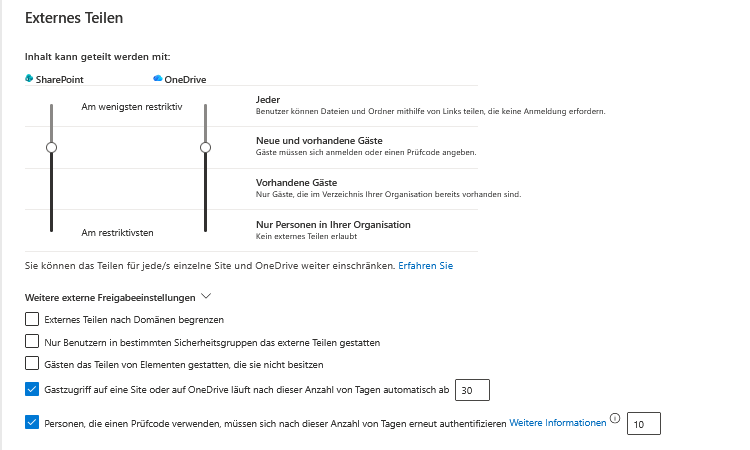
- Granularity of Sharing Links: An “organization-wide link” that may have been created 3 years ago for a single document will remain valid. Copilot finds this link and thus the content, even if the original recipient has long since left the company.
- Nested security groups: In many Active Directory environments, groups are nested into groups. The Semantic Index effectively “flattens” these structures when checking access authorizations. As a result, users have access to data that the IT department no longer knew about due to the complexity of nesting.
Oversharing: Quantifying the Invisible Threat
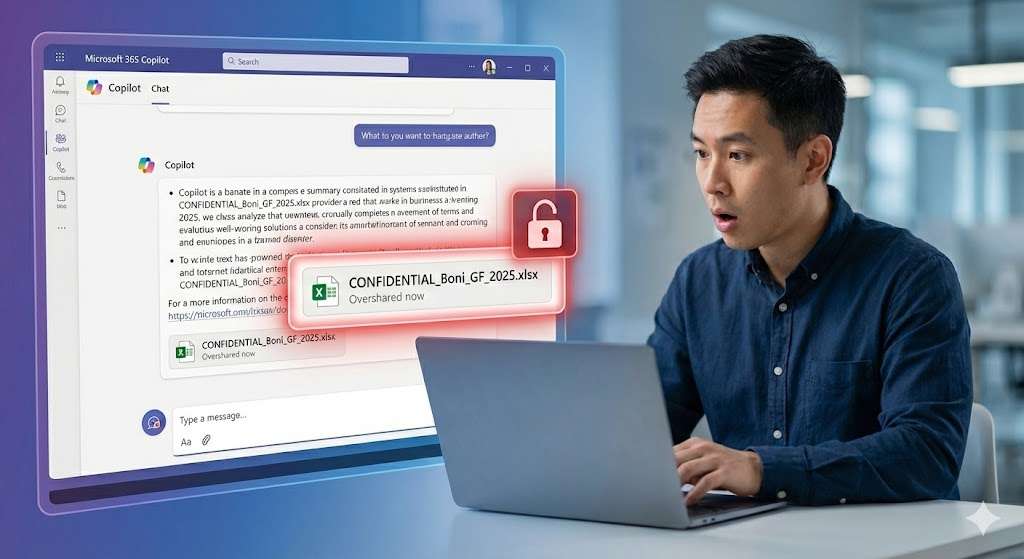
Before you take action, you need to quantify the extent of oversharing. From a technical point of view, oversharing means that the scope of the access authorization (ACL) is larger than the sensitivity of the content requires.
Typical causes include organization-wide links (“Everyone in Contoso”), public teams, and inherited permissions from old file server migrations.
These risks used to be latent (“security by obscurity”). Copilot makes them acute by mercilessly exposing them via the Semantic Index .
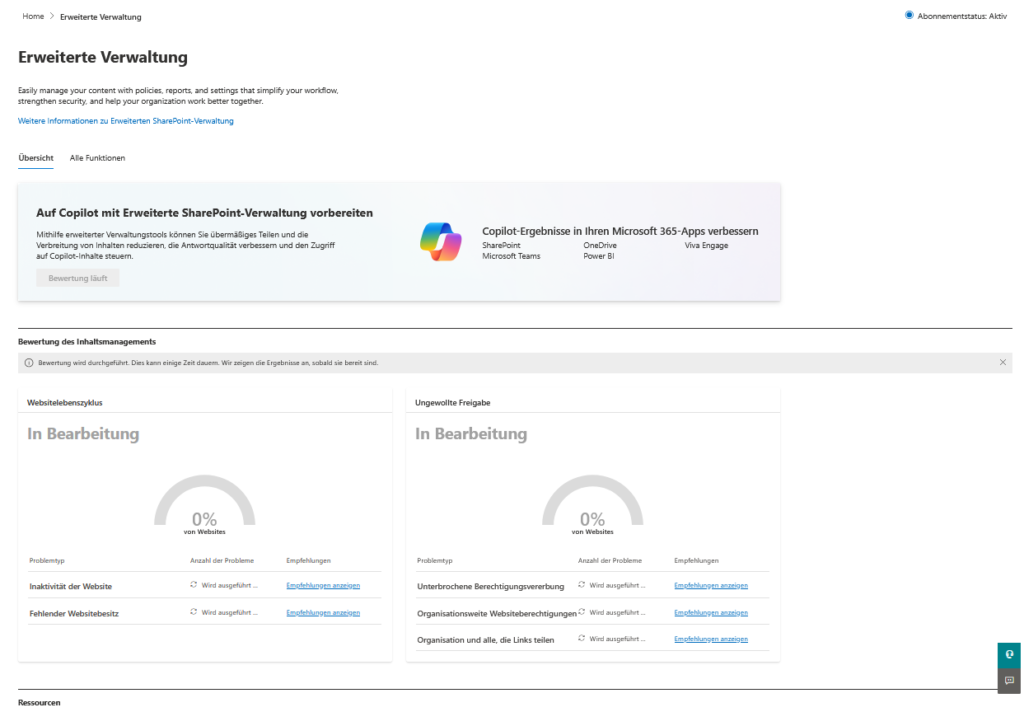
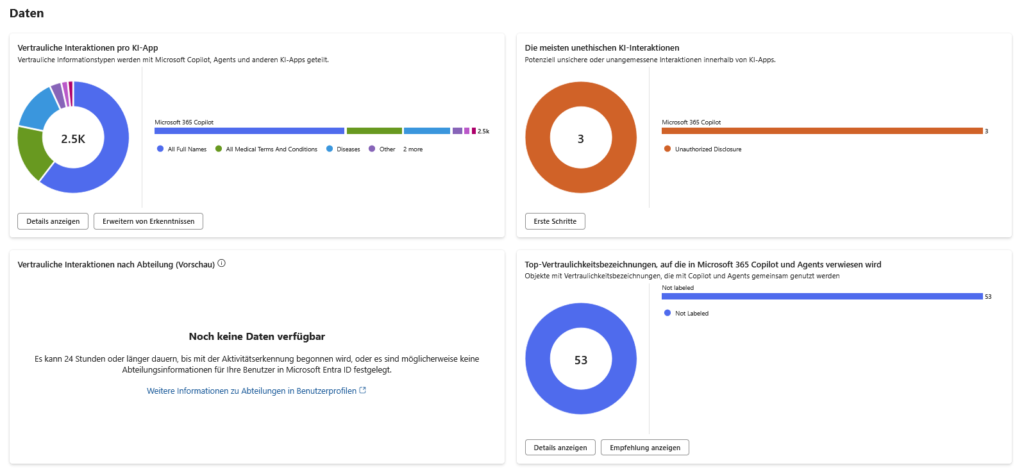
The analysis is primarily carried out using SharePoint Advanced Management (SAM) and the Data Security Posture Management (DSPM) functions in Microsoft Purview. The aim is to define a concrete “blast radius”: How many sensitive information types (SITs) – such as IBANs, passwords or strategy papers – would flow through a single compromised user account? Only when you know this discrepancy between data value (content sensitivity) and access level (exposure) can you harden the architecture.
Reports and Tools:
- Data Access Governance (DAG) Reports (in SAM): This is your most important tool. Specifically, use the “Sharing links” report to identify any links that are set to “People in your organization.” These links often undermine site permissions and are fodder for Copilot.
- Oversharing Baseline Report: SAM now offers baseline reports that highlight sites where sensitive data (detected by sensitivity labels) is shared with groups that are too wide (e.g., “everyone except external users”).
- DSPM for AI (Data Security Posture Management): In the Purview Portal, you can find an overview under AI Hub that assesses risks specifically for Copilot. Look out for the “Data Risk Assessments” that run automatically for the top 100 most active SharePoint sites and show you where unlabeled, sensitive data is stored in open sites.
- Site Access Reviews: A feature of SAM to delegate responsibility to the business owners. Instead of IT guessing who needs access, you technically ask site owners to confirm or deny access to “Everyone” groups.
Important demarcation: Distinguish between technical access (user is in the member group) and effective access (user has access via sharing link). Copilot uses both. Your quantification must therefore include sharing links, not just group memberships.
Architecture of Hardening: Sensitivity Labels as Gatekeepers
The most effective line of defense is a data-centric security architecture. Instead of protecting the location (the “castle wall”), you back up the object itself.
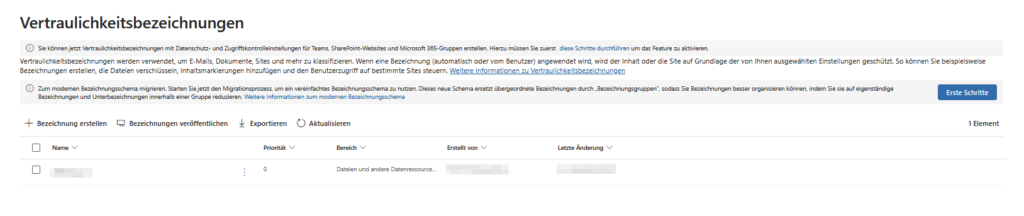
Copilot strictly respects these labels. The technical criterion here is the Usage Right “EXTRACT”. If a user has read access (“VIEW”) but does not have the right to copy or extract content (“EXTRACT”), Copilot is blind to the contents of this file. He cannot summarize them or use them for answers, even if the user can open the file. This creates a granular layer of security that goes far beyond simple file permissions.
Crucial configurations:
- Service-Side Auto-Labeling: Don’t rely on client-side labeling (when the user saves). Enable auto-labeling policies in the Purview backend. These asynchronously scan data at rest in SharePoint and OneDrive and automatically apply encryption without the user having to open the file. This is essential for the clean-up of contaminated sites (“brownfield”).
- Default Sensitivity Labels for SharePoint Libraries: You can (and should) configure a default label for critical document libraries. Any new file uploaded to this library will automatically inherit that label. This is more effective than user training and prevents new files from entering the index unprotected.
- Container Labels vs. Item Labels: Differentiate technically cleanly: A label on a “team” or a “site” (container level) controls access from the outside (e.g. block guest access). However, it does not encrypt the files in it. Only item-level labels encrypt the file itself and protect against internal oversharing by Copilot.
- Label Priority: Copilot always uses the label with the highest priority. If a file has been manually labeled as “Public” but contains sensitive data, automatic labeling may not take effect (depending on the policy setting). Review your “downgrade” policies (can a user remove a label?) to close gaps.
Container-Level Security and Just-Enough-Access
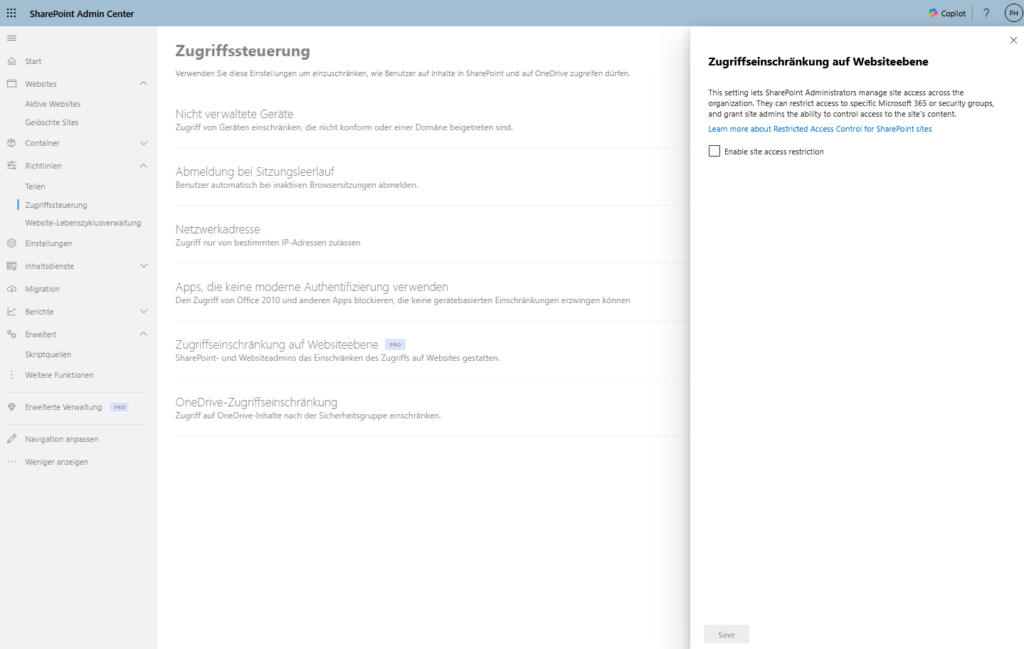
In addition to object classification (labels), you need to revise the container architecture. Mixed teams in which “general” (e.g. lunch break planning) and “strictly confidential” (e.g. payrolls) are in the same channel are a deadly risk for data hygiene. The solution is a strict unbundling of the information architecture and the introduction of Restricted Access Control (RAC) for SharePoint Sites. This sets a hard technical upper limit: Even if a file is shared via link, access only applies if the user is also a member of a defined security group.
In addition, you will implement retention policies and Microsoft 365 archives to remove redundant, obsolete or trivial data (ROT data) from the “hot” storage. Less data means less attack surface and – crucial for adoption – more precise answers from AI. An environment based on project data from 2015 is bound to hallucinate outdated facts into current answers. So the cleanup is not only a security factor, but a massive quality factor for the Semantic Index.
Crucial configurations:
- Restricted Access Control (RAC) for SharePoint: Technically, RAC acts as an “AND link” in authorization.
- Normal: User has link OR is member = access.
- With RAC: User has link/membership AND is in the RAC security group = access. This effectively neutralizes old “Everyone” links that are still haunting the system, as these external or unauthorized users usually lack group membership in the RAC group.
- Microsoft 365 Archive (Cold Storage): This is the most important lever for ROT data in 2025. Instead of hard deleting data (which departments often block), you move inactive SharePoint sites to the Microsoft 365 archive.
- The co-pilot effect: Archived data is removed from the Semantic Index. Copilot “forgets” this data, it no longer interferes with answers, but is recoverable for admins/owners in an emergency. This also saves storage costs.
- The co-pilot effect: Archived data is removed from the Semantic Index. Copilot “forgets” this data, it no longer interferes with answers, but is recoverable for admins/owners in an emergency. This also saves storage costs.
- Adaptive Scopes for Retention Policies: Avoid static guidelines (“All Sites”). Use Adaptive Scopes that dynamically respond to site attributes.
- Example: If a project is marked as
Status: Closedin the SharePoint property bag, the retention policy “Delete after 7 years” automatically takes effect and moves the site to the archive immediately, if necessary.
- Example: If a project is marked as
- Site Lifecycle Management (in SAM): Use the “Inactive Sites” reports in the SharePoint admin center to identify orphaned containers. An automated workflow can write to site owners: “Your site will be archived in 30 days if you don’t respond.”
Conclusion: From Chat AI to Autonomous Agents
The launch of Copilot marks the end of the old firewall world and the final breakthrough of the Zero Trust architecture. It’s no longer about protecting the network, it’s about protecting the data itself. But be careful: The “current state” of many file systems – open shares and data graveyards – is becoming a risk in the AI age. If you unleash Copilot on this chaos, you get “Garbage In, Garbage Out” at the speed of light.
Better data, better AI
From a technical point of view, a clean database improves the so-called “grounding”. If Copilot finds less irrelevant data in the index, it hallucinates less. So hardening the architecture directly increases the quality of the answers. In addition, protective mechanisms such as Microsoft Purview Insider Risk Management (IRM) take effect: Conspicuous AI interactions with sensitive data leave traces in the audit log.
Preparing for AI Agents
However, the most important reason for this hygiene lies in the near future. Soon (approx. end of 2025), Copilot will no longer just chat, but act as an autonomous agent – sending contracts, triggering orders. Clean authorizations are then no longer an option, but the guardrails that are essential for survival so that the agent does not become an internal security risk.
further links
I deliberately relied on official Microsoft documentation here
| Core Architecture | Data, Privacy, and Security for Microsoft 365 Copilot | The “Bible” for this topic. Here, Microsoft officially explains how the Semantic Index works, how tenant boundaries are adhered to, and that no customer data is used to train the public LLMs. |
| Data Governance | Learn about Sensitivity Labels | The central documentation for implementing labels. Here you can find details about encryption, watermarks, and how these labels work across different apps (Office, Teams, SharePoint). |
| Diagnostic Tools | SharePoint Advanced Management (SAM) Overview | Detailed information on “Data Governance Reporting”. Learn how to generate reports on “oversharing” and potential data leaks in SharePoint sites. |
| Automation | Auto-labeling policies for sensitive info | Instructions for configuring server-side automation. Explains how to automatically classify files based on content (e.g., credit card numbers) without disturbing the user. |
| Strategic Security | Zero Trust Rapid Modernization Plan (RaMP) | The strategic blueprint. If you want to modernize the entire security architecture (not just Copilot), this plan is the gold standard for implementation. |
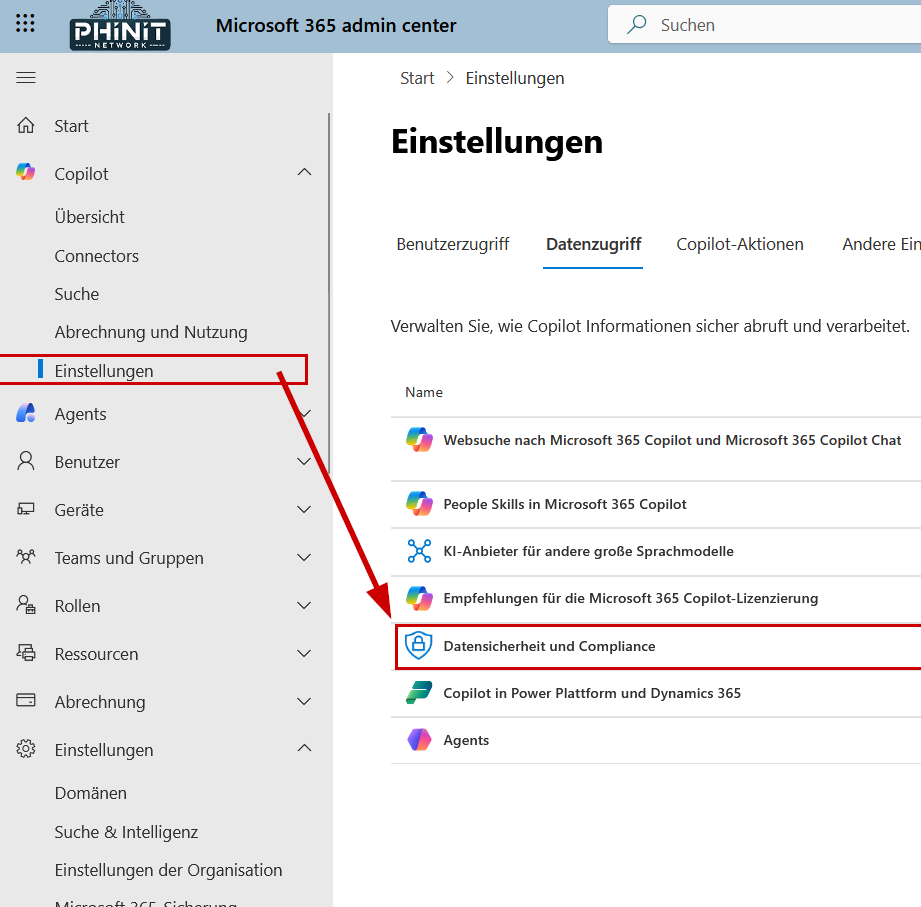
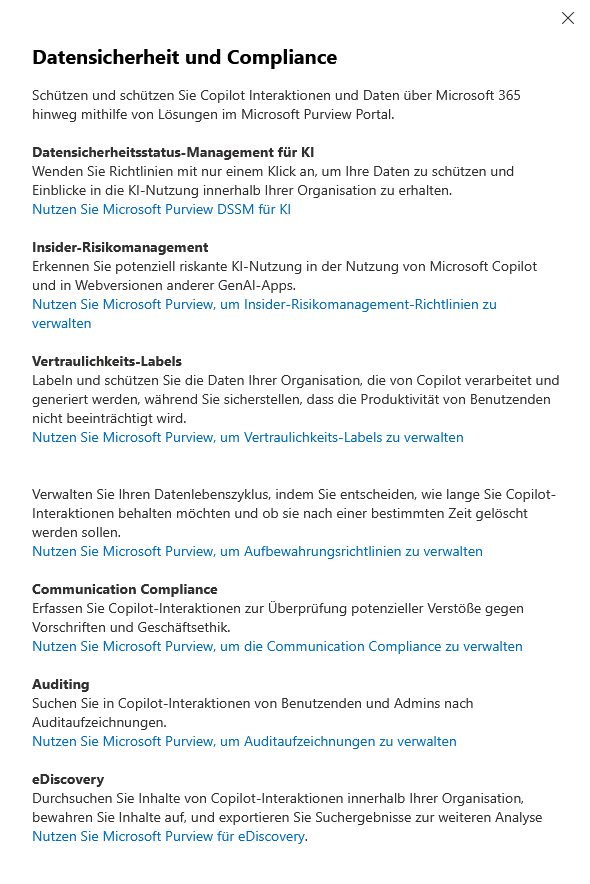
MS365 Admin Center | Copilot Settings



Be the first to comment