

Security in the age of generative AI often resembles an endless hare and hedgehog race. As soon as the storage locations are secured, data finds new, creative ways into the models. Microsoft is now reacting to exactly this scenario and is currently rolling out (in preview status since the end of 2025) a crucial extension for Microsoft Purview Data Loss Prevention (DLP), which significantly expands the protective shield for Microsoft Copilot.
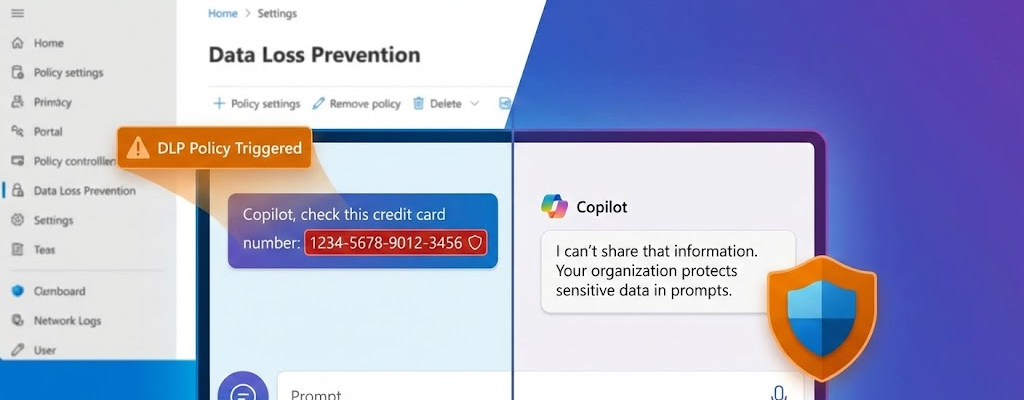
Until now, we as administrators have had one tool in our hands: control access to files . We were able to effectively prohibit Copilot from processing documents with certain sensitivity labels (e.g. “Strictly Confidential”). This container-based protection is essential, but it leaves a crucial flank open: the human factor.
After all, what happens if an employee does not reference sensitive data – such as a credit card number or customer data – from a protected file, but enters it directly into the chat prompt via copy & paste or keyboard? So far, Copilot has been “blind” to the content of the input. It is precisely this vulnerability that the new function closes by shifting the focus from the file to the command prompt .
The prompt as a security risk
Until now, DLP protection for Copilot was primarily based on sensitivity labels. This means that if a Word document was labeled as “Strictly Confidential”, Copilot was not allowed to use the information from this file for its responses. This container-based protection continues to work great.
However, the new policy starts one step earlier: It monitors the user’s prompt, i.e. the input in the chat. The aim is to secure the command prompt itself (“safeguard prompts”). If an agent tries to add credit card numbers, ID details, or other patterns to the chat, the DLP rule kicks in immediately.
From recommendation to guideline
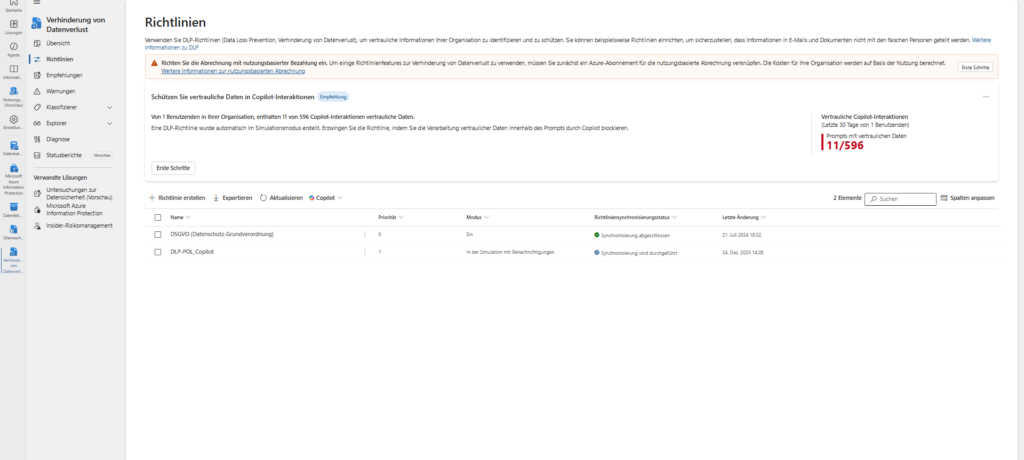
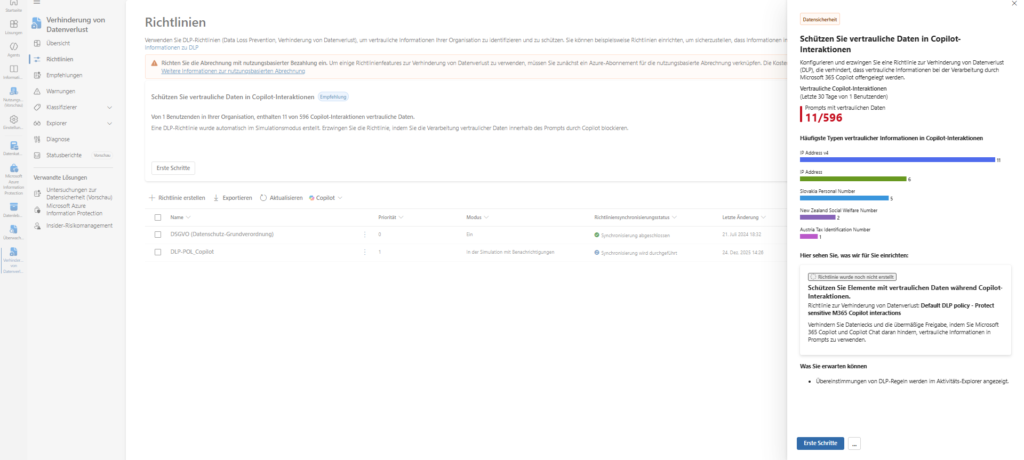
If you want to make manual configuration easier, you will find a powerful assistant in the “DSPM for AI” solution in the “Recommendations” section. There, suggestions can be selected in order to have a policy created automatically in the respective Purview solutions.
Typical recommendations from which these guidelines emerge are:
- “Detecting risky interactions in AI apps”
- “Protect sensitive data in Copilot interactions”
- “Secure interactions of AI apps for companies”
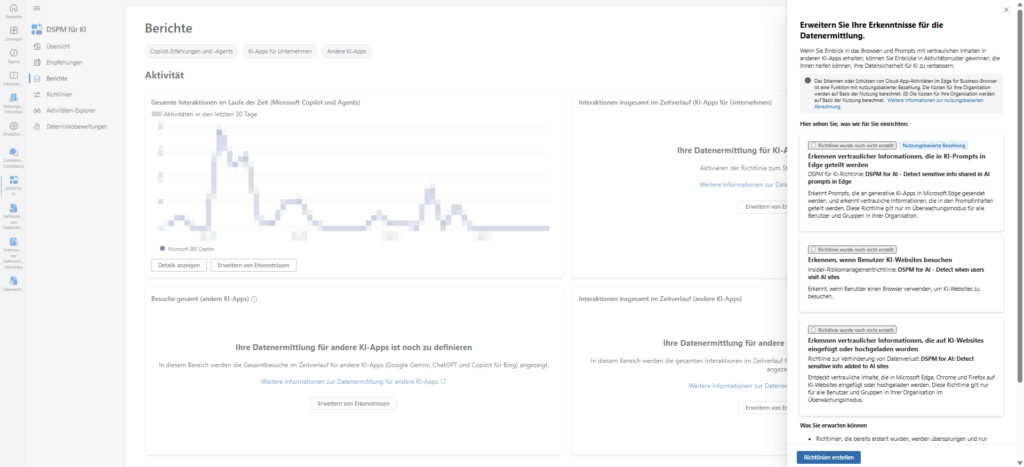
A concrete example from practice is the recommendation “Expand your insights for data discovery”. If you click on “Set up” here, much more happens in the background than is apparent at first glance. The system creates three sets of rules in parallel:
- DLP & Audit: DSPM for AI – Detect sensitive info shared in AI prompts in Edge .
- Insider Risk Management: DSPM for AI – Detect when users visit AI sites .
- DLP Cross-Browser: DSPM for AI: Detect sensitive info added to AI sites (Monitors Chrome and Firefox).
⚠️ Three critical points you need to consider:
1. The costs (pay-as-you-go): The small print often hides the note: “Recognizing … is a pay-as-you-go feature.” These DSPM functions are often not included in the standard license, but are billed according to consumption. Check this before activation!
2. The “audit mode only” trap: Although Microsoft often promises “No impact on users (audit mode only)” in the dialog, the addendum has it all: “… but they must have the Microsoft Purview browser extension installed.” If the extension is missing on the clients or the device is not correctly onboarded in Purview, the policies either go nowhere (flying blind) or, depending on the global configuration, lead to an immediate blocking of the application (e.g. Firefox no longer starts), because the browser without an extension is classified as an “insecure channel”.
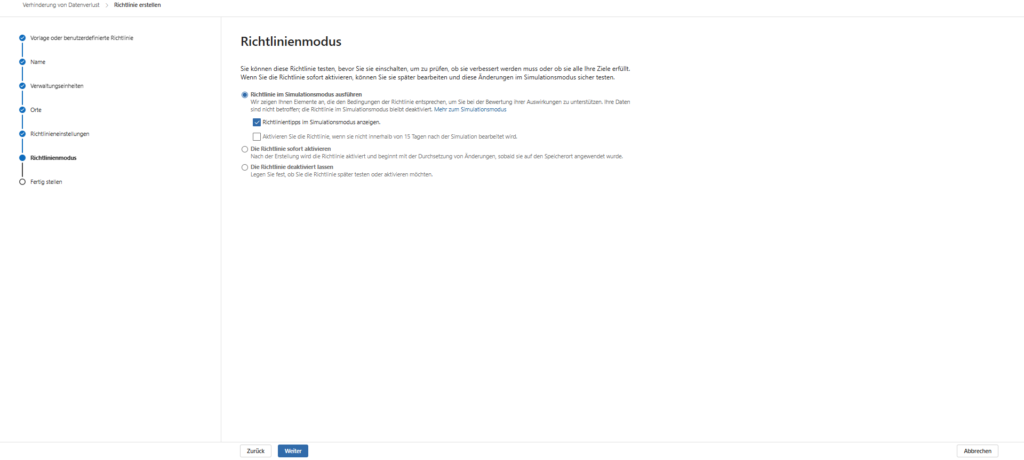
3. Simulation is mandatory: Never rely on the wizard to correctly set the mode to “test”. After creating it, immediately go to the respective policy overview and verify that the status is set to “In simulation mode”. An accidental “active” on a policy that also controls insider risk management and browser blocks can have a massive impact on productive operations.
DSPM for AI as a pure collection point
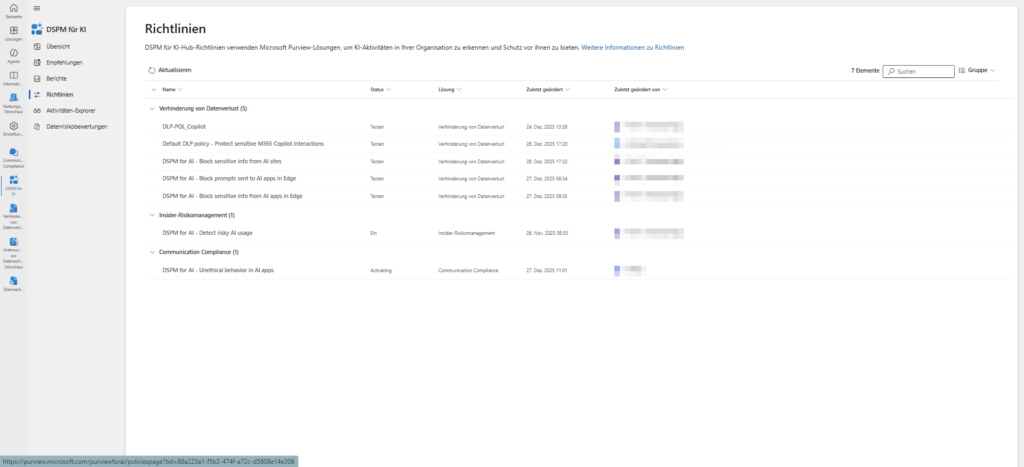
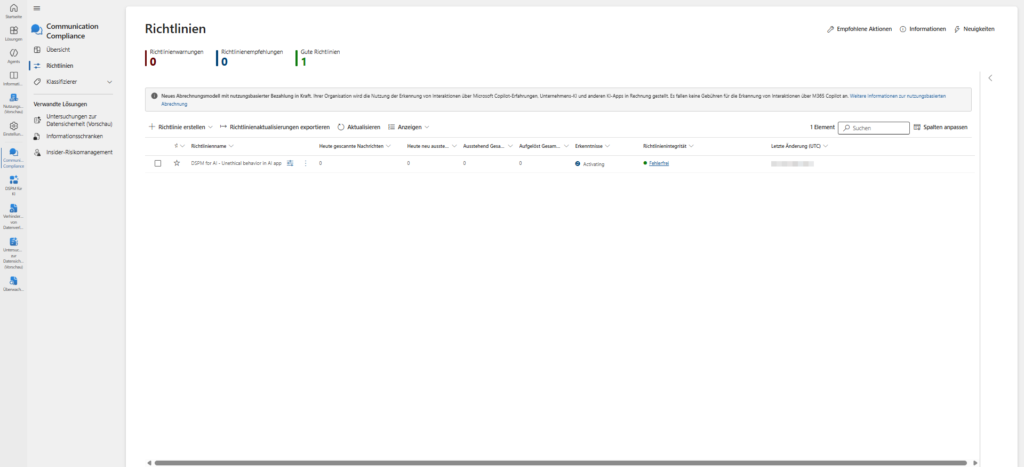
After activation, you may ask yourself, “Where can I actually find these guidelines?” The DSPM for AI area (management of the data security status for AI) acts as an overarching dashboard, the strategic cockpit, so to speak.
It is the central collection point that summarizes the status of all AI-related security measures, regardless of whether they are technically running in data loss prevention, insider risk management or audit .
The important difference: While the DSPM dashboard gives you an excellent overview of risks and allows you to create policies with a “one-click”, it’s not a full-fledged editor.
- View (Monitor): Here you can see centrally which policies are active, which AI apps are used and where risks exist.
- Edit (workshop): To customize a policy in detail (e.g., add specific exceptions, change user groups, or customize notification texts), you must switch to the respective solution (e.g., navigate to Data Loss Prevention > Policies).
So think of DSPM for AI as the monitor that shows you where action is needed, while the actual configuration work continues to take place in the specialized Purview solutions.
This video from Microsoft Mechanics clearly shows how DSPM for AI works as a central dashboard and how the findings there are translated into concrete security guidelines.
Implementation: The manual way
If you prefer to maintain full control (and avoid potential additional costs of DSPM features) instead of automated recommendations, you can choose manual configuration.
However, an important architectural feature applies here: The protection cannot simply be integrated into your existing DLP policies with an additional tick. You’ll need to create a separate policy that addresses the Copilot location exclusively and checks specifically for Sensitive Information Types (SITs).
1. Create a policy and choose a category
Getting started starts in the Microsoft Purview Compliance Portal.
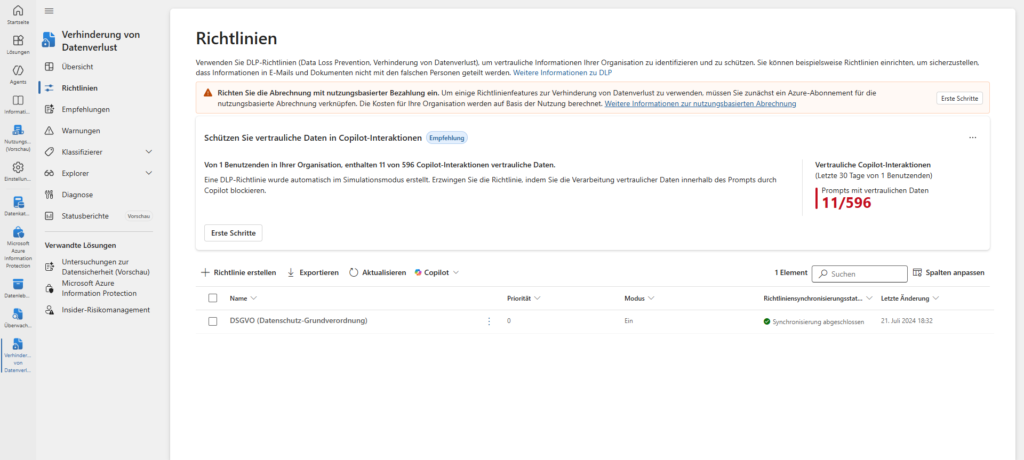
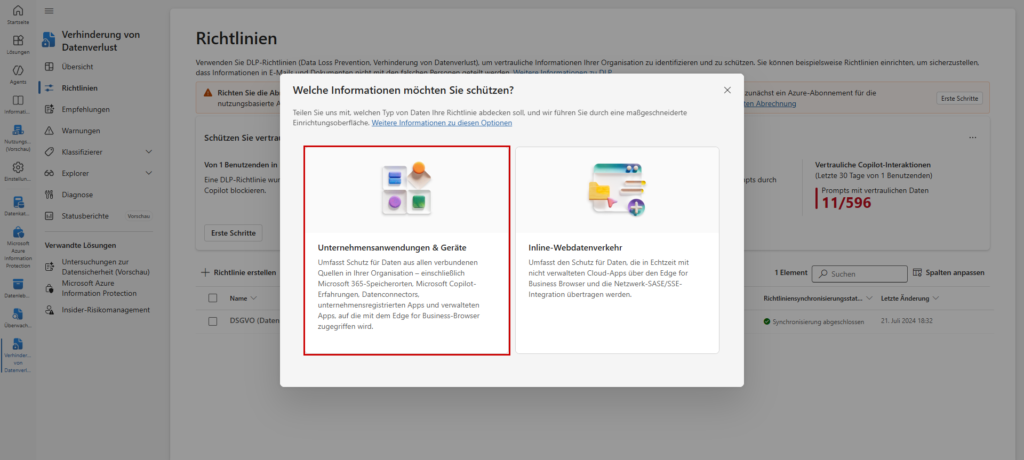
- Navigate to the Data Loss Prevention solution > Policies.
- Click Create Policy.
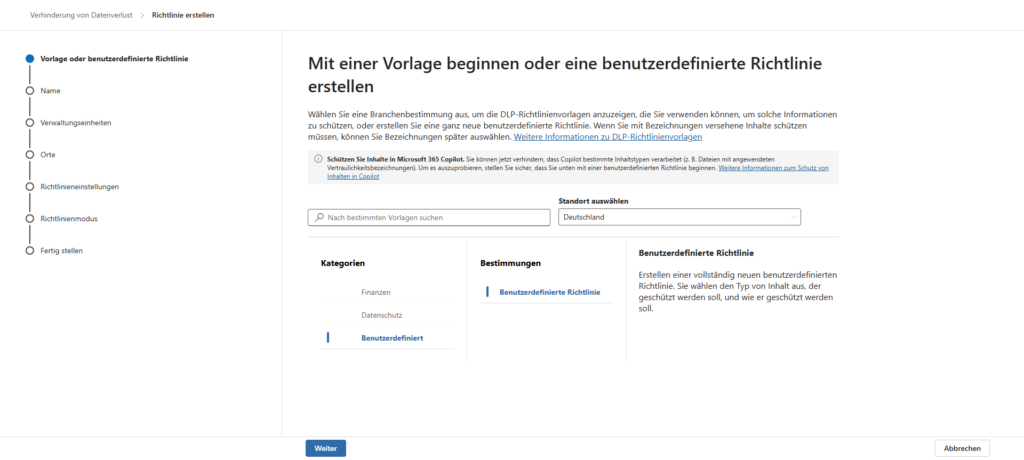
Important: Under Categories, select Custom, then select Custom Policy. While there are templates for finance or data protection, the manual route ensures that we don’t carry around unnecessary presets for Exchange or SharePoint.
2. Select locations (locations)
This is the crucial step that distinguishes this policy from all others.
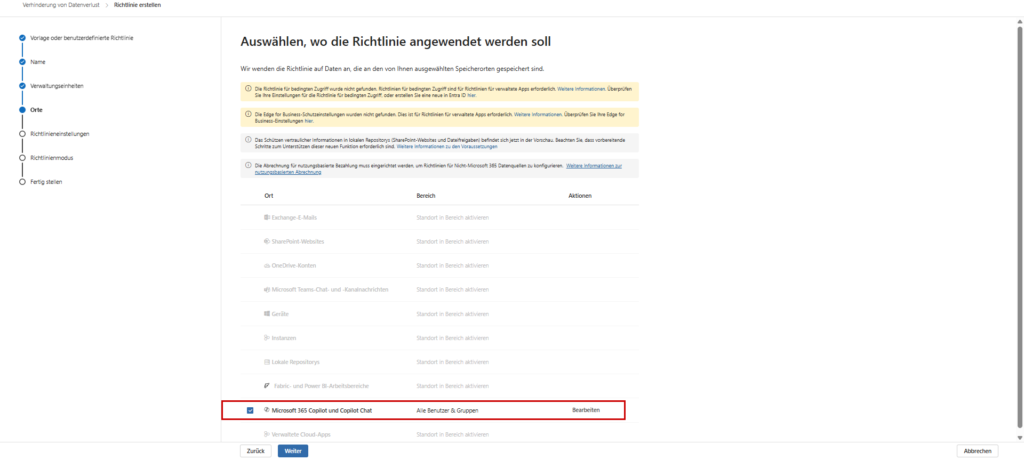
- In the Places section, you often turn off all presets by default.
- Instead, explicitly and exclusively choose the location: ☑ Microsoft 365 Copilot and Copilot Chat
Once checked, the other default locations (such as Exchange email, SharePoint sites, OneDrive accounts) will be automatically disabled for this policy. The system forces a technical separation between document DLP and interaction DLP.
Tip for the rollout: By default, the selection is set to “All Users & Groups”. To get started, we strongly recommend selecting a pilot group (e.g. IT department or key user) via the “Edit” button. This allows you to test the impact on the way they work before rolling out the policy to the entire company.
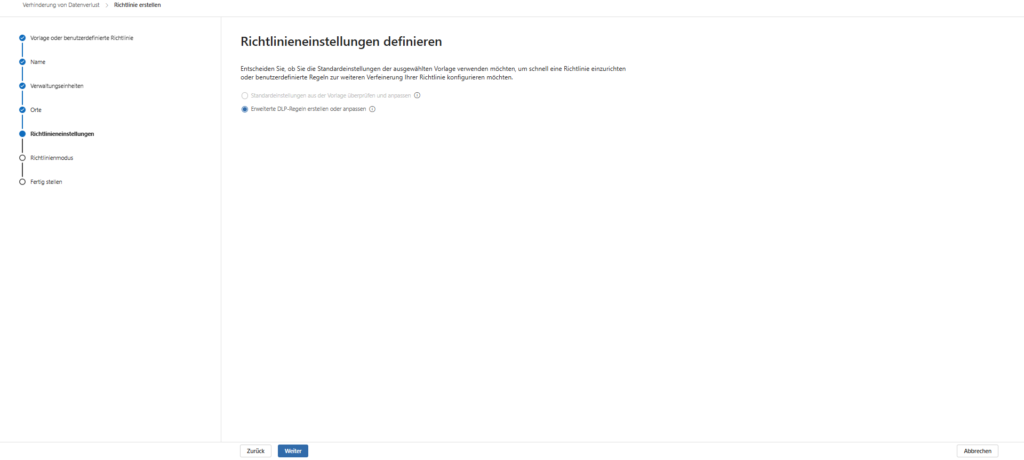
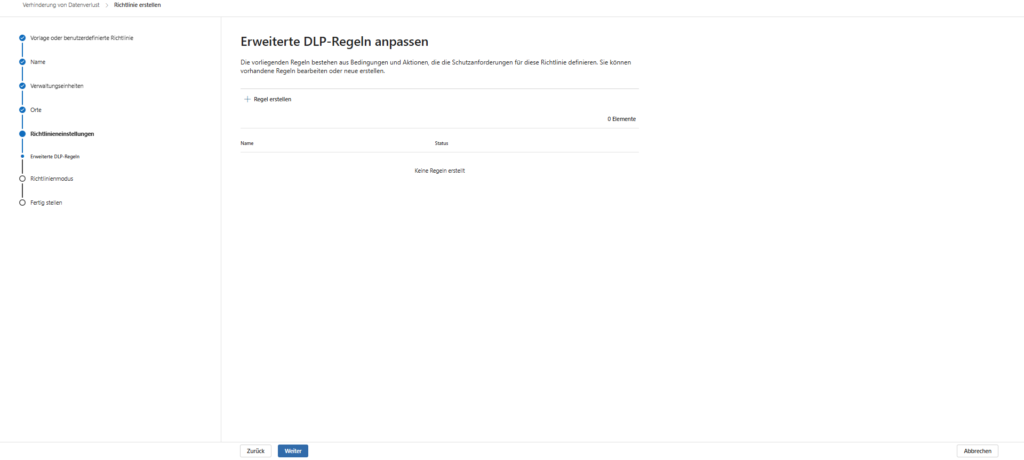
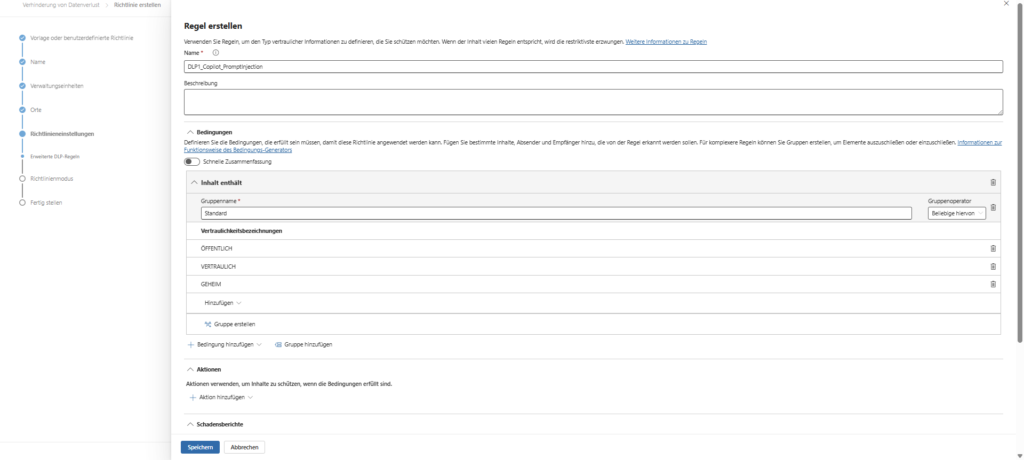
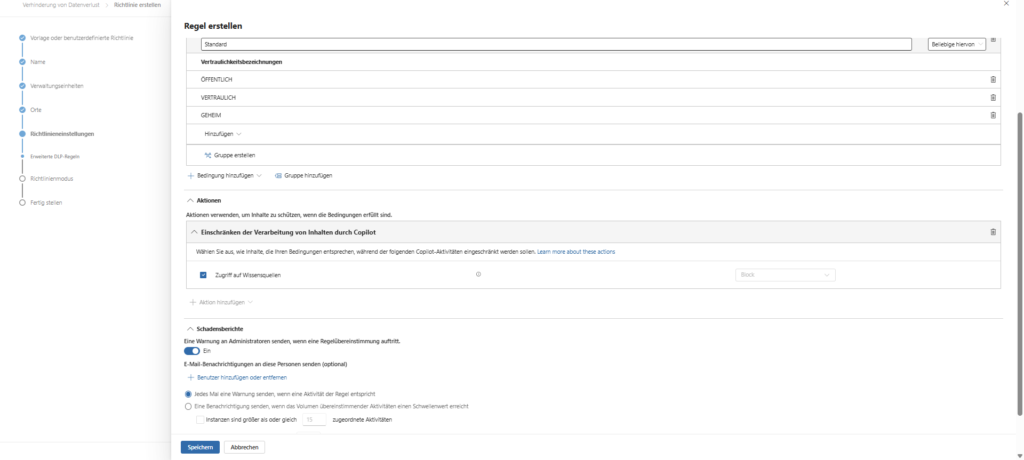
3. Define rules (SITs)
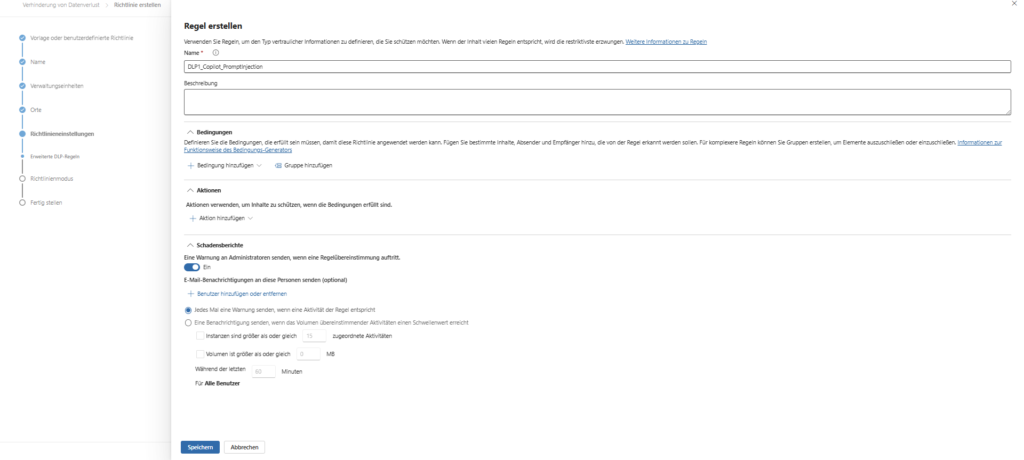
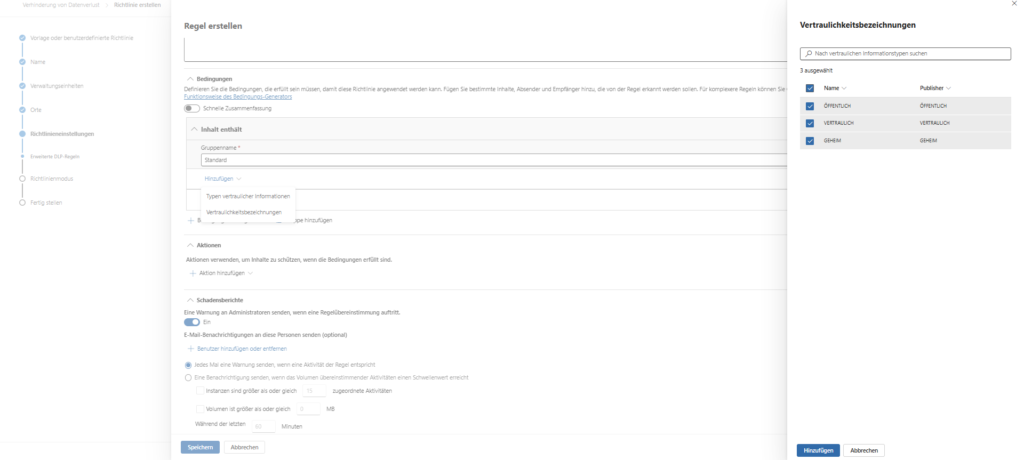
In the next step, you define the heart of the guideline: When should the protection mechanism strike?
- Create condition: Select “Content contains” and the sub-item “Sensitive Information Types”.
- Select types: This is where you add the relevant data types. Microsoft provides over 300 ready-made templates (e.g. Credit Card Number, IBAN, Germany Identity Card Number).
- Set action: As a consequence, select “Restrict access or encrypt content in Microsoft 365 locations.”
What happens technically: Unlike a file, nothing is encrypted here. Instead, this action triggers the cancellation in the Copilot backend. The bot refuses to respond, stating that company policies have been violated as soon as it detects the pattern in the prompt.
i️ What are Sensitive Information Types (SITs)?
SITs are pattern recognition classifiers in Microsoft Purview. They identify sensitive data not by file name or location, but by analyzing the content.
- They use regular expressions (regex), keywords, and checksums (e.g., the Luhn algorithm for credit cards) to minimize false positives.
Microsoft provides over 300 ready-made types (e.g. EU Debit Card Number, Germany Identity Card Number, IBAN).
Companies can define their own patterns to protect specific data such as internal personnel numbers or project codes.Sensitivity labels, on the other hand, are the “stamp” on a file (e.g. “Strictly Confidential”). Copilot is not allowed to read the entire file.
4. Be aware of restrictions
An important technical detail that is often overlooked: While most regex-based patterns (e.g. “starts with DE and has 22 digits”) work, there is a limitation on more complex types.
Be careful not to use custom types that rely on document fingerprinting (e.g., the digital fingerprint of a specific PDF form). This computationally intensive check is currently not supported by the Copilot policy in real-time chat.
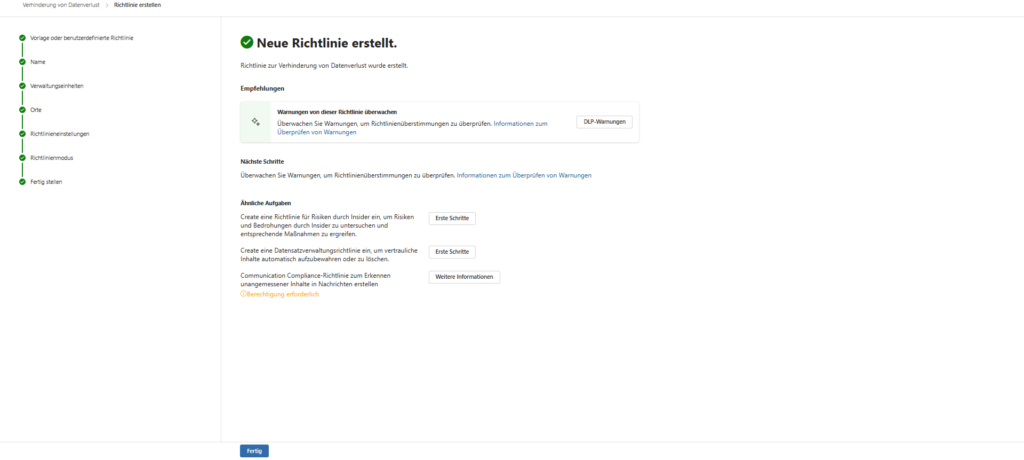
The key data at a glance
To help you better assess the scope of the configuration, here are the most important framework conditions for operation:
- Parallel operation & coexistence: You don’t have to choose. This new SIT-based policy (which checks the text in the prompt) and your existing label-based policies (which block access to protected files) run smoothly side by side. They complement each other to form a multi-layered protection concept: one bar protects the container (file), the other the content (chat).
- RBAC & Permissions: Not every admin is allowed to intervene in AI security. To create or edit these policies, you need specific rights in the Microsoft Purview portal. Membership in the “Data Security AI Admin” role group is required at a minimum. Alternatively, administrators in the Organization Management group also have the necessary privileges.
- Licensing & Scope: The protection is broad and not limited to a single app. The guideline applies:
- In central BizChat (Microsoft 365 Chat in Teams/Web).
- Directly in the Copilot functions of the Office apps (Word, PowerPoint, Excel, etc.). Important: According to Microsoft, the technical enforcement is license-independent and protects both the paid and free versions of Copilot (if used in the corporate context with Commercial Data Protection).
User Experience: “I can’t answer that”
How does this limitation feel for the end user? Let’s imagine a classic scenario: A user copies a social security number or a credit card number into the chat and asks, “Who owns this number?” or “Please check the status of this transaction.”
Without DLP, Copilot would now run off and search for this number in emails, chats or SharePoint lists via Microsoft Graph .
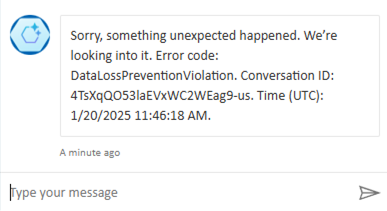
However, with the DLP policy active, the following happens:
- The system scans the prompt in real time, even before the AI generates the response.
- It recognizes the model of the Social Security Number (SIT).
- Copilot cancels the process and politely but firmly declines to process the request.
- The user receives a message that the message has been blocked due to organizational policies.
Conclusion & Roadmap
This new feature is an excellent example of “education through technology” (nudging). The user does not “break” anything and no alarm is triggered that immediately causes the SOC to panic. But he learns directly in the workflow: “Aha, sensitive raw data doesn’t belong in the AI chat.”
According to Microsoft’s roadmap (Item 515945), we are currently on the home stretch of the preview phase, which will run until the end of 2025 (i.e. only a few days left). General Availability (GA) – i.e. general availability for all production environments – is planned for the end of March 2026 .
My advice: Don’t wait until March. Use the time now to prepare the guidelines in your test environment and validate with a small pilot group which SITs could possibly lead to “false positives” in everyday chat.
Knowledge in Brief: Information Protection
Before you can protect data, you need to know what it is. Is it the canteen’s menu or the patent application for 2026? At the heart of Information Protection are the Sensitivity Labels . They act as a digital stamp that sticks to the document and enforces encryption.
We have two detailed guides for you:
- Basics & Architecture: How do you build a label concept?
- Automation (auto-labeling): How Purview automatically recognizes and labels content.
Further links
| Microsoft Learn: Using DLP with Microsoft Copilot (Official documentation | )https://learn.microsoft.com/de-de/purview/dlp-microsoft-copilot-learn |
| Microsoft Learn: About Sensitive Information Types (SITs | https://learn.microsoft.com/de-de/purview/sensitive-information-type-learn-about |
| Microsoft 365 Roadmap: Item 515945 (rollout details and timeline) | https://www.microsoft.com/de-de/microsoft-365/roadmap?filters=&searchterms=515945 |





Be the first to comment