
Microsoft to delete unlicensed accounts and archives from July 2026
Microsoft is introducing a new lifecycle for unlicensed OneDrive accounts starting in July 2026, under which unpaid archives will be permanently deleted after exactly 365 days. The official announcement MC1381110 ends the common practice of retaining former employee accounts in the tenant free of charge through Purview Retention Policies.
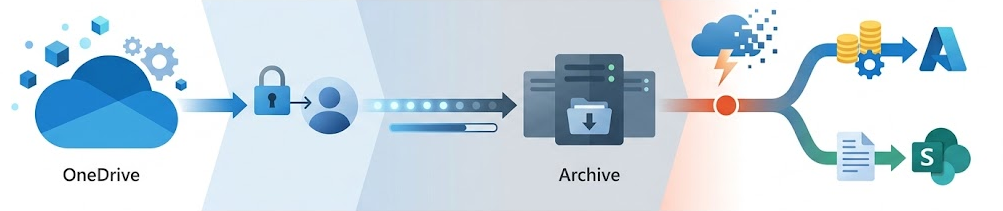
Microsoft is drawing a hard commercial line around compliance data. Until now, eDiscovery Holds and Retention Policies protected unlicensed accounts from deletion. The new workflow completely bypasses these protection mechanisms once payment for the consumed storage is no longer available. Organizations must either allocate budget for Microsoft 365 Archive or accept the risk of permanent data loss.
Retention and Archiving Process in Detail
When a user's OneDrive license is removed, or a OneDrive account remains in the tenant without a valid license, the new lifecycle for unlicensed OneDrive accounts begins. The lifecycle is divided into three critical phases:
Phase 1: Day 60 – Read-Only Mode
On day 60 after license removal, the system automatically switches the OneDrive account to a read-only state.
- Impact: Users who may still have access through sharing links can no longer modify, upload, or synchronize files. Existing content can only be viewed or downloaded.
- Admin Options: During this phase, administrators can still access and manage the account through PowerShell or the SharePoint Admin Center.
Phase 2: Day 93 – Automatic Archiving
On day 93, the account is automatically moved into Microsoft 365 Archive.
- Impact: From this point onward, both end users and administrators lose all direct access to folder structures and files. The content is no longer available for normal operational use.
- Compliance Exception: The data remains indexed in the background. It can still be discovered and exported through Microsoft Purview eDiscovery and Content Search. Exporting eDiscovery results during this phase does not require manual site reactivation and typically completes within 24 hours.
Phase 3: Up to 12 Months of Non-Payment – Permanent Deletion
Once the account has been archived and no valid billing method is configured for the unlicensed storage, a 12-month countdown begins.
- Day 365: Reaching the 12-month threshold while the archive remains unpaid may trigger the permanent deletion of the OneDrive data.
Administrative Guidance
Inventory of Unlicensed Accounts
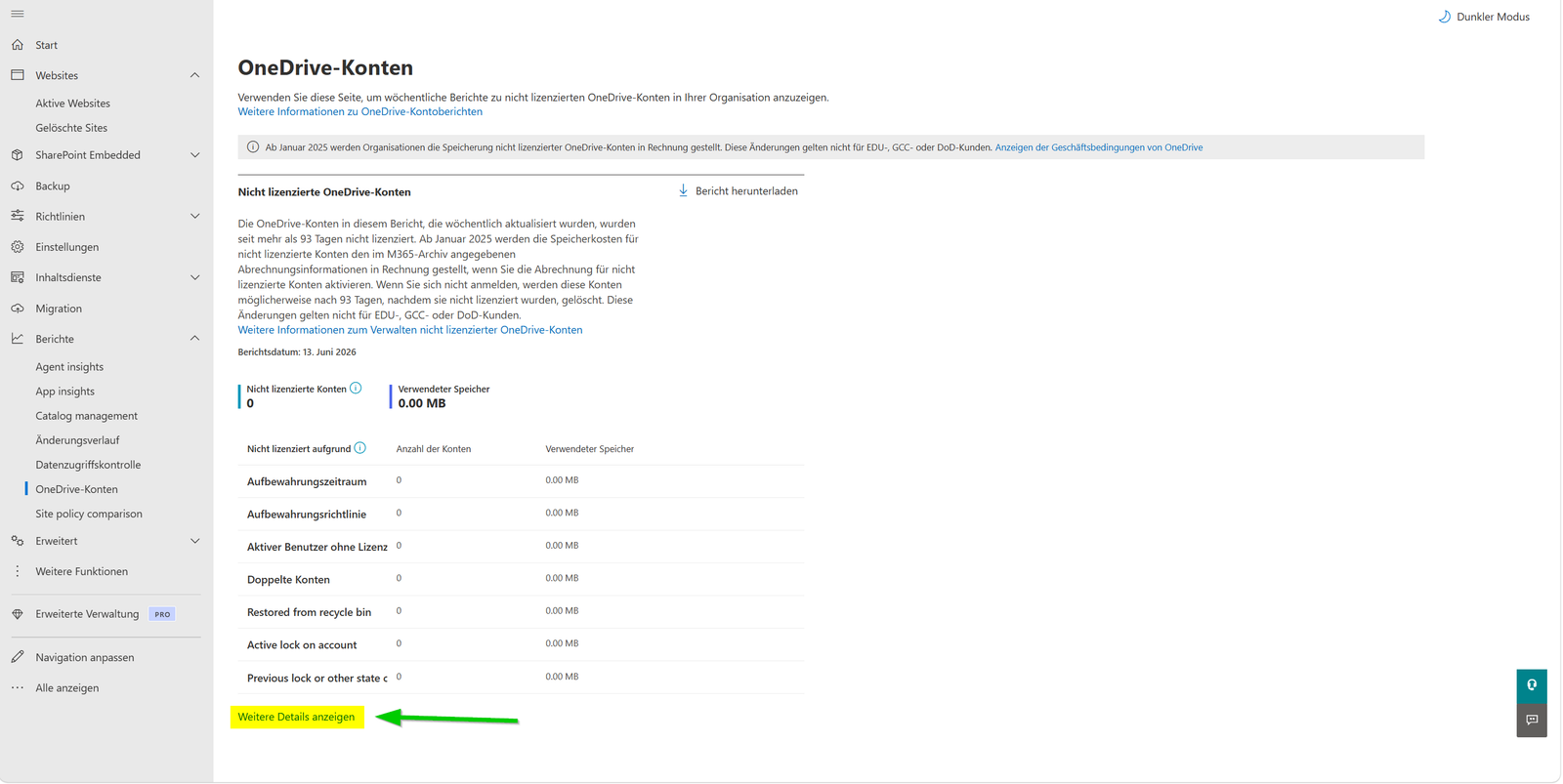
Before requesting budget for archive storage, you should determine the exact volume of affected data. The SharePoint Admin Center provides a dedicated report that allows you to centrally analyze all impacted accounts.
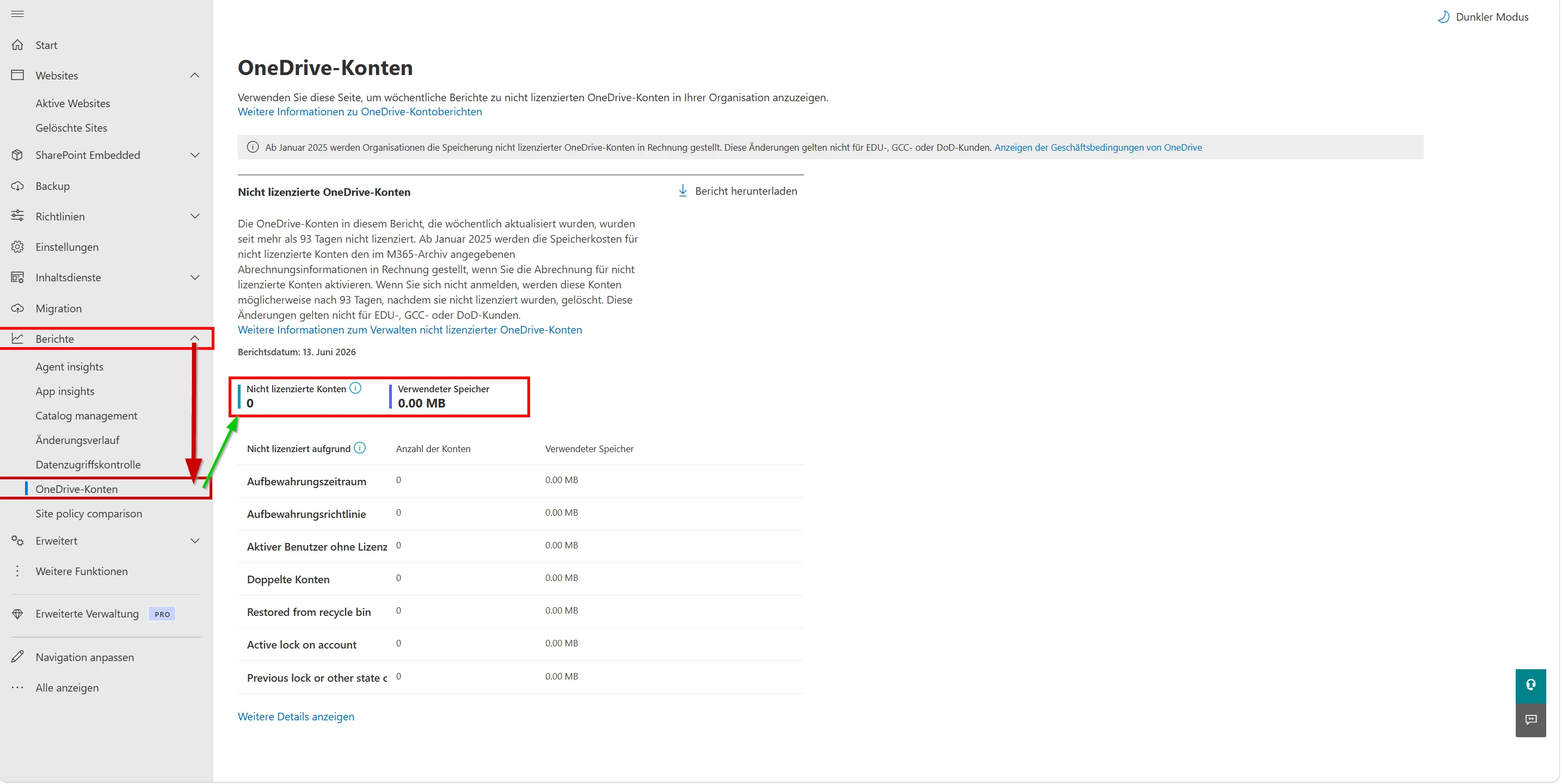
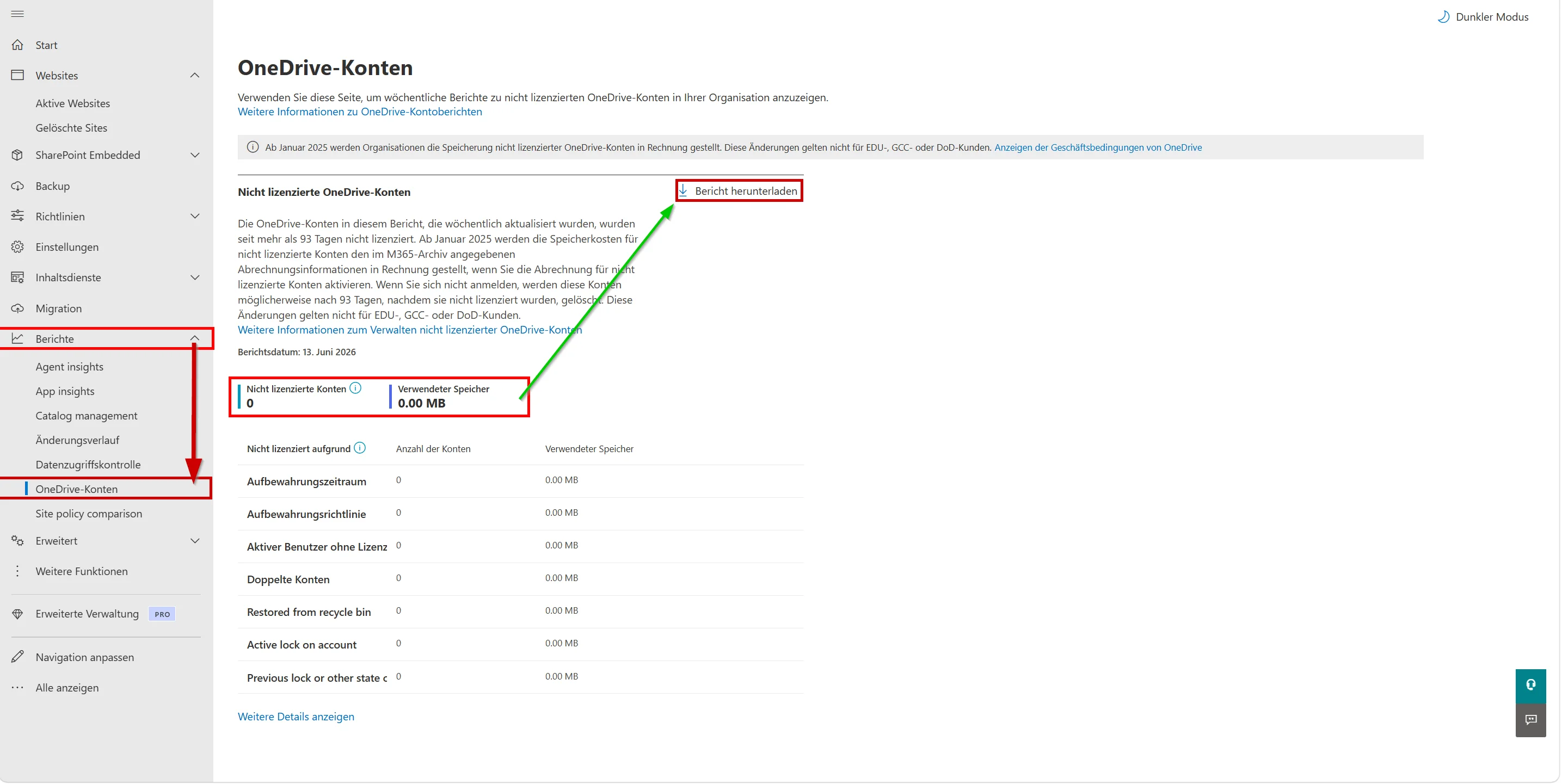
Download the report as a CSV file. The "Storage Used" column provides the baseline for your cost estimation. Ignore accounts consuming only a few megabytes. These often contain nothing more than empty default folder structures without any business-relevant documents.
Filter the list for accounts showing the status "Deletion blocked by Retention policy". These are the accounts at immediate risk of deletion. The system disregards the blocked status once an account exceeds the 365-day threshold in an unpaid state.
Configure Pay-As-You-Go Billing
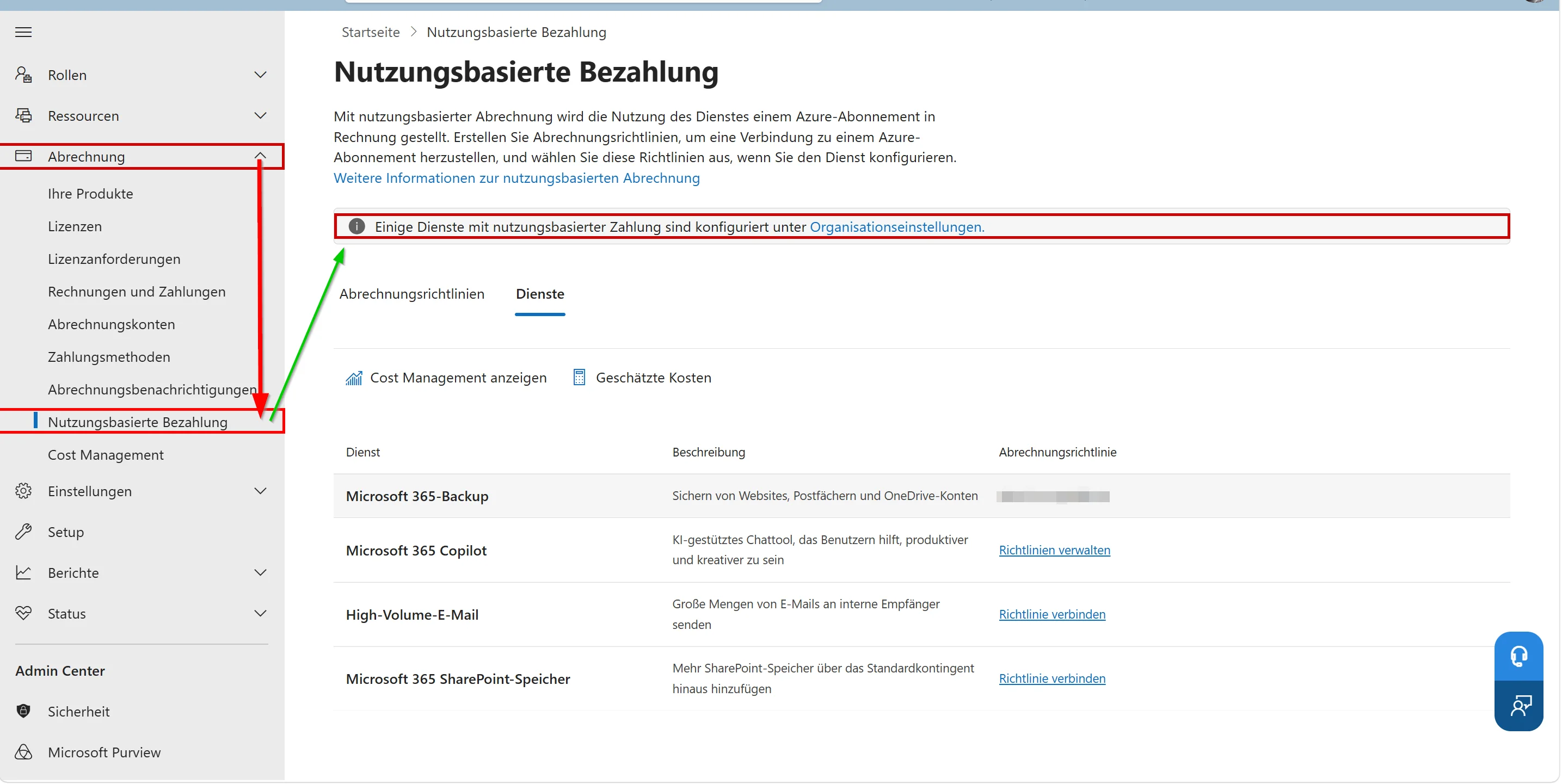
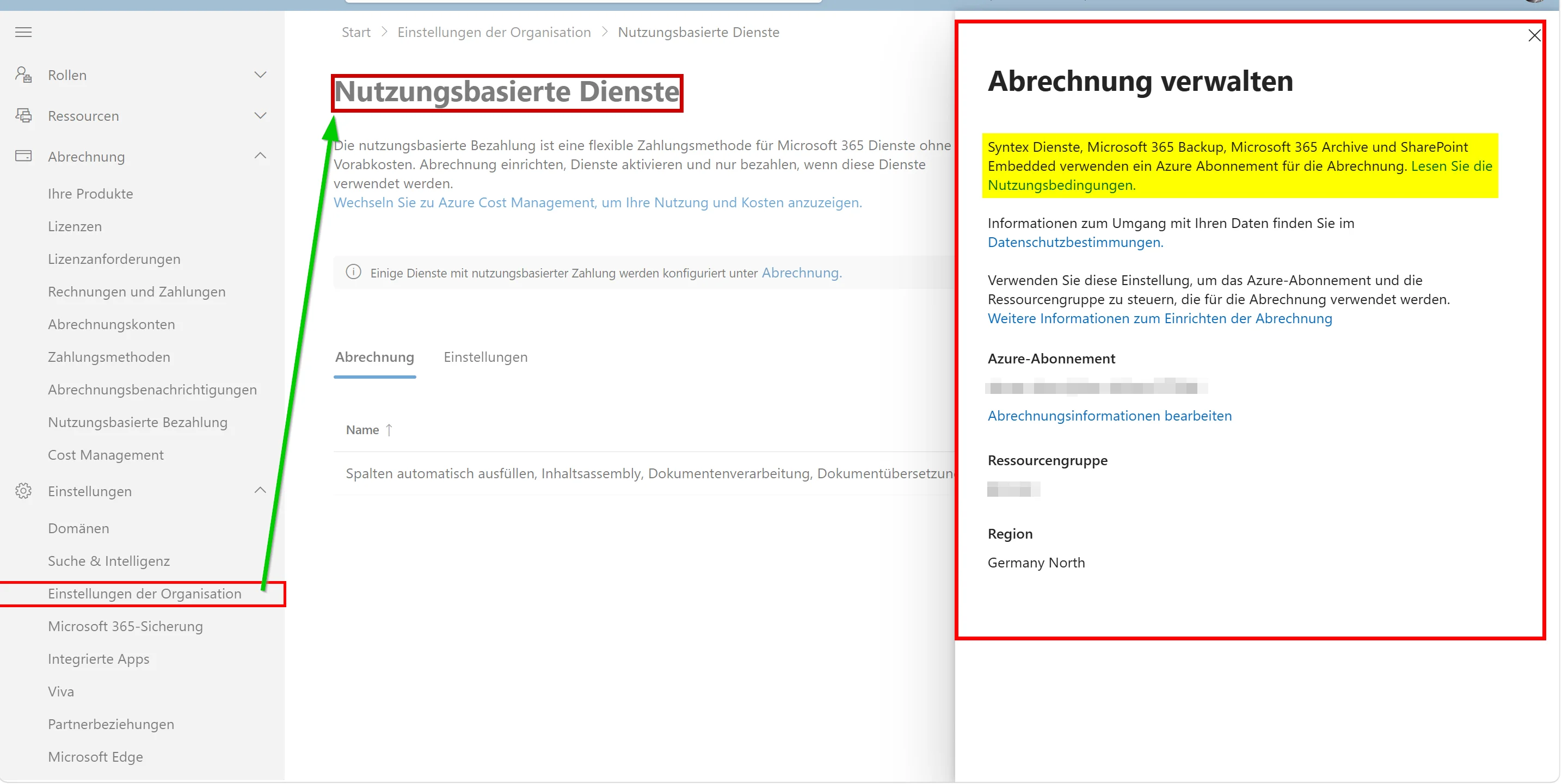
To retain archived data long-term, Microsoft requires the use of Microsoft 365 Archive. Billing is not handled through traditional license plans but through a linked Azure subscription.
Navigate to the billing settings and enable the option for unlicensed OneDrive accounts. Enter the ID of your Azure subscription. Once configured, Microsoft charges $0.05 USD per gigabyte per month for archived data. Without this configuration, the system blocks any attempt to extend the lifecycle of unlicensed accounts.
Selective Archive Reactivation
If a business unit requires access to historical project data belonging to a former employee, the archive must be reactivated. Microsoft charges a reactivation fee of $0.60 USD per gigabyte for this process.
Move Business-Critical Data to SharePoint
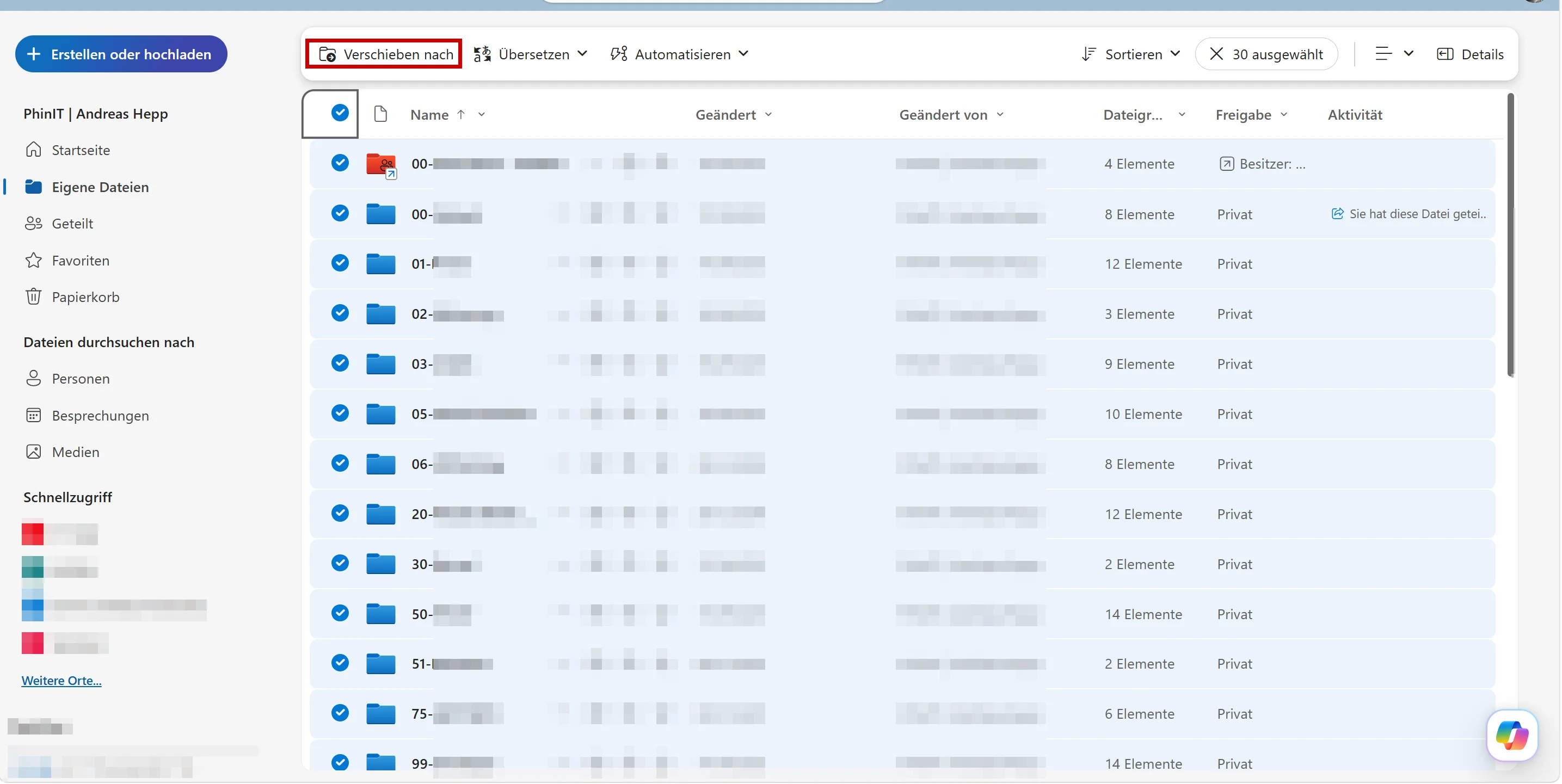
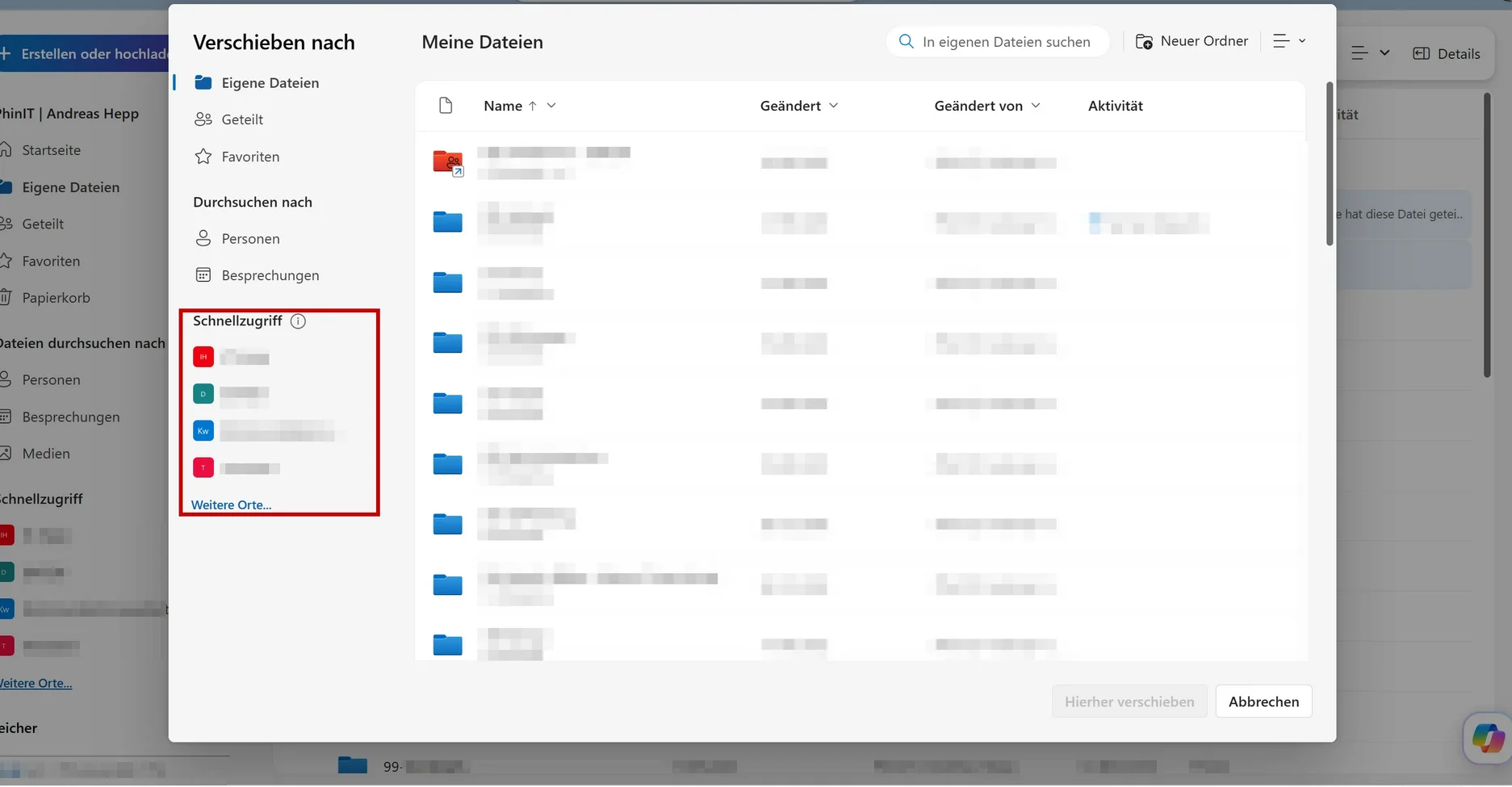
To avoid ongoing archive storage costs, you should transfer business-relevant data from former OneDrive accounts into active storage locations. Microsoft explicitly recommends migrating content to another OneDrive account or to a SharePoint document library.
Depending on the data volume, content can be transferred manually using the "Copy to" or "Move to" functions. For larger datasets, automation through PowerShell, Microsoft Graph, or specialized migration tools is recommended.
Once the data resides in an active OneDrive account or a SharePoint document library, it is again governed by the tenant’s standard storage and compliance policies. The original OneDrive account can then be archived or deleted without risk.
Conclusion
Fewer Legacy Data Repositories, Smaller Attack Surface
Microsoft’s decision to pull the plug on unpaid data is understandable from a technical perspective. The cloud is not an infinite data graveyard. Exabytes of unused files place a significant burden on storage clusters and create substantial resource conflicts for service providers. By shifting these storage costs back to tenants, Microsoft is effectively enforcing proper data lifecycle management. For years, administrators could rely on Retention Policies as a free long-term archive. That comfort zone no longer exists.
From a pure security standpoint, automated deletion offers tangible benefits. Unmanaged accounts belonging to former employees represent a significant risk. They no longer appear in access reviews, yet often continue to contain sensitive corporate information. If attackers gain access to a tenant through a vulnerability or compromised administrative credentials, these forgotten OneDrive repositories can become an unmonitored goldmine for large-scale data exfiltration. The enforced deletion after 365 days automatically reduces this attack surface.
Organizations Must Act Now
At the same time, this enforcement creates considerable administrative pressure. The fact that OneDrive data may be deleted after extended non-payment despite existing Retention Policies, eDiscovery Holds, and other compliance mechanisms requires a fundamental shift in thinking for compliance and governance teams. Budget approval for archive storage now becomes a core component of modern compliance and security strategies.
Organizations that ignore these reports and fail to configure Azure-based billing for archived OneDrive accounts risk irreversible data loss over time.
The timeframe before permanent deletion provides sufficient opportunity for a structured assessment. The process simply requires clear decisions about which data has business value and which data can safely be discarded. Delaying these decisions without a defined strategy ultimately leads to complete information loss once the end of the lifecycle is reached.
It is therefore essential to begin budget discussions with management immediately. For organizations holding hundreds of terabytes of archived data, the resulting storage costs can have a significant impact on IT budgets and long-term compliance planning.
weitere Links
| Microsoft Learn | Manage unlicensed OneDrive user accounts | https://learn.microsoft.com/en-us/sharepoint/unlicensed-onedrive-accounts |
| Microsoft Learn | Overview of Microsoft 365 Archive | https://learn.microsoft.com/en-us/microsoft-365/archive/archive-overview |
| mc.merill.net | MC1381110 - OneDrive: Retention enforcement for unlicensed OneDrive accounts | https://mc.merill.net/message/MC1381110 |

Sei der Erste und starte die Diskussion mit einem hilfreichen Beitrag.
Leave a comment
Dein Beitrag wird vor der Veröffentlichung kurz geprüft — fachlich, respektvoll und auf den Punkt ist hier genau richtig.