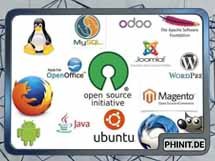
Free software forms the technical foundation of the modern internet. Major cloud providers like Google, Amazon, and Microsoft run their infrastructure on Linux, KVM, Nginx, and PostgreSQL because open source solves three concrete problems in the data center: predictable scaling without per-core licensing, independence from individual vendors, and full visibility into security-critical components.
Why Open Source Holds Up in the Data Center
Proprietary software ties up budgets through recurring license fees that often scale by CPU core, socket, or instance. Open source removes those license fees. That does not make operations free, since deployment, maintenance, monitoring, and training still require staff time. The difference shows up when you scale: adding another cluster node or web server does not trigger a new license bill.
Vendor independence is just as practical. When a commercial vendor changes its licensing model or discontinues a product, you are often left with an expensive migration under time pressure. With open-source software, the source code is accessible. If a feature is missing, you can add it via plugins or custom patches. If a vendor switches to a restrictive license, community forks often carry the previous codebase forward.
In IT security, transparency carries real weight. Closed source code does not prevent vulnerabilities; it only slows down independent inspection. Widely deployed open-source projects are audited by developers, security researchers, and enterprises around the world. Critical flaws are often reported and patched faster than in closed product teams.
Web Servers: Apache and Nginx Compared
When serving web applications, two free web servers dominate production environments, each built on a different architecture.
Apache HTTP Server
The Apache HTTP Server (httpd) has a modular design and decades of production use behind it. Historically, Apache relied on process-based modules like prefork, which spawn a dedicated process per connection. That provides broad compatibility with older PHP modules, but memory usage climbs quickly under load. Modern deployments therefore typically use the event MPM, which handles concurrent connections with far less RAM.
Apache's main strength is the .htaccess file. It lets you configure redirects, access rules, or caching headers at the directory level without reloading the server. That makes Apache the standard choice for shared hosting environments and classic LAMP stacks running WordPress or TYPO3.
Nginx
Nginx was originally built to solve the C10k problem, handling ten thousand simultaneous connections reliably on a single server. Its architecture is event-driven and asynchronous. Instead of spawning a new process for every request, a single worker process handles thousands of connections inside an event loop, keeping memory consumption low even during traffic spikes.
Nginx performs best when serving static files, handling caching, or operating as a reverse proxy and load balancer. It often sits in front of other services, including Apache, to terminate TLS connections and distribute traffic across multiple backend instances.
Virtualization: Proxmox VE as an Alternative to VMware
Following VMware's licensing changes, many organizations are looking for a predictable virtualization platform. Proxmox Virtual Environment (VE) combines two technologies under a single web interface.
- KVM (Kernel-based Virtual Machine): Full virtualization for Windows and Linux systems that require their own kernel.
- LXC (Linux Containers): System containers that share the host kernel, consuming far less RAM and CPU overhead than full VMs.
Proxmox VE is licensed under the AGPLv3. Features such as high-availability clusters, live migration, Ceph storage integration, and the Proxmox Backup Server are included without extra license fees. If you need access to the tested Enterprise repository and vendor support, optional subscriptions are billed per CPU socket. Alongside the web UI, Proxmox provides a complete CLI and a REST API for automation.
The Toolkit for Production Operations
An operating system and a web server alone do not make a maintainable server environment. Specialized open-source tools cover automation, monitoring, data storage, and security.
Infrastructure, Automation, and Storage
| Tool | Category | Technical Purpose |
| Ansible | Config Management | Runs agentlessly over SSH using YAML playbooks. Suits uniform patching and reproducible configuration rollouts across hundreds of servers. |
| OpenTofu (Terraform fork) | Provisioning | Builds infrastructure declaratively as code, such as VMs in Proxmox, AWS, or Azure. After HashiCorp moved Terraform to the BSL license in 2023, OpenTofu became the true open-source alternative under the Linux Foundation. |
| Podman | Container Runtime | Operates without a central background daemon and supports rootless containers. Commands remain largely compatible with Docker. |
| Rancher | Kubernetes Management | Provides a central interface for managing multiple Kubernetes clusters, user accounts, and access policies. |
| TrueNAS SCALE | Storage OS | Turns standard server hardware into a ZFS-based storage appliance with snapshots, data integrity checks, and SMB, NFS, or iSCSI shares. |
Monitoring, Logging, and Observability
| Tool | Category | Technical Purpose |
| Zabbix / Checkmk Raw | Classic Monitoring | Monitors servers, services, disks, and network boundaries. Checkmk Raw is widely used across the DACH region and discovers services automatically. |
| Prometheus | Metrics | Collects time-series metrics via a pull model and fits dynamic container and Kubernetes environments. |
| Grafana | Visualization | Connects to Prometheus, Zabbix, Loki, or SQL databases and turns metrics into interactive dashboards. |
| Graylog / Loki | Log Management | Graylog collects and indexes syslogs centrally. Loki stores logs with low overhead without full-text indexing and integrates directly into Grafana. |
| Uptime Kuma | Status Pages | Checks HTTP endpoints, TCP ports, and DNS records, and publishes internal or public status pages during outages. |
Databases and Caching
| Tool | Category | Technical Purpose |
| PostgreSQL | RDBMS | ACID-compliant relational database with strong JSON support and reliable replication for demanding business applications. |
| MariaDB | RDBMS | Free fork of MySQL and the common database backend for web applications like WordPress, Nextcloud, and e-commerce platforms. |
| Valkey / Redis | In-Memory Cache | Keeps data in RAM for session stores, query caching, or message queues. Following Redis's 2024 license change, Valkey established itself as the BSD-licensed community fork. |
| InfluxDB | Time Series DB | Stores high-frequency time-series data such as sensor readings or server metrics. |
Security and Networking
| Tool | Category | Technical Purpose |
| OPNsense / pfSense CE | Firewall | BSD-based firewalls offering VPN, traffic shaping, intrusion detection, and centralized rule management. OPNsense maintains a clearly open development model. |
| WireGuard | VPN | Lean VPN protocol built directly into the Linux kernel. Establishes tunnels faster and requires less maintenance than IPsec or OpenVPN. |
| Fail2Ban / CrowdSec | Intrusion Prevention | Fail2Ban parses local logs and blocks offending IPs via firewall rules. CrowdSec extends that approach with community-shared blocklists. |
| Keycloak | Identity (IAM) | Provides single sign-on via OIDC and SAML as well as multi-factor authentication for internal and external web applications. |
| Certbot | TLS Certificates | Automates issuing and renewing free Let's Encrypt certificates for web servers and reverse proxies. |
Collaboration and Development
| Tool | Category | Technical Purpose |
| Nextcloud | File Storage | Self-hosted alternative to cloud storage providers, including calendars, contacts, and optional office suite integration. |
| Mattermost / Rocket.Chat | Team Chat | Self-hosted chat platforms for internal communication without relying on US cloud providers. |
| Jitsi Meet | Video Conferencing | Browser-based video meetings on your own infrastructure with no account requirement. |
| GitLab CE | DevOps Platform | Combines Git repositories, CI/CD pipelines, issue tracking, and a container registry on a single server. |
Adoption Strategy
Moving to open-source software rarely fails because of the technology itself; it usually fails due to poor preparation. Four practices keep the risk low.
Start with clearly scoped pilot projects instead of a full cutover. An internal web server, a monitoring stack, or a Proxmox test cluster builds operational experience without putting business-critical workloads at risk.
Check project activity and licensing before committing to a tool. When was the last release shipped? How fast are security vulnerabilities patched? Who controls the repository, and is a license shift like Terraform or Redis likely? An abandoned project quickly turns into a security liability in production.
Reinvest part of your saved licensing budget into training and documentation. Open-source tools give you deep control, but they require solid knowledge of Linux, networking, and underlying protocols.
Standardize operations from day one using configuration management like Ansible. Manual edits directly on servers create fragile one-off systems that cannot be rebuilt reliably after a failure.
Conclusion
Open-source server software is not a budget shortcut for lab environments; it is the technical standard for scalable infrastructure. Tools like Nginx, Apache, Proxmox VE, PostgreSQL, and Ansible cover the full lifecycle from hypervisor to application without artificial license limits shaping your architecture. Building or modernizing a server environment on open standards gives you direct control over costs, operational stability, and data sovereignty.
At the same time, this approach requires discipline. Zero license fees do not replace sound operations: patch management, backup testing, monitoring, and clear ownership remain mandatory. Keeping an eye on license governance has also become routine, as the shifts from Terraform to OpenTofu and from Redis to Valkey demonstrated. Relying on active community projects, managing configuration as code, and training your team consistently results in infrastructure that stays maintainable over the long term without depending on a vendor's next pricing model.

💬 Comments
0 commentsBe the first to start the discussion with a helpful comment.
Leave a comment
Comments are reviewed briefly before they are published — factual, respectful and to the point is just right here.