
Teams Weaponizable File Protection ...
Microsoft delays the adjustment of Weaponizable File Protection in Teams by one month. According to MC1509801 (Roadmap ID 571298), updated on November 2, 2026, the rollout will now begin in early December 2026 and is expected to complete by mid-December.
Initially, early November and mid-November were scheduled. The first report dates back to October 15, 2026.
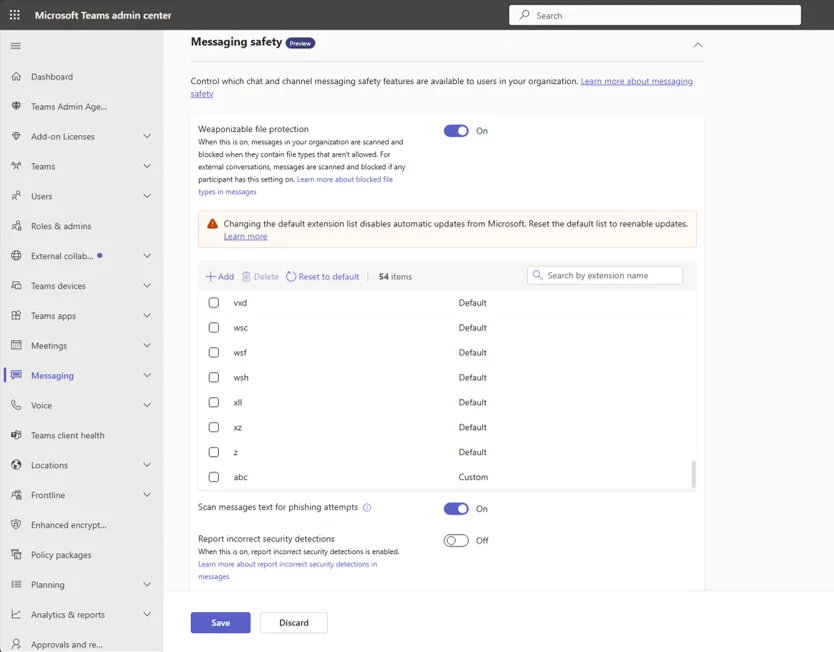
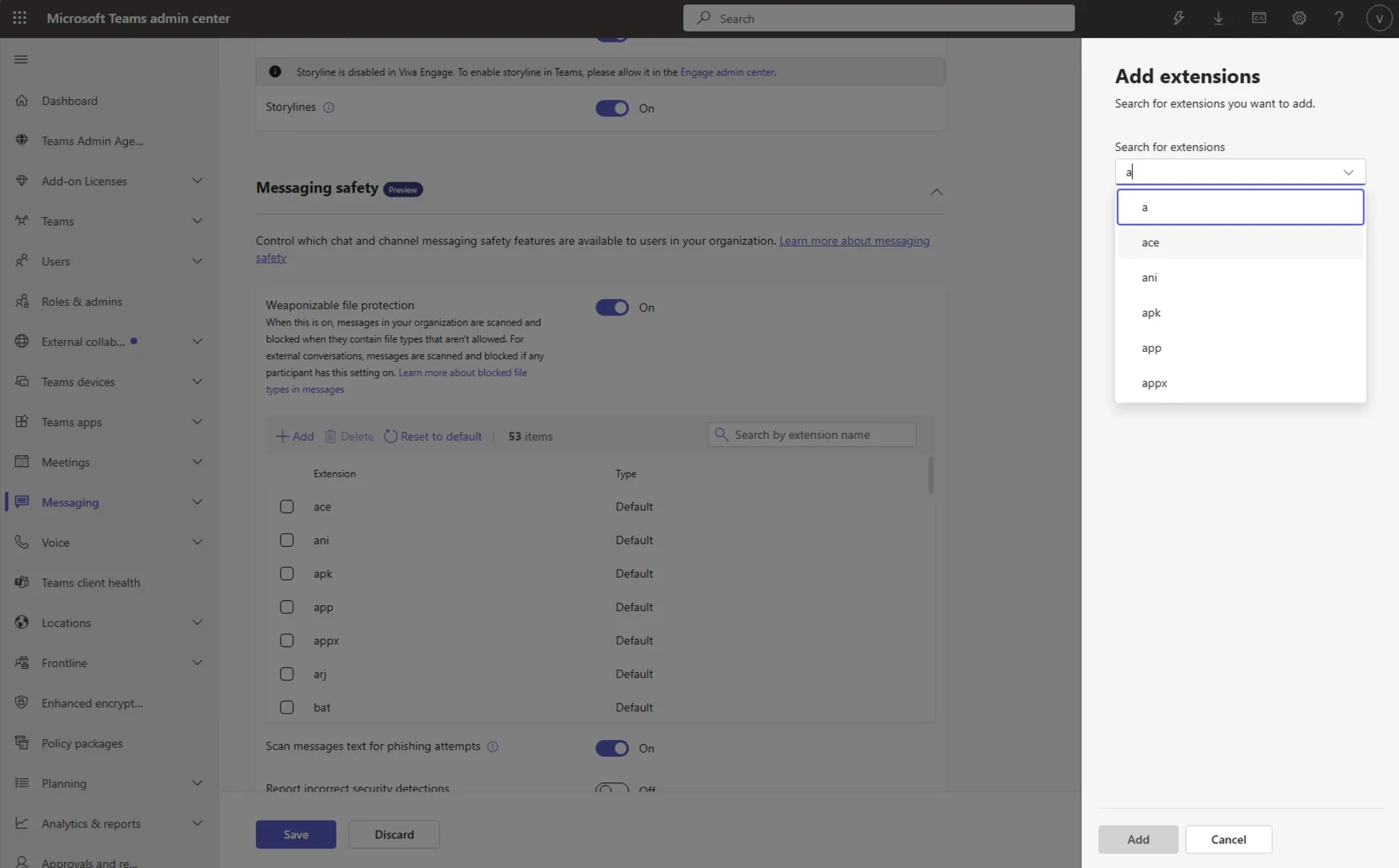
What’s changing
The feature blocks files with extensions in Teams that are considered attack vectors. So far, Microsoft has defined the list, and admins have had no control over it. After the rollout, they will be able to add or remove file extensions or stick with Microsoft’s recommended default list. Supported platforms: Android, desktop, iOS, Mac, and web. The user interface remains unchanged, and blocked files will continue to be blocked as they are today.
Cost of customization
There’s one consequence of this decision you should be aware of: If you keep the default list, you’ll automatically receive future updates from Microsoft. If you modify the list, you’ll no longer get automatic updates to the recommended list. Maintaining a custom list therefore becomes a maintenance task. You’ll need to manually add new risky file extensions yourself—and you’ll only notice they’re missing when an incident occurs.
Reverting is possible: You can reset the configuration to the recommended default list at any time and will receive automatic updates again afterwards.
Who is affected and what you need to do
This affects organizations that have enabled Weaponizable File Protection in Teams. They will remain on the recommended list by default, and Microsoft does not require any action. If you want to make adjustments—such as when a department regularly exchanges a blocked file extension—plan to do so only after the December rollout.
The message does not specify which extensions are included in the default list. It also does not mention the menu path for the new setting, only showing two screenshots of the "Customize file type" and "Customize file type add" views. I was unable to access a Learn page for this feature. Once the setting appears in the tenant, check its path and document the change along with the justification. Relaxing the list is a security decision that you should be able to justify.
Conclusion
The delay doesn’t change the decision you’re facing: standard list with automatic updates or custom list with manual maintenance. For most environments, the standard list is the better choice because you don’t have to add new threats yourself.
A custom list is only worthwhile if a specific business case requires an extension to be released. In such cases, the justification and follow-up must be documented.
further links
| Source | URL |
| Microsoft Message Center (archive mirror mc.merill.net) | https://mc.merill.net/message/MC1509801 |
| Microsoft Roadmap (archive mirror mc.merill.net) | https://mc.merill.net/message/RM571298 |

💬 Comments
0 KommentareSei der Erste und starte die Diskussion mit einem hilfreichen Beitrag.
Leave a comment
Dein Beitrag wird vor der Veröffentlichung kurz geprüft — fachlich, respektvoll und auf den Punkt ist hier genau richtig.