
In the articles "Sensitivity Labels: Architecture & Practice" and "Automated Application of Sensitivity Labels", we looked at how you can classify data using sensitivity labels (tagging). That's the "what". Now let's take care of the "what then".
Data is volatile today. They no longer remain static behind the company firewall, but diffuse via Microsoft Teams, land on USB sticks in the home office or via copy & paste in private browser tabs. A thoughtless "Reply All" or a wrong share link is enough to expose internal financial data or PII (Personally Identifiable Information).
This is exactly where Microsoft Purview DLP (Data Loss Prevention) comes into play as a logical consequence of your label strategy. DLP is the mechanism that actively intervenes based on content analysis or the labels set. The system does not act as a blunt "preventer", but as an intelligent guardian: It recognizes sensitive patterns (such as credit card numbers) or classifications (e.g. "Strictly Confidential") and reacts in real time – whether through educational warnings ("Policy Tips") or strict blockades if the risk is too high.
This article serves as a LANDINGPAGE. We define the overarching strategy here and refer to the corresponding articles of the individual areas for the configuration.
Requirements & Licensing
(EXPAND) Before we build policies, we need to talk about requirements and licenses.
Microsoft makes a sharp distinction between the storage locations ("Data at Rest") and the endpoints/paths ("Data in Motion") when it comes to DLP.
We assume Microsoft 365 Business Premium (incl. Entra ID P1) in most articles.
As soon as an add-on or E5 is needed, we will point it out.
- Standard DLP (included in Business Premium / E3)
This covers the classic cloud workloads. You can create rules for Exchange Online (e-mail transport) and SharePoint Online & OneDrive (file storage). - Advanced / Endpoint DLP (Requires E5 / Compliance Add-on)
Once the data leaves the cloud or is shared interactively in Teams, you'll need higher licenses.- Endpoint DLP: Protection on Windows 10/11 & macOS (USB, printing, network shares, clipboard).
- Teams DLP: Block sensitive info in chat messages and channels in real time.
Licenses in detail:
| Feature | Business Premium | O365 / M365 E3 | M365 E5 (or E3 + Compliance Add-on) |
| Exchange Online DLP (Email) | ✅ | ✅ | ✅ |
| SharePoint / OneDrive DLP (Files) | ✅ | ✅ | ✅ |
| Teams Chat & Channel DLP | ❌ | ❌ | ✅ |
| Endpoint DLP (Devices/USB) | ❌ | ❌ | ✅ |
| Advanced Classifiers (ML/EDM*) | ❌ | ❌ | ✅ |
What is Data Loss Prevention (DLP)?
(EXPAND) Microsoft Purview Data Loss Prevention (DLP) is not a single checkbox or a firewall. It's a set of rules that looks deep into the content of your files and chats to assess risks and force action.
The technical process always follows three core phases:
1. Identify
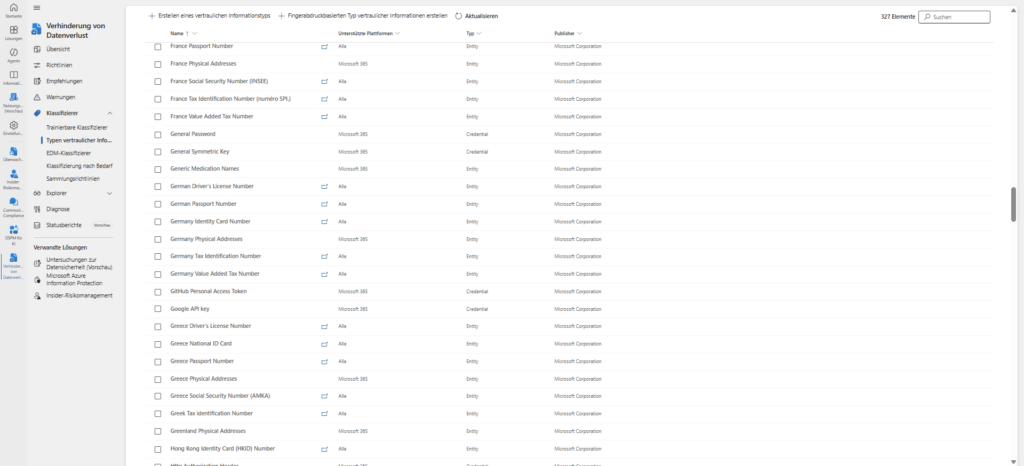
Before the system can protect, it must understand. DLP scans the content (body, attachments, metadata) and looks for hits:
- Pattern recognition: Standardized formats such as credit card numbers, IBANs or ID numbers (RegEx).
- Labels: Evaluation of the sensitivity labels you have defined (as described in the previous article).
- Exact Data Match (EDM): Comparison with exact customer databases (hashes) to minimize false positives.
2. Monitor
DLP monitors data in three technical states. This distinction is important because it requires different licenses and sensors:
- Data at Rest: Data at rest in SharePoint Online, OneDrive for Business, and (via scanner) on on-premises file servers.
- Data in Transit: Data that moves – primarily via Exchange Online (email) or Teams messages.
- Data in Use: Data that is actively edited, printed, transferred via Bluetooth or copied to USB sticks on the endpoint (Windows/macOS).
3. Protect
If a risk is identified, the defined action takes effect. DLP acts granularly here:
- Audit Only: Silent logging for analysis.
- Policy Tip (Nudging): The user receives a notice during work (e.g. when writing an email) that he or she is violating guidelines. This educates the user in real time.
- Block & Override: The action is blocked, but the user can proceed with a business justification.
- Block: The action is severely prevented.
Compliance vs. Intellectual Property (IP)
Architecturally, you should look at DLP from two perspectives, as the technical implementation varies:
- Regulatory Compliance (GDPR): Protection of PII (Tax ID, IBAN) by means of standard templates.
- Intellectual property (IP) protection: Protection of "crown jewels" (blueprints, project X) by means of trainable classifiers (machine learning), as simple patterns do not apply here.
A building block of the Zero Trust strategy
DLP is the last line of defense in the Zero Trust model. If the perimeter falls, the data plane must hold. Even if the identity is verified, DLP is the last instance to check: Is this content allowed to be sent to this recipient?
Architecture of a DLP policy
(EXPAND) Technically, a DLP policy is a container that enforces a simple logic: "If [condition] applies to [location], then perform [action]." But granularity determines success or frustration here.
A policy always consists of three hierarchical levels:
A. Locations (scope): Where are we looking?
The top level is the scope. Microsoft Purview allows you to target workloads selectively or globally.
- Exchange Online: Scans body and engagers (Inbound/Outbound/Internal).
- SharePoint Sites & OneDrive: Scans files at rest.
- Teams Chat and Channel Messages: Monitors communication in real-time (requires E5/Compliance add-on).
- Devices: Protects Windows 10/11 and macOS at the OS level (USB, printing, Bluetooth).
- On-Premises Repositories: Via scanner for local file shares.
- Power BI: Protects data in dashboards and reports.
Architecture Note: You can (and should) filter policies granularly. For example, apply a financial policy only to the "Finance Team" distribution group, or explicitly exclude the "Backup User" service account.
B. Conditions: The Trigger
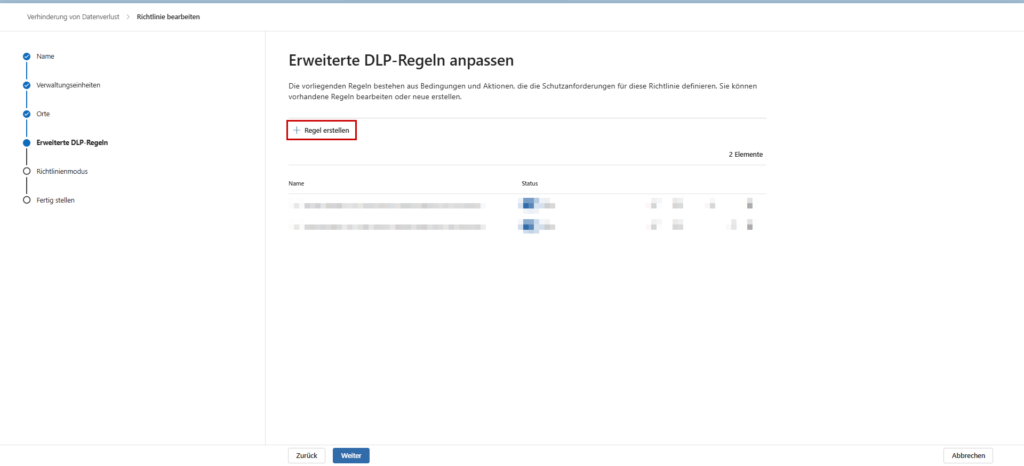
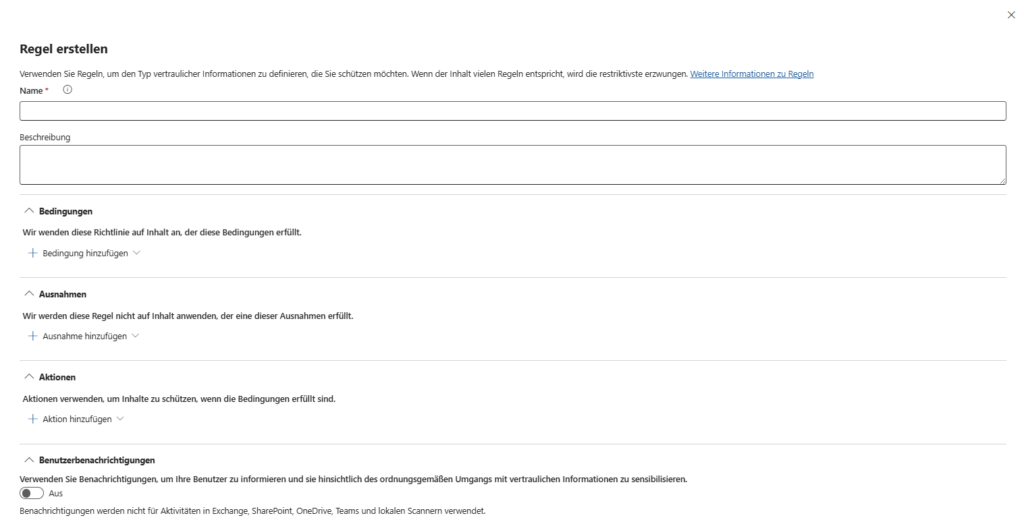
Within the policy, you define rules. A rule only takes effect when the trigger is triggered:
- Content: The file contains sensitive information types (SITs) such as IBANs, tax IDs or keywords.
- Context: The file is shared with people outside the organization.
- Labels: This is where the symbiosis with information protection comes into play. The condition is simple: "Does the document have the label 'Strictly Confidential'?" (Regardless of the content).
- Features: File size, file type, or document name.
C. Actions: Enforcement
If the location and condition are "true", the action fires.
- Restrict Access (Cloud): An email is blocked from being sent (NDR). For SharePoint/OneDrive/Teams, the link becomes "invalid" for the external recipient (the document remains internal).
- Audit & Block (Endpoint): The OS prevents copying to USB sticks, printing, or uploading to unauthorized browsers (e.g., private Dropbox).
- Encryption: E-mails are forcibly encrypted (OME), but are allowed to pass.
The Human Factor: User Notifications & Policy Tips
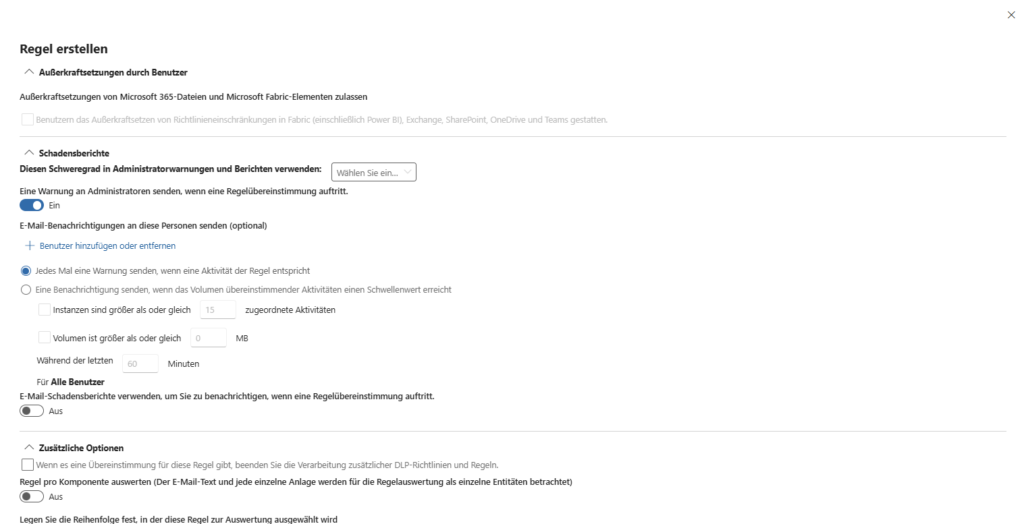
Hard blocking without explanation will generate tickets at the help desk. Therefore, the user experience is part of the architecture.
- Policy Tips (Nudging): Even before the user presses "send" in Teams or sends the mail, the client analyzes the content. A yellow bar warns: "This message contains credit card details. Remove them or the shipment will be blocked." This trains the user in the process.
- Override: You can configure the user to bypass the block with a justification ("Business Justification").
- Why? This reduces false positives and gives you valuable insights into business processes in the audit log that you may not have had on your radar.
Advanced detection methods
The standard templates (RegEx for IBAN/credit card) are often not sufficient. Purview offers specialized tools for this, which we discuss in the deep dives:
- Custom SITs & RegEx: If you need to protect internal project numbers (e.g. "PRJ-1234"), build your own RegEx patterns.
- Exact Data Match (EDM): The supreme discipline against false positives. Instead of searching for any 10-digit number, you upload hashes of your real customer database. DLP only works if exactly this customer number is found.
- Document Fingerprinting: You upload a blank form (e.g. patent application). In the future, DLP will recognize completed variants of this form based on the structure.
Workloads: Where DLP comes into play
DLP is no longer just an email solution. The architecture stretches an umbrella over your entire hybrid landscape. Since the configuration is technically very different depending on the channel, we link here to our specific articles that will appear here in the next few weeks (see agenda).
3.1 🔒 Exchange Online
Email is still the "number 1 gateway" for data leakage. Exchange Online DLP protects against the classic "fat finger problem" (accidentally sending to the wrong person) and enforces encryption.
- The scenario: An employee wants to send an internal "Gehaltsliste.xlsx" to Mr. Müller (HR). However, Outlook's autocomplete inadvertently selects Mr. Müller (External Customer).
- The solution: Outlook recognizes the sensitive data in the attachment and the external recipient. A policy tip (warning) is immediately displayed even before the user presses "send". Alternatively, the system automatically encrypts the mail or blocks the sending completely.
3.2 💬 SharePoint & OneDrive
Securing files in Microsoft 365 is not a nice-to-have, but a central component of any compliance strategy. Why? Because Teams, SharePoint Online and OneDrive for Business are technically closely interlinked:
- Teams channel files are physically stored in SharePoint document libraries.
- Files from private chats end up in the user's OneDrive.
If you protect SharePoint and OneDrive, you automatically back up the file storage in Teams!
But how do you implement this in practice – especially with a Business Premium license, without expensive E5 add-ons?
🌐 Browser & Web Protection
The browser as a new operating system and biggest security risk. In a world without a classic network perimeter, the focus of data security has shifted to the endpoint. This article provides a deep technical insight into how organizations can use Microsoft Purview Endpoint DLP to protect sensitive data streams directly in the browser without throttling performance with legacy SSL inspection.
Planning, testing and operation
A "just turn on" DLP policy is almost always a mistake in practice. You risk crippling critical business processes (e.g., monthly invoice dispatch). A professional deployment therefore always follows the Safe Deployment Process.
5.1 🧪 The Simulation Mode
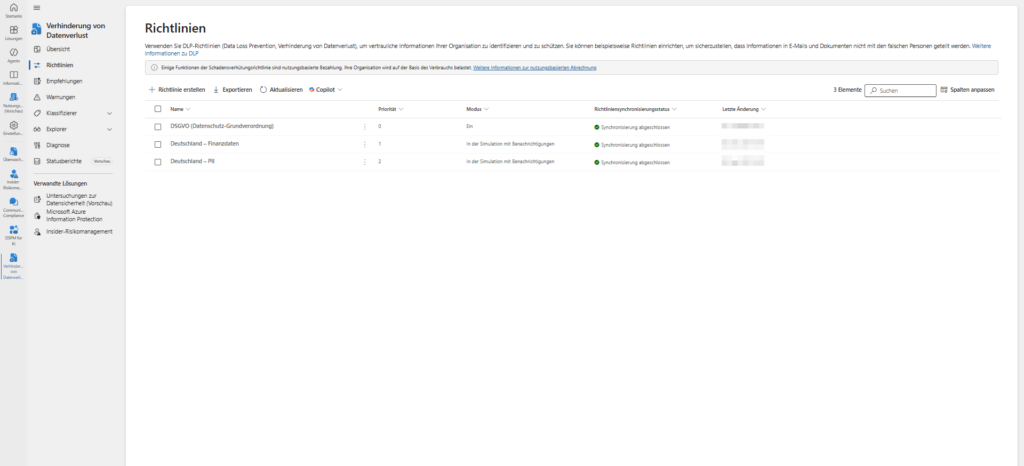
Microsoft forces you to make a decision at the end of the wizard. The only valid option for a new architecture is: "Execute policy in simulation mode".
From a technical point of view, you separate detection from enforcement here. The system checks traffic against your conditions and writes matches to the audit log, but doesn't perform any blocking actions (like NDRs or encryption).
The test (recommended): In addition, activate the checkbox "Show policy tips in simulation mode". This is the ideal middle ground for onboarding:
- Technology: The mail flow remains undisturbed (no block).
- User Experience: The user already sees the yellow warning bar in the client. This allows you to validate whether the warning appears in the right place without jeopardizing operations.
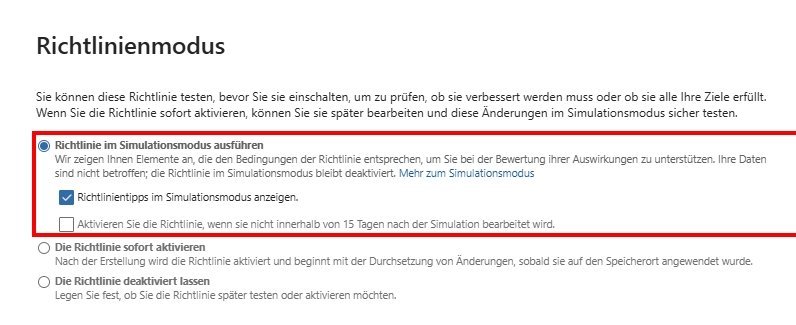
Note: Leave the "Enable the policy after 15 days..." option unchecked. In the security architecture, a go-live is never time-based ("blind"), but only after manual evaluation of the logs. If you forget this automatic, you risk unchecked disruptions in the operational business after two weeks.
5.2 📊 Alerts & Investigation
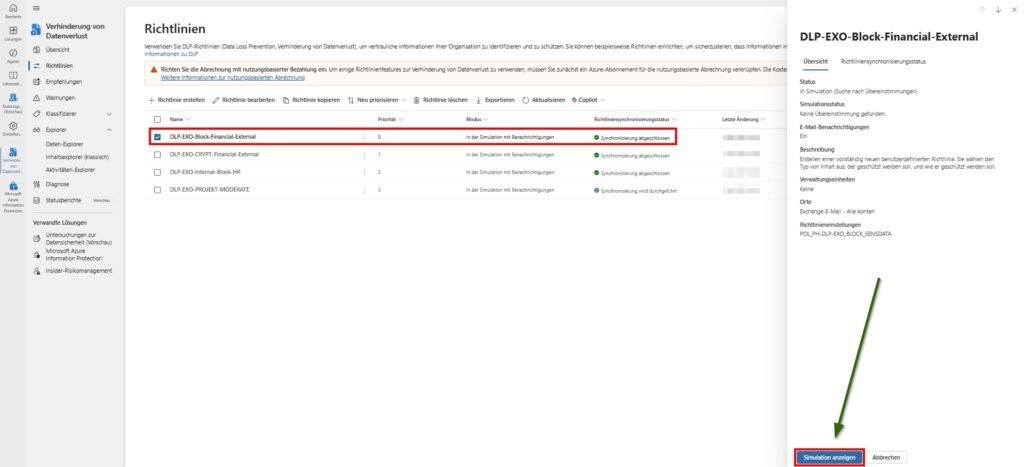
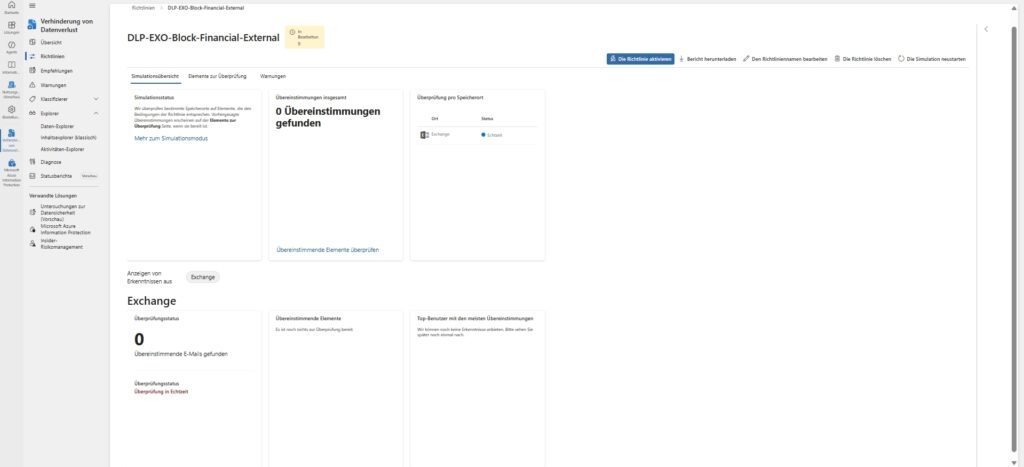
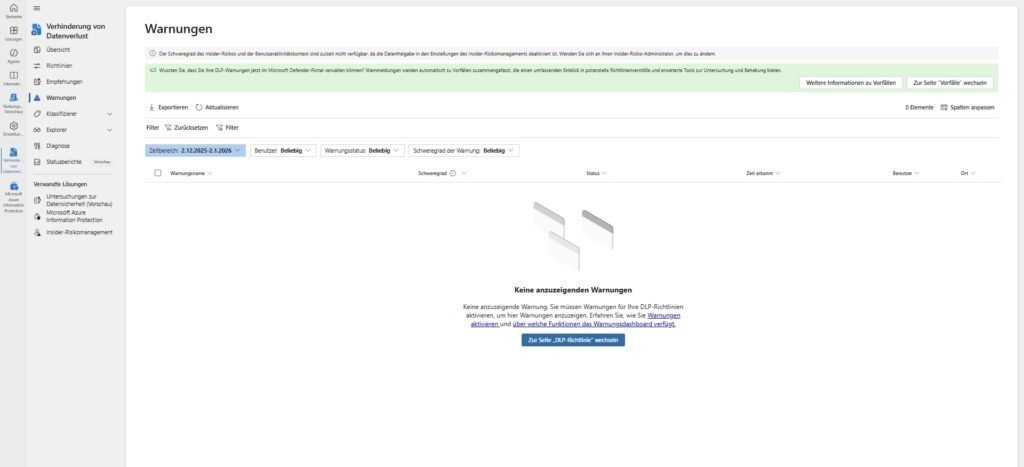
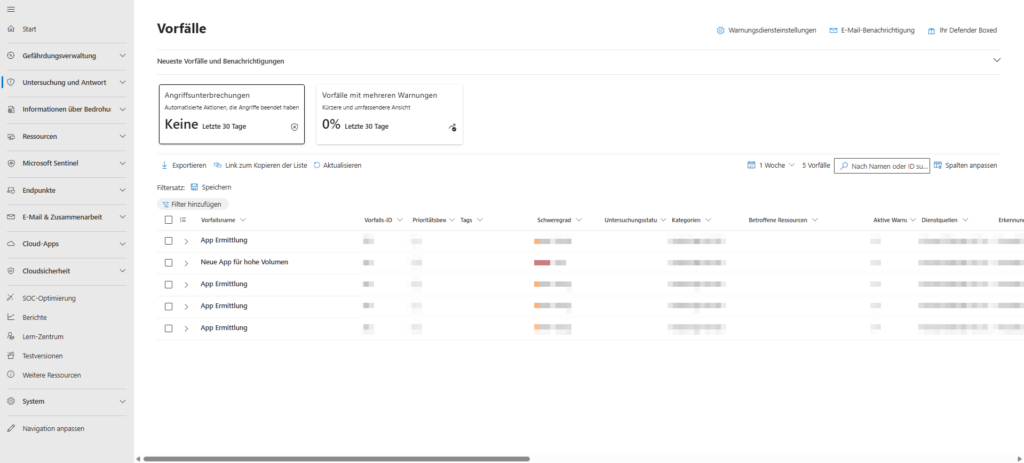
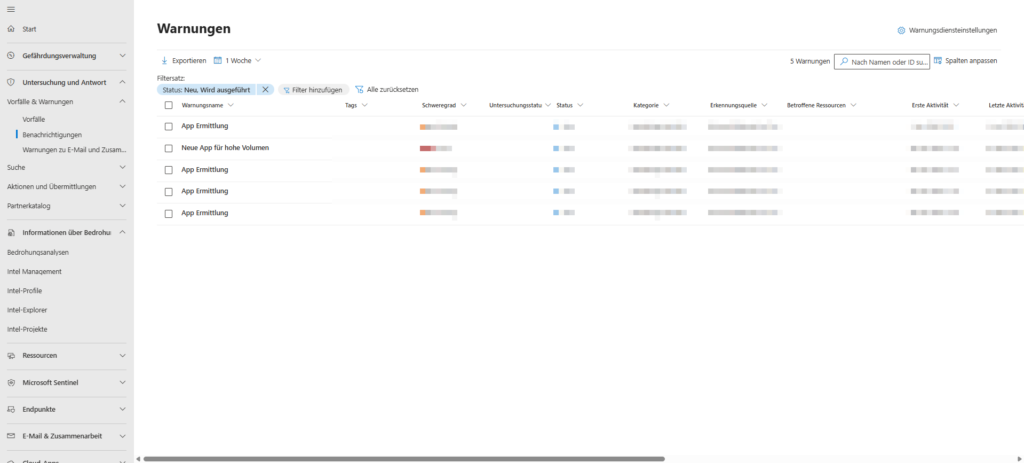
DLP is not a "fire and forget". When a rule hits, it generates an alert in the Microsoft Purview Compliance Portal (or Microsoft Defender XDR).
- Triage: As an admin or analyst, you evaluate the incident. Was it an oversight (user training necessary) or bad intentions?
- Content Explorer: To evaluate the incident, you often need to know what exactly was in the file. The Content Explorer allows (with appropriate permissions) to view the trigger.
- Integration: The alerts can be routed via API to SIEM systems (such as Microsoft Sentinel) to correlate them with other security incidents.
Conclusion: DLP as a process, not as a project
Microsoft Purview DLP is a powerful tool, but it must be used surgically. Success is not about creating the strictest possible rules ("block all"), but about finding the balance between data security and productivity. A well-configured DLP system not only protects data, it educates ("nudging") the user and makes him the first line of defense.
The path to robust data loss prevention is not a one-time "fire and forget" task, but an ongoing cycle of analysis, adaptation and refinement. With the understanding of architecture from this article, you'll be ready for practice.
Sei der Erste und starte die Diskussion mit einem hilfreichen Beitrag.
Kommentar hinterlassen
Dein Beitrag wird vor der Veröffentlichung kurz geprüft — fachlich, respektvoll und auf den Punkt ist hier genau richtig.